EasyManua.ls Logo

LPKF ProtoMat S - Tool Colour Code

Default Icon
112 pages
Print Icon
To Next Page IconTo Next Page
To Previous Page IconTo Previous Page
Loading...
Operation
ProtoMat S
72 HB V2.0/Dez-11 © 2011 LPKF AG
6
6.5.3 Tool colour code
All LPKF tools are equipped with a distance ring, colour coded accordingly to
the tool applications:
Tab. 12: Tool
colour coding
Colour
Tool application
Red
MicroCutter
Orange
UniversalCutter
Blue
EndMill (RF)
Purple
EndMill
Olive-green
EndMill (long)
Yellow
ContourRouter
Green
SpiralDrills
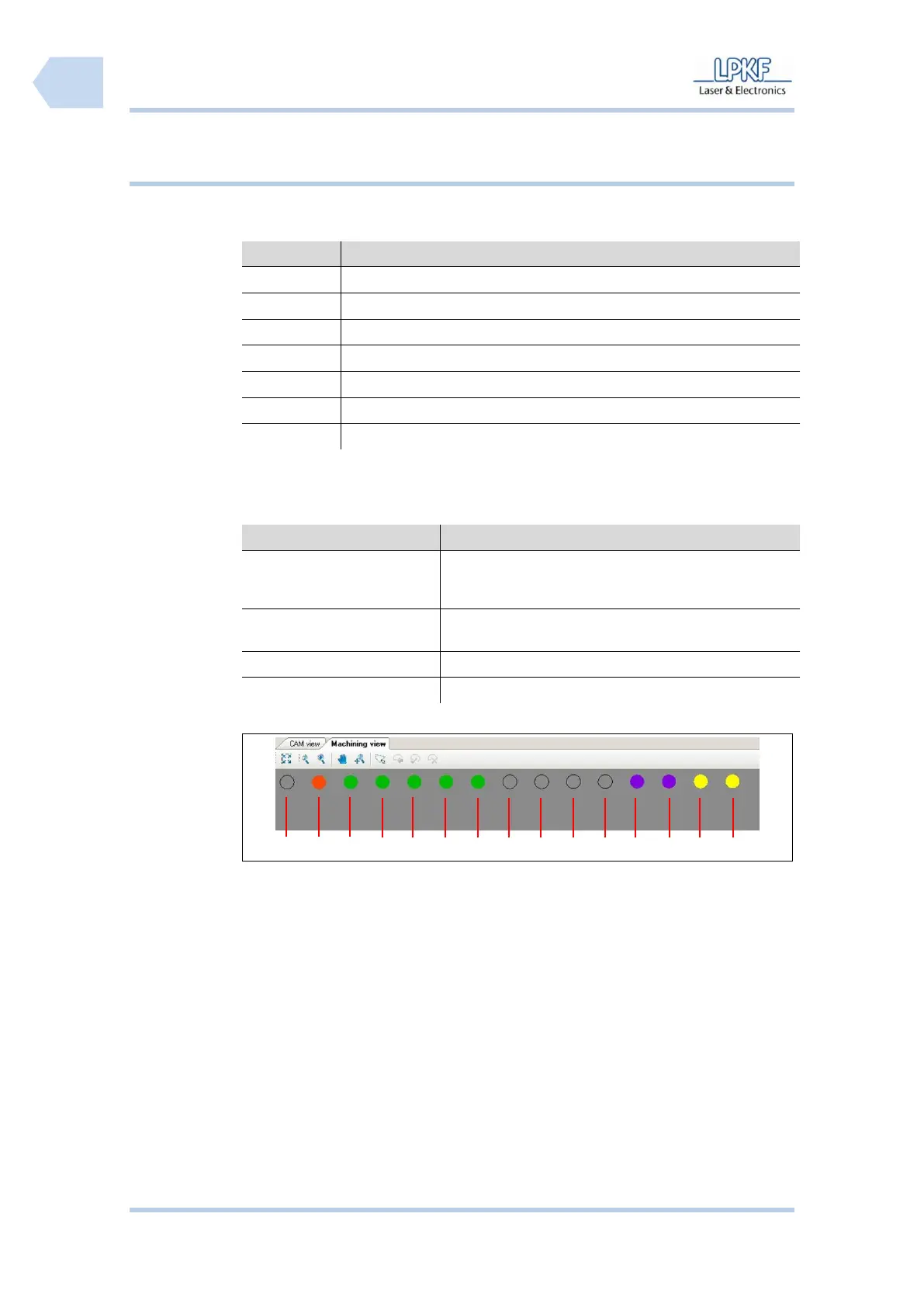
The tool position display of the window “machining view” is corresponding to the
colour coding definitions:
Tab. 13: Tool
position display
code
Display
Definition
Filled colour circle
The tool position is equipped with a mill or drill tool. The
displayed colour is according to the tool application
(see Tab. 12: Tool colour coding)
Unfilled colour circle
The tool position is equipped with a mill or drill tool. The
tool is placed in the collet chuck of the machine.
White circle
The tool position slot is not assembled
Black circle
The tool position is not configured.
Example:

Fig. 46: Tool
holder
/1/ not configurated
/9/ not configurated
/2/ MicroCutter
/10/ not configurated
/3/ SpiralDrill
/11/ not configurated
/4/ SpiralDrill
/12/ EndMill
/5/ SpiralDrill
/13/ EndMill
/6/ SpiralDrill
/14/ ContourRouter
/7/ SprialDrill
/15/ ContourRouter
/8/ not configurated
1
2
3
4
5
6
7
8
9
10
11
12
13
14
15

Table of Contents

Related product manuals