© 2011 LPKF AG HB V2.0/Dez-11 65
Pos: 23 /ED_Tec hnische_Doku mentation/2_Be dienungsanleit ung/Maschine/R P_Fräsbohrplotter/ ProtoMat_S _Serie/ProtoMat _S_Serie_IIG/K apitel_6_Be dienung/6_03_M aschine_verbin den @ 1\mo d_131824692 1769_2058.docx @ 37346 @ 2 @ 1
6.3 Establish a connection
As a first step a connection between the PC and the circuit board plotter has to
be established.
■ Establish a connection
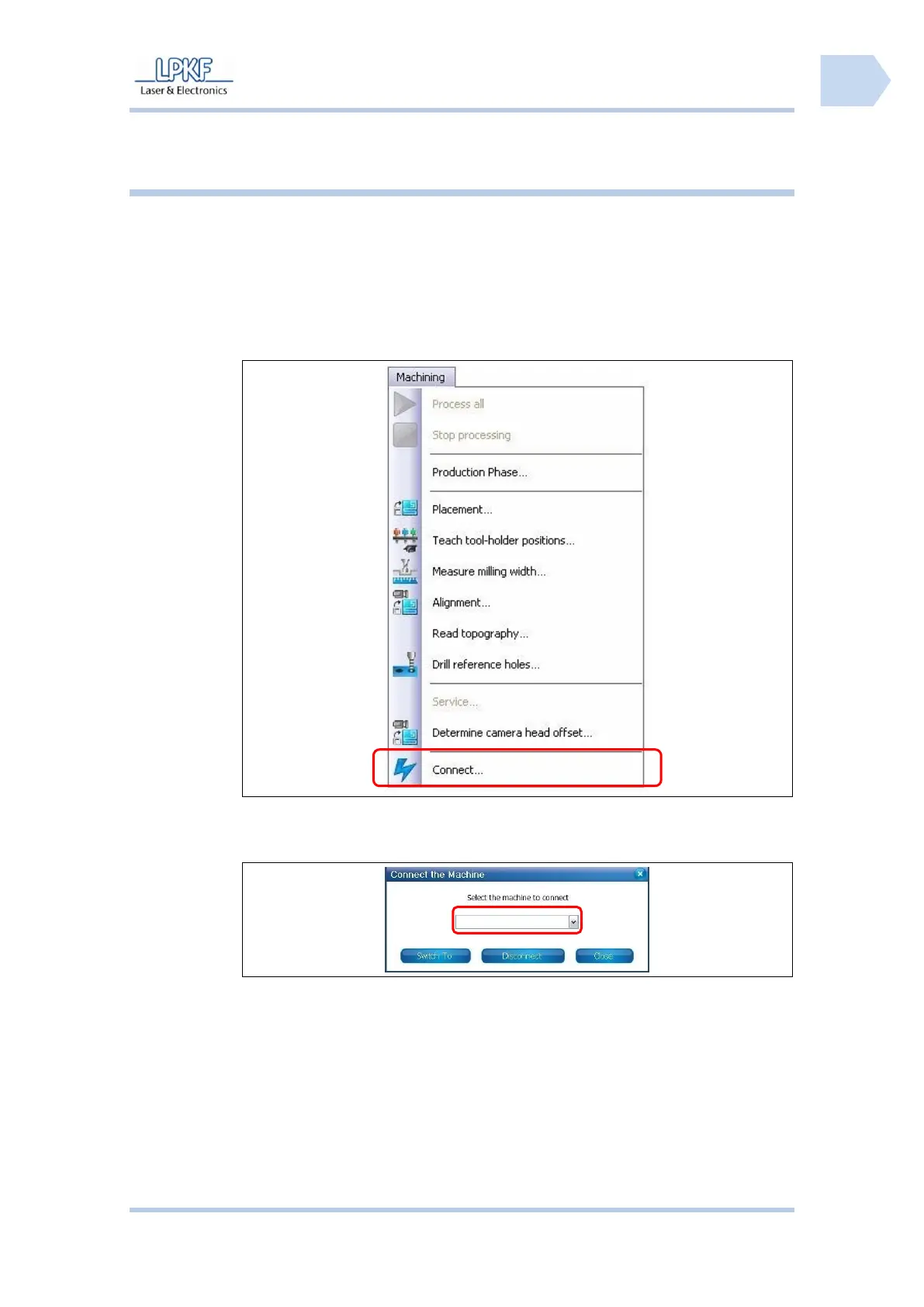
1. Go to the menu “Machining“ and click “Connect…”.
Fig. 34: Select
circuit board
plotter
➨ The following window is shown:
2. Click on the selection box \Machine type\ and select the type of the
connected machine.
3. Click [Connect].
➨ The connection to the circuit board plotter is established and the following
message appears:



 To Next Page