3-69
2.4.10 MOMENT LIMITER ERROR CAUSES AND ACTIONS TO BE TAKEN
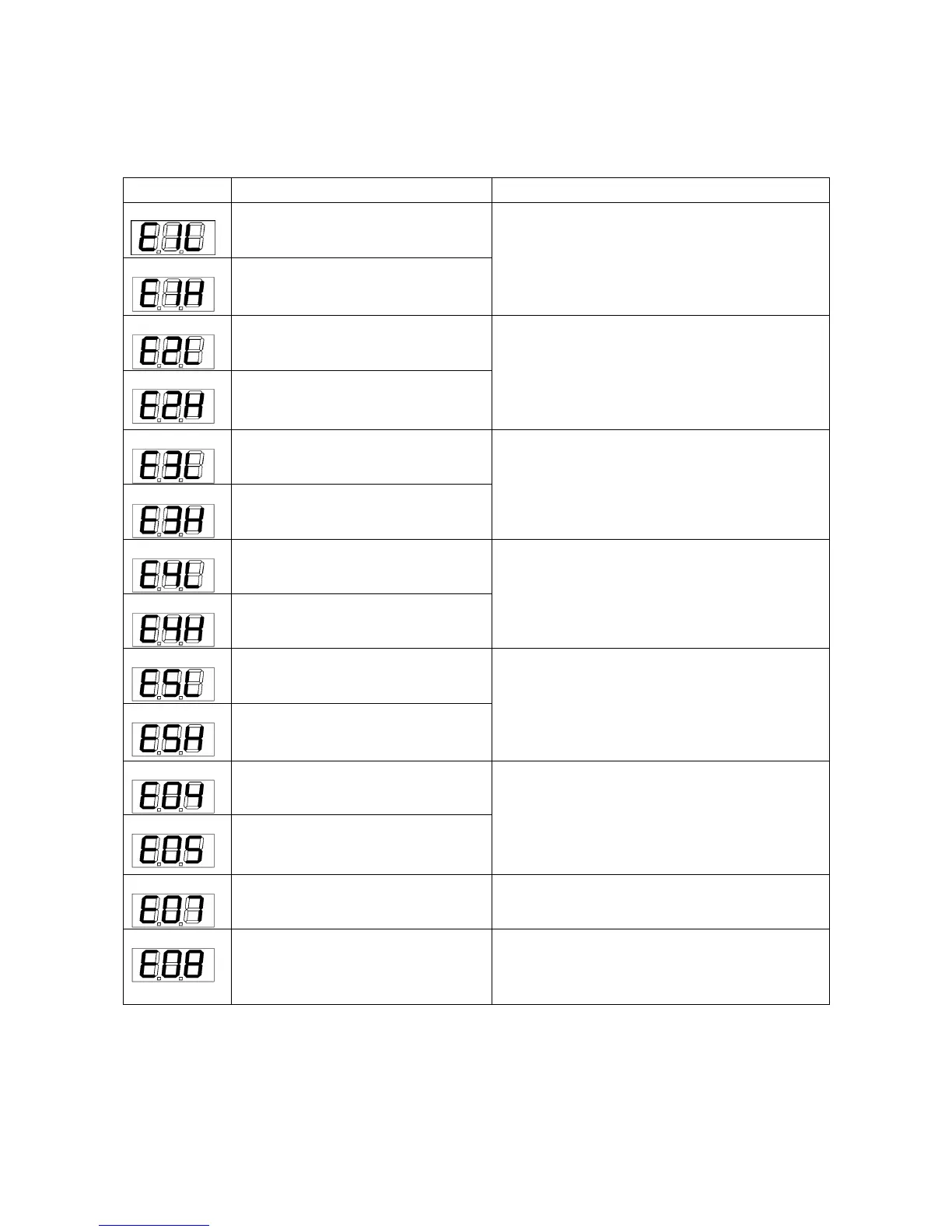
The moment limiter displays an error code at the “rated total load” display section on the display panel to
notify the error.
If an error code shown in the table below was displayed, contact us or our sales service agency.
The input to pressure sensor 1 is
lower than the specified value.
Check the installation of the pressure sensor 1.
The input to pressure sensor 1 is
higher than the specified value.
The input to pressure sensor 2 is
lower than the specified value.
Check the installation of the pressure sensor 2.
The input to pressure sensor 2 is
higher than the specified value.
The input to angle detector is lower
than the specified value.
Check the installation of the angle detector.
The input to angle detector is higher
than the specified value.
The input to length detector is lower
than the specified value.
Check the installation of the length detector.
The input to length detector is higher
than the specified value.
The input to pressure sensor 5 is
lower than the specified value.
Check the installation of the pressure sensor 5.
The input to pressure sensor 5 is
higher than the specified value.
Turn the starter switch to OFF, once, then to
ON, again. Where an error comes again,
replace the computing unit.
A/D Converter is not working.
Pressure, angle and length data are
not available to read.
Pick and Carry mode is selected in a
disallowed area.
Cancel Pick and Carry mode, or retract the
boom so that it turns into allowed area.
When the fly-jib is installed while the
"3. Fly-jib YES/NO switch" inside the
moment limiter reducer door is set to
OFF.
Contact us or our sales service agency.



 To Next Page