3-28
2.1.7 HANDLING FUNCTION SWITCHES
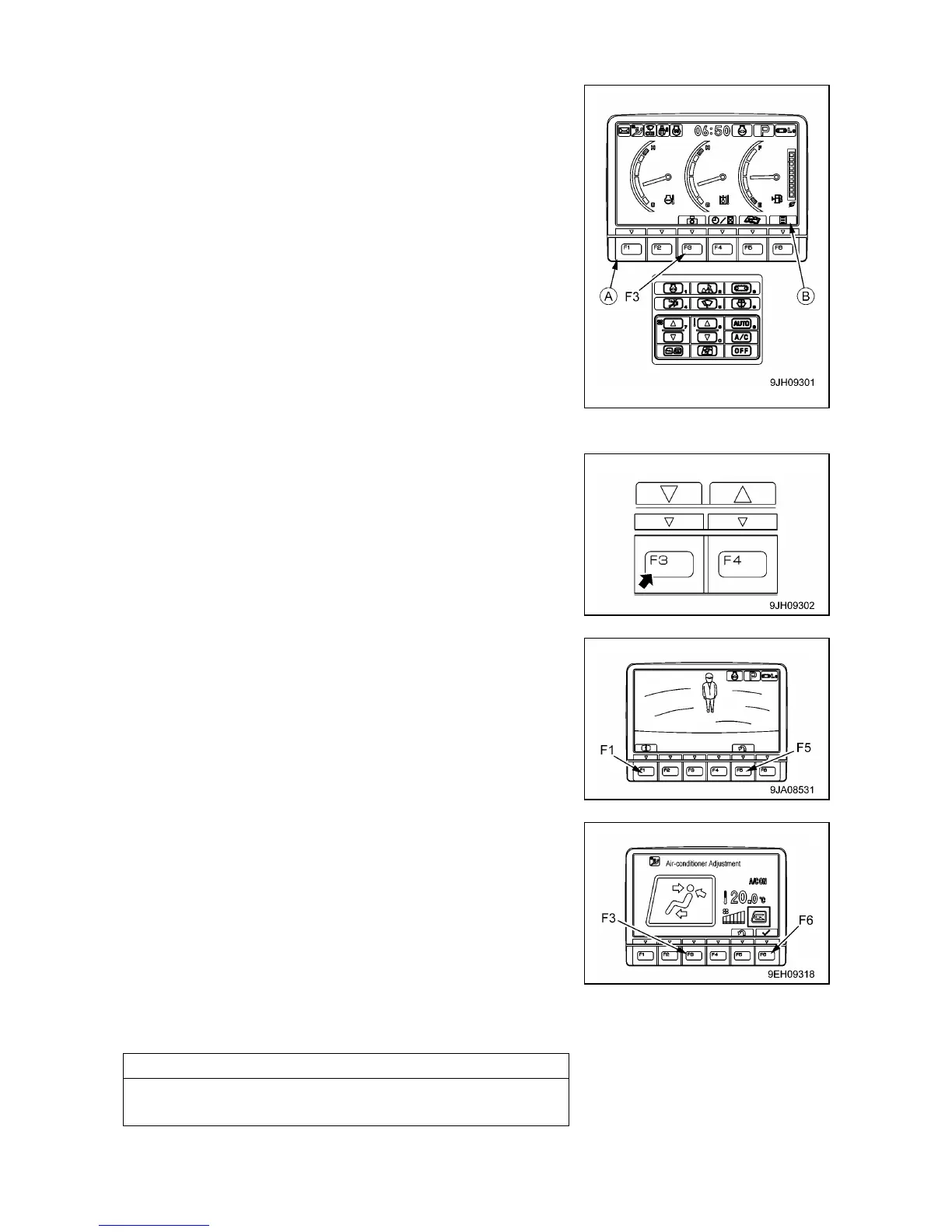
• The function switches (A) at the bottom of the monitor display
consist of 6 switches (F1 – F6). The function of each switch differs
according to the content of each screen.
• The function of switches (A) on each screen can be confirmed by
guidance icons (B) displayed on top of each switch.
• If there is no display in guidance icon (B), even if switch (A) is
pressed, it will not function.
• Even if guidance icon (B) is pressed, it will not function. Press
switch (A) immediately below the guidance icon display to
operate the function.
The operation of the function switches if the initial screen is the standard screen is as follows.
[1] CAMERA SCREEN SELECTOR SWITCH
Press the switch (F3) to switch to the camera screen display.
[OPERATING CAMERA SCREEN DISPLAY]
The following explanation is the method used to display the
camera image on the monitor.
• On the standard screen, if switch (F3) is pressed, the image
display screen is displayed.
• Press the switch (F5) to return to the standard screen.
[OTHER MODE OPERATIONS WHEN DISPLAYING CAMERA IMAGE]
Even during the camera display, it is possible to operate other
modes.
• The air conditioner can be operated.
If the air conditioner switch is operated, the screen switches to the
air conditioner control screen. If the screen switches to the air
conditioner control screen, press function switch (F6) to return to
the camera image display screen. In addition, if no operation is
carried out for 5 seconds after the screen switches to the air
conditioner control screen, the screen automatically returns to the
camera image display screen.



 To Next Page