Section 4 – OUTRIGGER SETTING Mini-Crawler Crane M A E D A
4-40 3/2019 MC305C-3
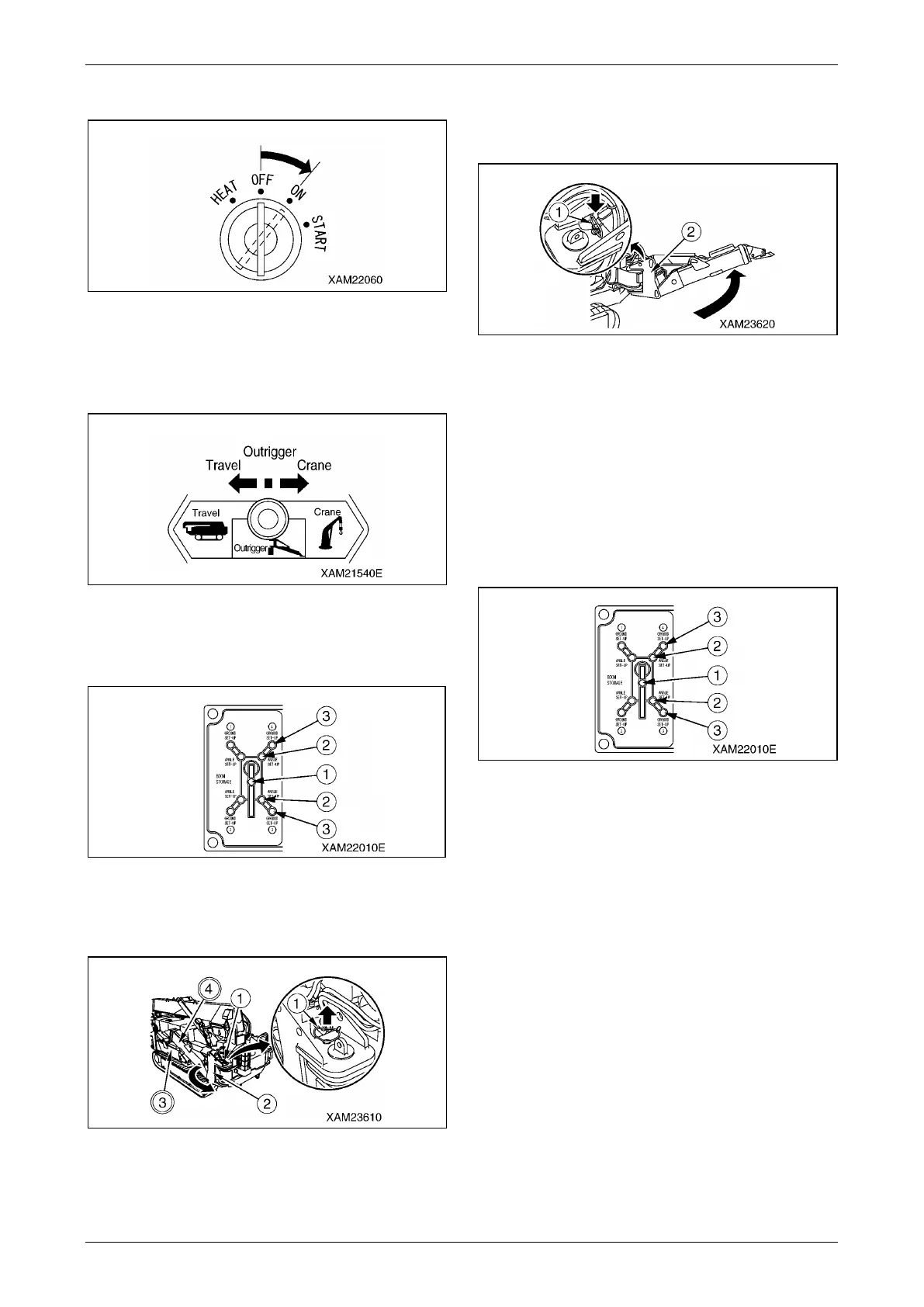
2. Turn the starter switch to the "ON" position.
Fig. 4-93
3. Operate the work selector switch on the
outrigger operation panel to the "Outrigger"
position.
Fig. 4-94
4. Verify that the boom stowing lamp (1) (green)
on the outrigger display is ON.
Fig. 4-95
5. Pull the position pin (1) out of the rotary (2)
and rotate the rotary outward.
Fig. 4-96
6. Insert the position pin (1) to the end at the
position where the pin holes are aligned after
rotating the rotary (2) outward.
Fig. 4-97
NOTICE: The position pin (1) has a wire to
prevent the loss of the pin.
7. Perform the same preparatory task to the
other three outriggers.
NOTICE: After completing the preparatory task,
verify that the position pin (1) is securely inserted.
8. Verify that the four outrigger extension lamps
(2) (green) on the outrigger display are ON.
Fig. 4-98
NOTICE: The boom stowing lamp (1) and four
outrigger extension lamps (2) on the outrigger
display are ON.



 To Next Page