M A E D A Mini-Crawler Crane Section 4 – OUTRIGGER SETTING
3/2019 MC305C-3 4-41
59B58BTasks to Be Performed after
Starting Engine
WARNING! The overturning alarm buzzer
sounds if the machine tilts for "3 degrees" or
more when setting the outriggers. Operate the
outrigger switches and adjust the machine to
be levelled in which state the alarm buzzer will
not sound.
1. See "STARTING ENGINE" on page 4-15 and
start the engine.
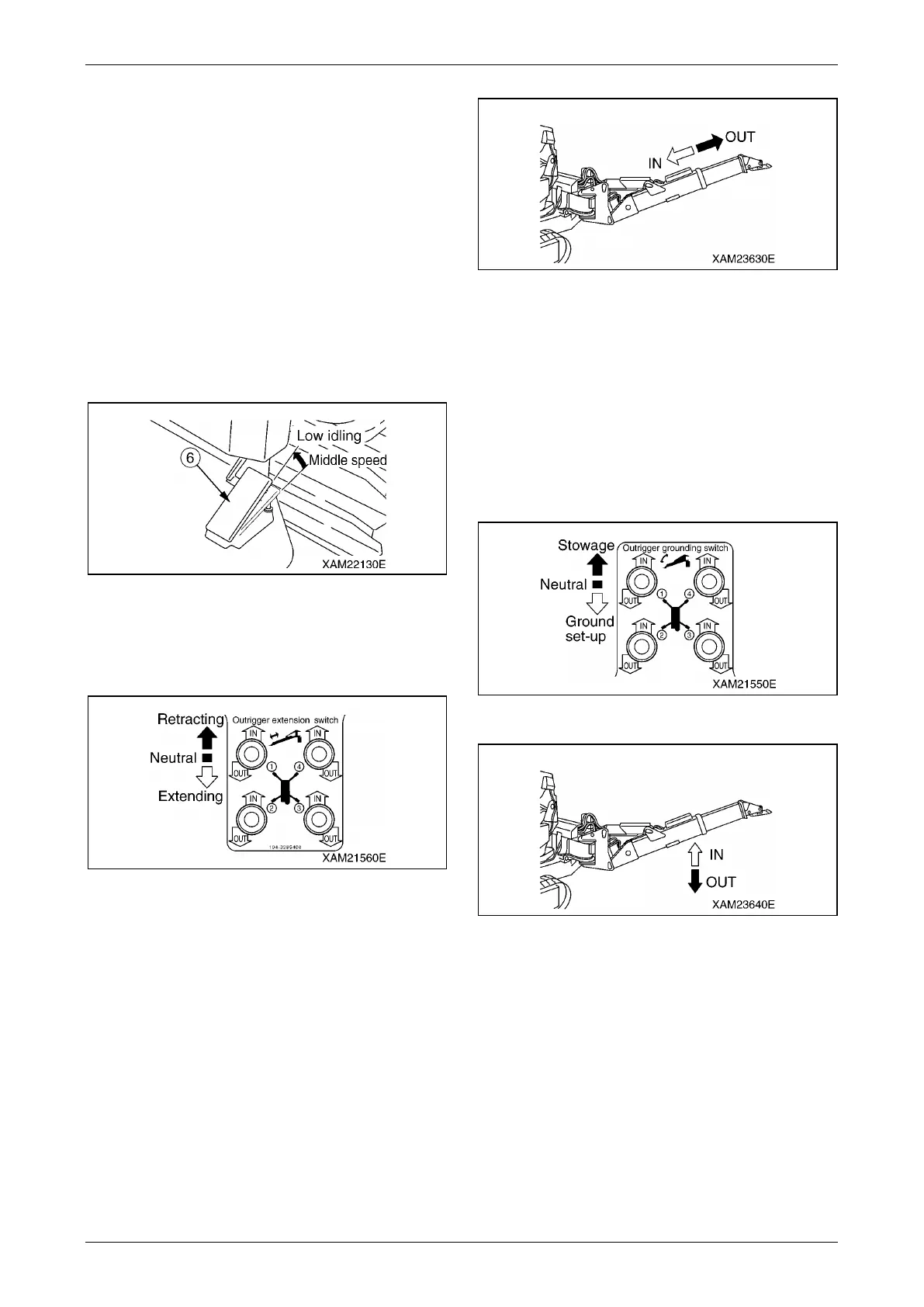
2. Release your foot from the acceleration pedal
(6) and change the engine speed to idling.
Fig. 4-99
3. Check the number on the operation plate at
the switches on the outrigger operation panel
to determine which outrigger to be operated.
Fig. 4-100
4. Push down an outrigger extension switch or
two of them at the same time to the "OUT"
side.
When the outrigger extension cylinder
extends and the inner box extends to the
desired position, set the switch to the
"Neutral" position.
Operate the remaining switches in the same
way and extend the inner box of the four
outriggers to the desired position. Set the
switch to the "Neutral" position.
Fig. 4-101
5. Push down an outrigger grounding switch or
two of them at the same time to the "OUT"
(downward) side.
When the setting cylinder extends and the
tray is set, set the switch to the "Neutral"
position.
Operate the remaining switches in the same
way and set the tray of all the four outriggers.
Set the switch to the "Neutral" position.
Fig. 4-102
Fig. 4-103
WARNING! When operating two outrigger
grounding switches at the same time, choose
two front switches (outrigger (1) and (4)) or
two rear switches (outrigger (2) and (3)).
Operating two left or right switches at the
same time will suddenly raise two outriggers
on one side, causing overturning of the
machine.



 To Next Page