Operation
158
Float
DP96J349
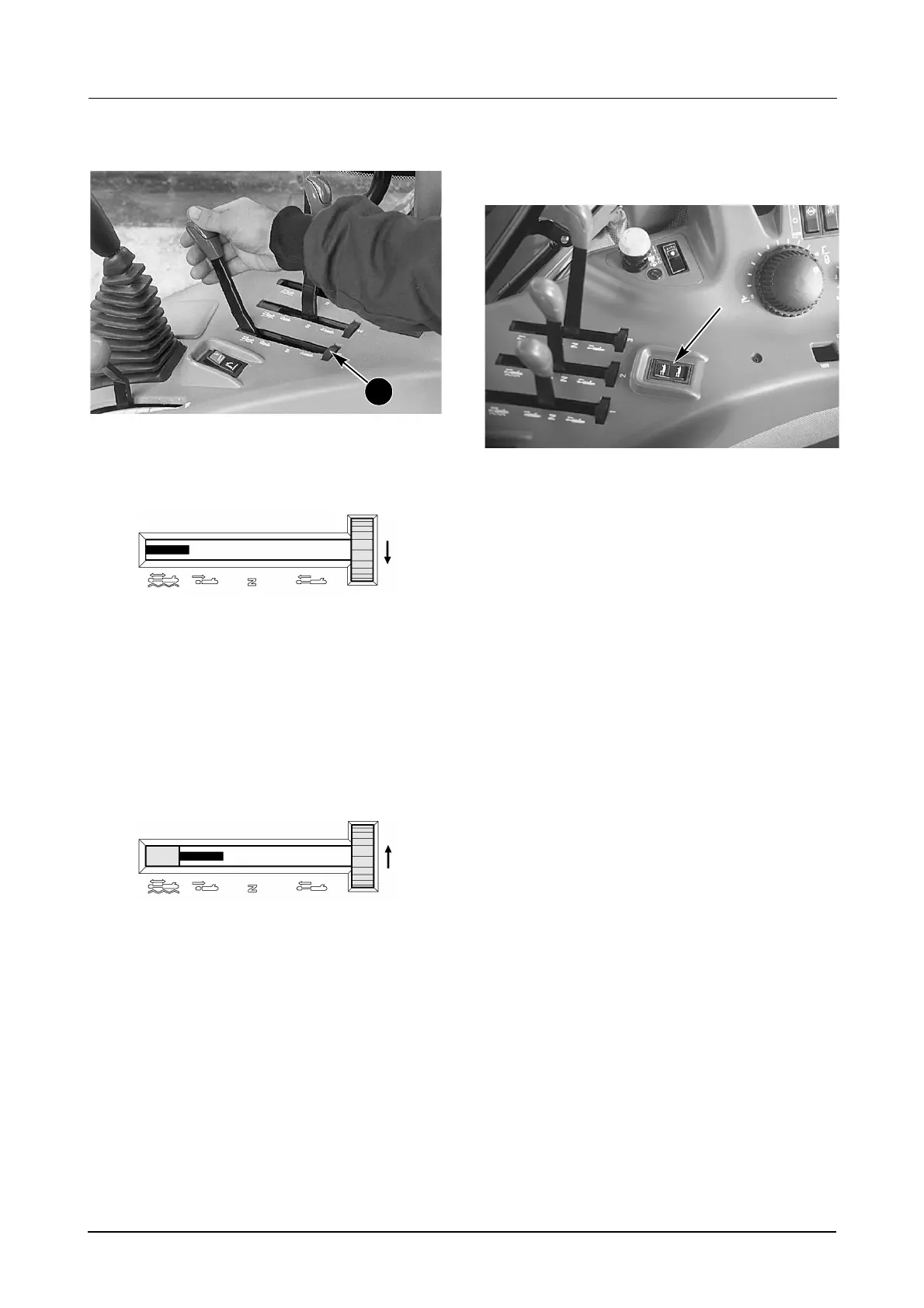
To operate the remote hydraulics in a float
condition, turn the lock control (2) fully
counterclockwise.
DI96N025
This will allow the control lever to go completely
forward into the float position.
The remote hydraulic control levers can be locked
out of the float position. When using equipment for
work where the float position is not wanted, turn the
lock control one position clockwise so that the
control lever cannot be moved into the float
position.
DI96N024
NOTE: Single action cylinders can be operated in a
float or no float position at the same time that the
hitch is operated.
Operation Using Fourth Remote
Switch (If Equipped)
MR01D004
The fourth remote switch is a momentary switch
used to extend and retract the equipment
hydraulic cylinder(s).
Press the bottom of the switch to extend the
equipment hydraulic cylinder(s).
Once released, the switch will return to the centre
NEUTRAL position and stop the hydraulic
cylinder(s) movement.
Press the top of the switch to retract equipment
hydraulic cylinder(s).
2



 To Next Page