Tyres, Wheels, Ballasting
190
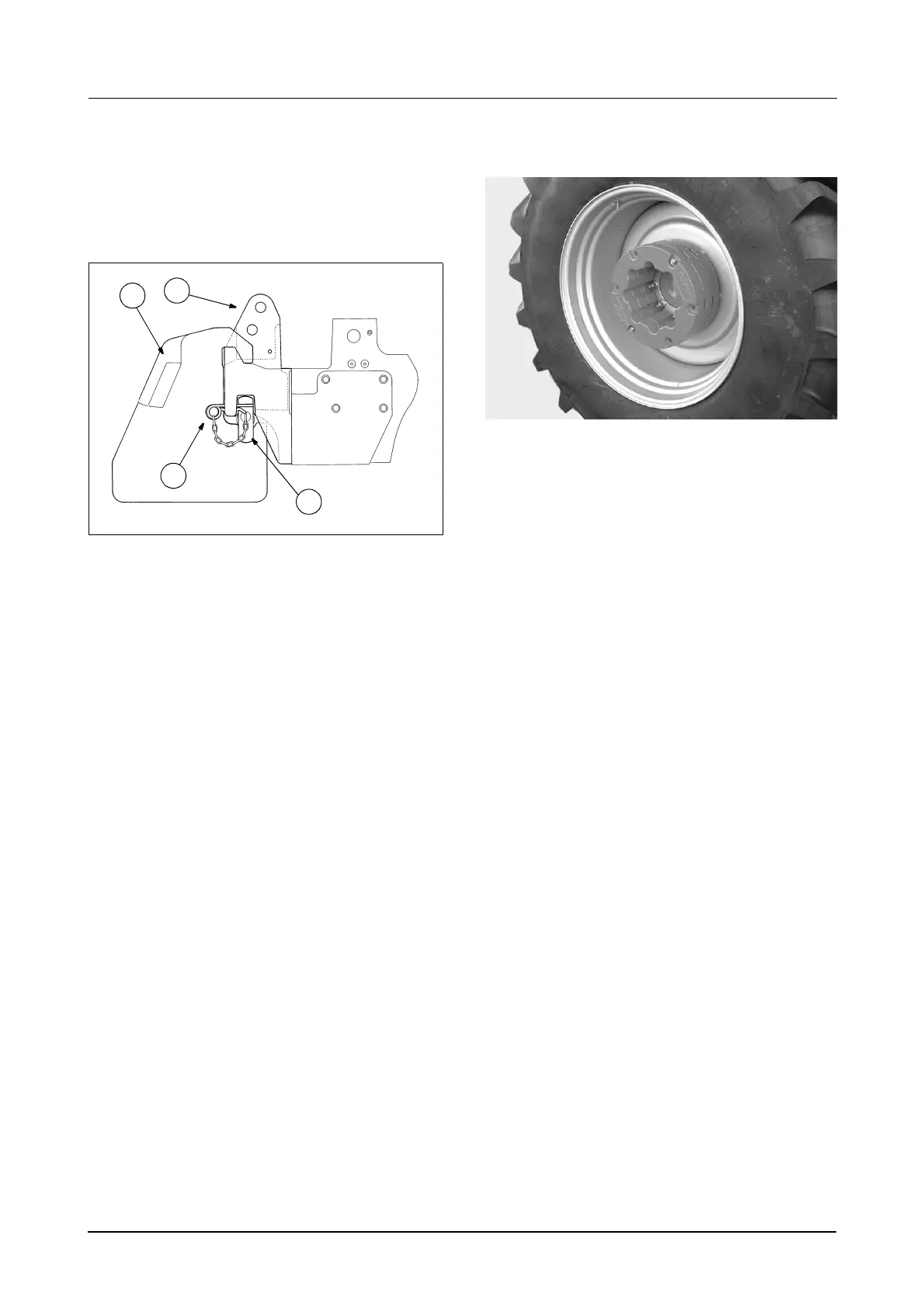
Front Weights for Tractors
with Front 3 Point Hitch (If Equipped)
A special fixed 80 kg weight frame, with a towing
clevis is available for tractors with the front 3 point
hitch, plus six 44 kg weights.
Installing Weights
STEP 1
Park the tractor on hard level ground. STOP the
engine and apply the park brake. Remove the key.
STEP 2
Hook each weight (1) over the top lip of the weight
frame towards its outer edge. Continue to install
weights (1) equally to each side
STEP 3
Once required weights have been installed, slide
the weight retaining tube (3) through the weight
frame and install the tube retaining clip (4).
Rear Wheel Weights
MD04E031
Rear wheel weights, 60 kg each, are available
from your Dealer.
Use the wheel weights as needed to provide safe
and efficient tractor operation. Do not add more
weight to the rear wheels of your tractor than is
needed to achieve the correct tractor static
weight distribution and the correct amount of
wheel slip.
A maximum of 3 weights per wheel can be used.
The 3 weights can be installed on the inside or
outside of the wheels as shown (NOT BOTH).
When installing weights on the inside the weights
must not extend over axle housing casting.
See Tractor Weight Distribution on Page 185 of
this manual. for recommendations on ballasting
procedures.
IMPORTANT: Wheel weights CAN NOT be used
when dual wheels are installed. Liquid weight can
only be added to the inner wheel and front end
weights can also be installed.
IMPORTANT: The total tractor weight with all
equipment and ballast weight must never be more
than the maximum recommended operating weight
See Maximum Permitted Operating Weights on
Page 260 of this manual. Observe tyre capacities
and any possible legal limitations.
See next page for installation instructions:
1. 44 kg WEIGHT
2. 80 kg WEIGHT FRAME WEIGHT
3. WEIGHT RETAINING TUBE
4. RETAINING TUBE ‘R’ CLIP
1
2
4
3
RH96H005



 To Next Page