Operation
142
RIDE CONTROL (If Equipped)
Ride control improves the tractor ride quality
when carrying fully mounted hitch implements. It
reduces the fore/aft pitch motion introduced to
the tractor by the free hanging mounted
implement at high travel speeds and reduces
front tyre bounce introduced to the tractor by
bumps or pot holes in the field as well as on the
road.
IMPORTANT: After attaching an implement to
the three point hitch and before using the Ride
Control feature there MUST be a minimum
clearance of 380 mm between the lowest point
of the implement and the ground. The
measurement has to be taken with the tractor
stationary and the implement at the maximum
height. If the ground clearance is less than
380 mm Ride Control MUST be DISABLED by
pushing the Ride Control Switch into the OFF
position.
NOTE: If the Ride Control feature is not
wanted, it can be disabled by your dealer.
DR99D002
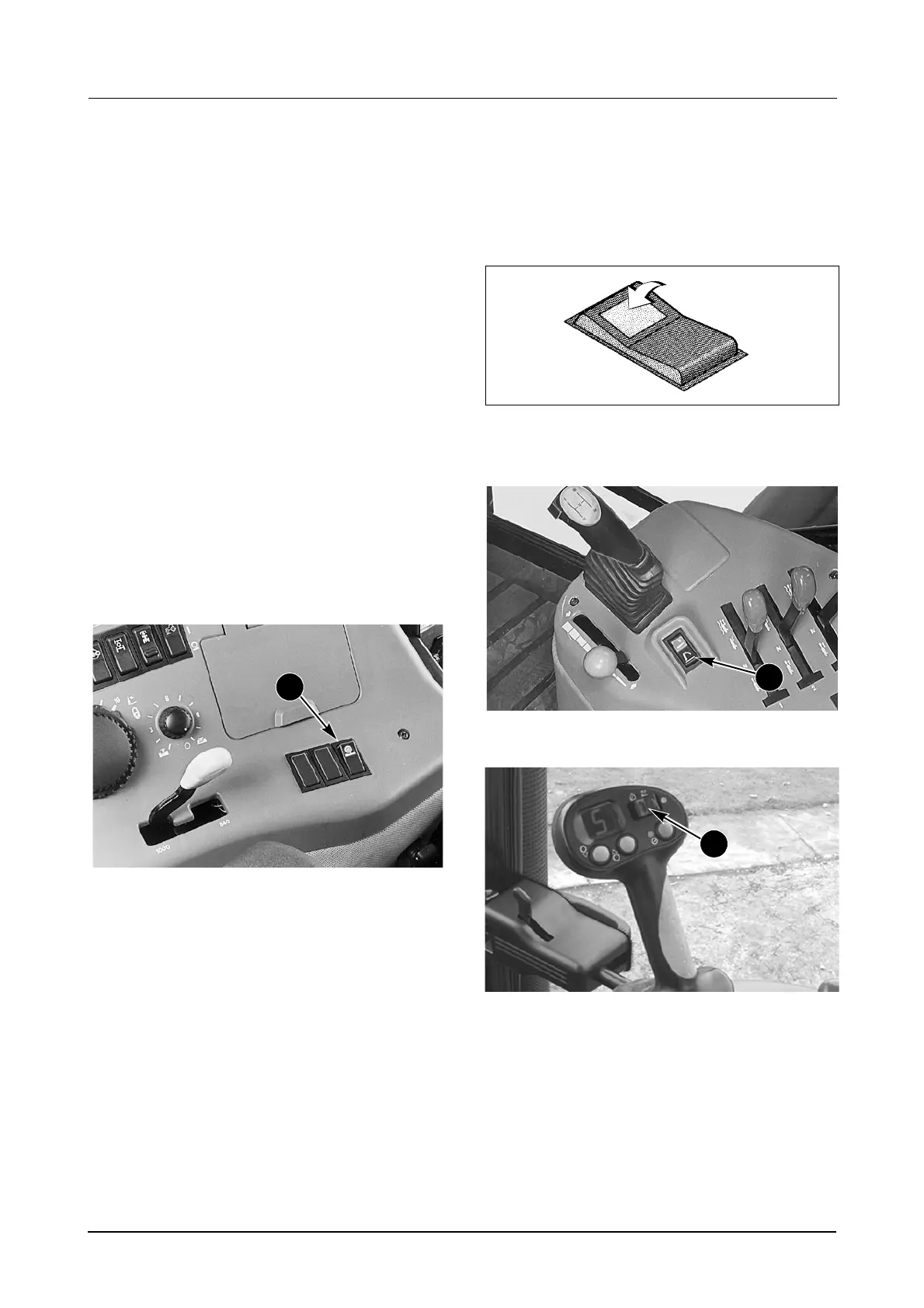
The Ride Control Switch (1) has three positions:
OFF
ON
UPPER LIMIIT SETTING OVERRIDE
Ride Control ON
To enable Ride Control do the following:
STEP 1
DS98K260
Push the Ride Control switch to the ON position.
STEP 2
DP96H299
TRACTOR EQUIPPED WITH POWERSHIFT TRANSMISSION
MD05M023B
TRACTOR EQUIPPED WITH AUTO SPEED TRANSMISSION
Push the hitch UP/DOWN switch (2) into the UP
position. As soon as the tractor travel speed
exceeds 0.8 km/h (0.5 mph) the implement
automatically will be lowered slightly (to a ‘neutral’
position) and Ride Control is enabled.
The hitch will automatically raise or lower in
response to a bump and then return to its ‘neutral’
position, to maintain optimum ride control
performance at all times.
1
2
2



 To Next Page