Tyres, Wheels, Ballasting
172
TWO WHEEL DRIVE FRONT AXLE TREAD ADJUSTMENT
STEP 1
Put blocks in front of and behind the rear wheels.
Lift the front of the tractor and install axle
supports.
STEP 2
MD05J059
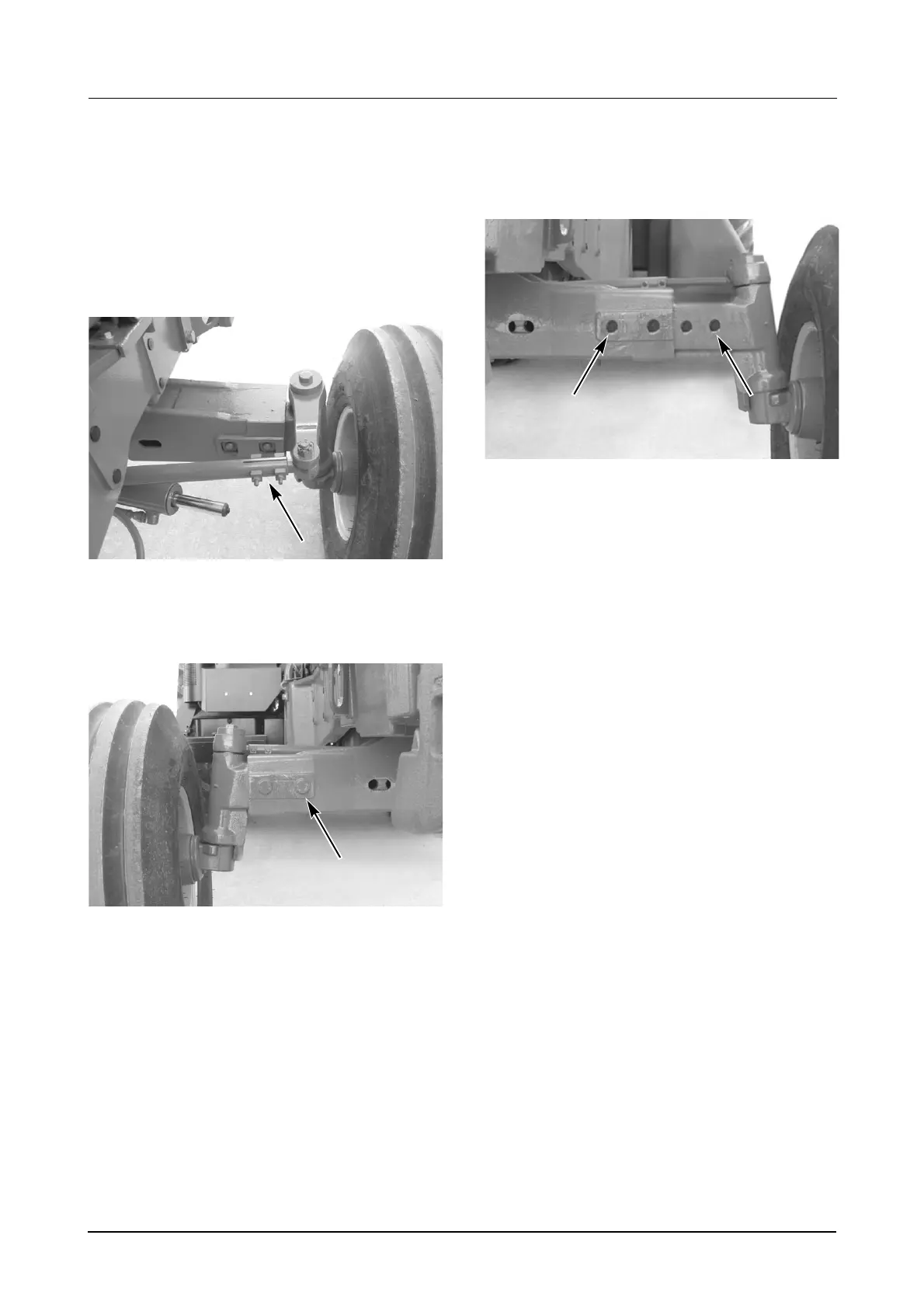
Remove the clamps, washers, bolts and nuts
from the tie rods.
STEP 3
MD05J060
Remove the locating bolts and nuts from the axle
extensions.
STEP 4
Slide the axle extensions to the required tread
position setting and install the locating bolts and
nuts. See next page for settings.
STEP 5
MD05J061
To keep the correct toe-in as the axle extensions
are moved in or out, there are holes in the tie
rods spaced at 50 mm (2 inch) to correspond with
the holes in the axle extensions.
STEP 6
Install the clamp bolt in the tie rod hole which
corresponds to the axle outer locating bolt hole.
Example: If the axle outer locating bolt is in the
fourth hole from the outer end of the axle
extension then the tie rod clamp bolt must be in
the fourth hole from the outer end.
Tighten the axle extension bolts to a torque of
508 to 576 Nm (375 to 425 lb ft) and the tie rod
clamp nuts and bolts to 54 to 68 Nm (40 to 50 lb
ft)
NOTE: If these procedures are not followed,
the turning angle will be changed.



 To Next Page