Operation
92
AUTOSPEED TRANSMISSION OPERATION
The Auto Speed transmission is operated with the
Forward/Neutral/Reverse lever plus numerous
controls located on the Multi Control Lever for easy
operation.
NOTE: In ambient temperatures of -10°C or below,
the transmission and controls could be difficult to
operate for the first few minutes after starting, until
the transmission oil is warm.
Selecting a Gear
(Stationary or Moving)
NOTE: On starting the engine the gear default will
be 5th gear.
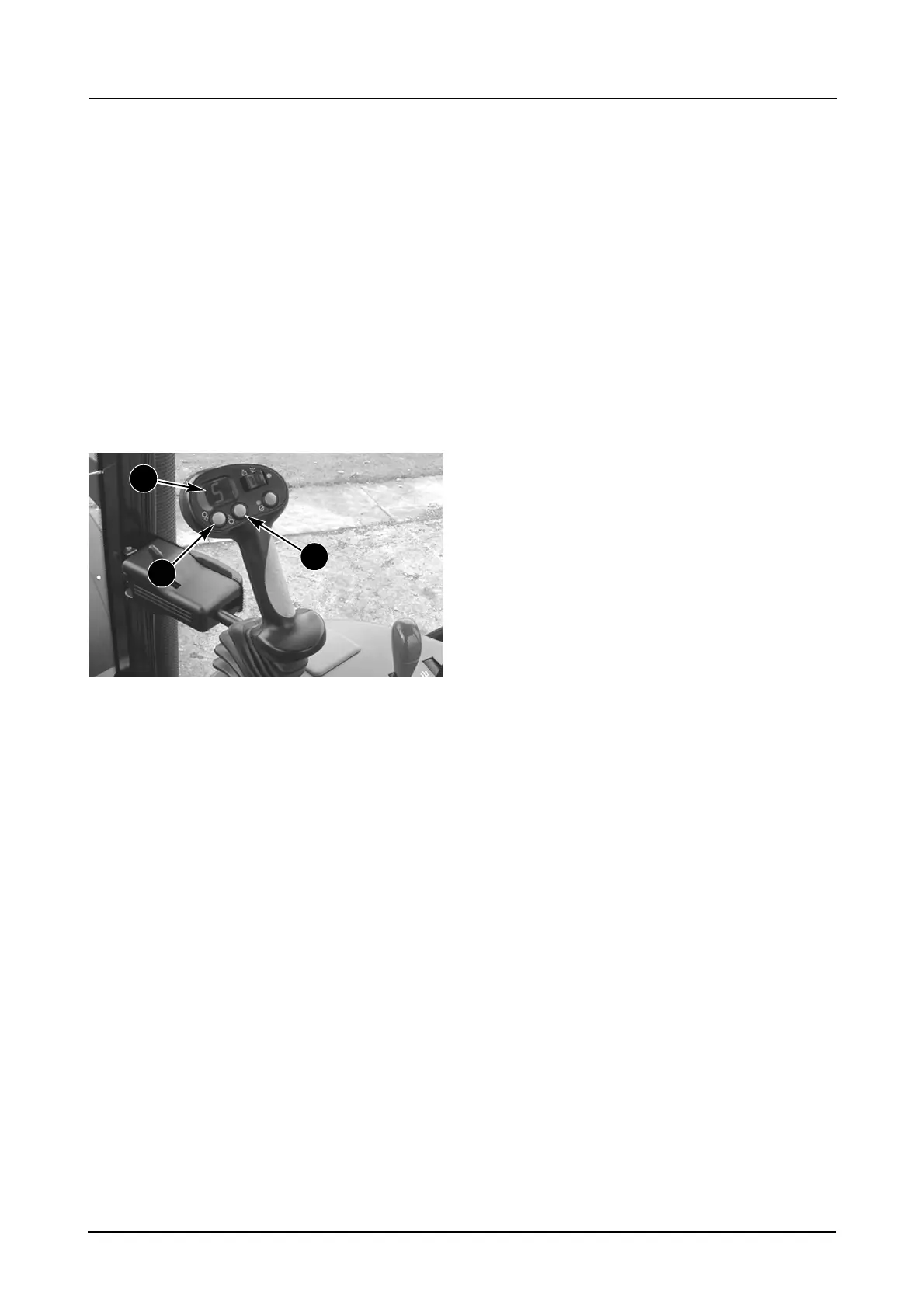
MD05M023B
1. DOWN GEAR SELECTION SWITCH
2. UP GEAR SELECTION SWITCH
3. GEAR DISPLAY
Method A:
Momentarily pressing and releasing either of the Gear
Selection switches shifts the transmission up or down
one gear at a time within that range.
If an the audible alarm sounds, this is to signify a
range change is required. To change range release
the Gear Selection switch. Press the switch again and
hold until the transmission has made the range
change.
The gear selection will be displayed on the
Multi Control Lever.
Method B:
Pressing and holding either switch will shift the
transmission gears sequentially within that range.
When the audible alarm sounds, release the Gear
Selection switch. Press the switch again and hold until
the transmission has made the range change. To
continue sequential gear changes you will now need
to release the relevant switch. Press the switch again
and hold, the transmission will then change gears
sequentially within that range until the alarm sounds
again, thus signifying another range change is
required. Repeat the procedure as quoted above to
continue up/down the transmission gears.
The gear
selection will be displayed on the Multi Control Lever.
NOTE 1: When shifting DOWN the transmission gears
(using either Method A or B) the gear selection is
numerically sequenced (ie. gear 16 to 15 to 14 etc.),
with the exception of gear 12. When shifting DOWN
from gear 13 the transmission will miss gear 12 and
select gear 11.
NOTE 2: Under certain operating conditions (ie. on
inclines during heavy trailer work) the tractor may stop
and initially roll backwards during range changes (ie.
gears 4 to 5, 8 to 9 or 12 to 13). In this instance
applying the foot brakes will hold the tractor until the
range change has been made.
NOTE 3: When ever the tractor is being operated
under heavy load (ie. ploughing etc.), when the
transmission changes range (ie. gears 4 to 5, 8 to 9 or
12 to 13) the tractor will stop. Once the new range is
engaged the tractor will automatically re-engage drive.
NOTE 4: The initial configuration of the Auto Speed
software will only allow the operator to make a range
change by holding either the UP or DOWN Gear
Selection switch for a period of 1 second.
It is possible to remove the 1 second delay by pressing
and holding both the Range Skip switch and UP Gear
Selection switch and then starting the engine. An
audible alarm will sound and the gear selection display
will show gear 5. This will then be stored in the memory
until the system is reconfigured.
If the 1 second delay is required this can be reset by
pressing the Range Skip switch and DOWN Gear
Selection switch and starting the engine.
Parking The Tractor
Stationary Tractor Operation
(Engine Running)
If you leave the tractor while the engine is running
ALWAYS make sure both the forward/reverse shuttle
and the transmission are in NEUTRAL.
STEP 1
Bring the tractor to a standstill. Put the Forward/
Reverse shuttle lever in the NEUTRAL position and
apply the Park Brake.
STEP 2
Press and hold both Gear Selection Switches (1 & 2)
down for approximately 3 seconds to put the
transmission into neutral. The Gear Selection
Display (3) will show zero (0).
Check and make sure zero is displayed before
leaving the operators cab.
To re-enable the transmission, press and hold the ’UP’
Gear Selection Switch. An audible alarm will sound to
warn the operator when the transmission is about to
enable. The transmission will select 1st gear.
1
2
3



 To Next Page