Operation
94
Shuttle Shifting
Changing the direction of travel can be done with or
without using the clutch pedal.
Always slow the tractor speed to a minimum before
moving the FORWARD/NEUTRAL/REVERSE lever
to the desired direction of travel.
DR98J150
* NOTE: If the transmission is in forward gears
14, 15 or 16 and the F/N/R lever is moved to
reverse, the transmission will default to
reverse gear 13. When moving the F/N/R lever
back to forward, the transmission will remain
in gear 13.
Additional Features (If Equipped)
Operator Programmed Start Off/Shuttle
Gears
For special shuttle shift applications it is possible
to select a different forward and reverse gear
within a range, (gears 1 to 4 or 5 to 8 ONLY).
To change the transmission start off/shuttle gear
the tractor MUST be stationary and engine
running. Depress the clutch pedal and move the
Forward/Reverse lever into either forward or
reverse. Press either Gear Selection Switch up or
down to select a higher or lower gear
respectively. Press and hold both Gear Selection
Switches for approximately 2 seconds. An
audible alarm will sound twice to confirm the new
start gear has been stored.
NOTE: Once the key switch is turned to the
OFF position the preselect gears will be lost.
If the operator makes a range change, with the
next shuttle shift the transmission will select the
nearest gear within that range, (shuttle shifts will
not allow a range change to be made).
Speed Matching
If the clutch pedal is momentarily depressed and
then released with the tractor in motion, the
transmission will automatically downshift to
match a decrease in ground speed and engage a
suitable gear that best matches the ground to
engine speed.
This feature is ideal during transport or road
operation. When the tractor is approaching a
road junction for example, the operator will
reduce ground speed. If the road ahead is clear
the operator can depress the clutch pedal. The
transmission will automatically select the
appropriate gear to match current ground speed
and engine rpm maintaining forward momentum.
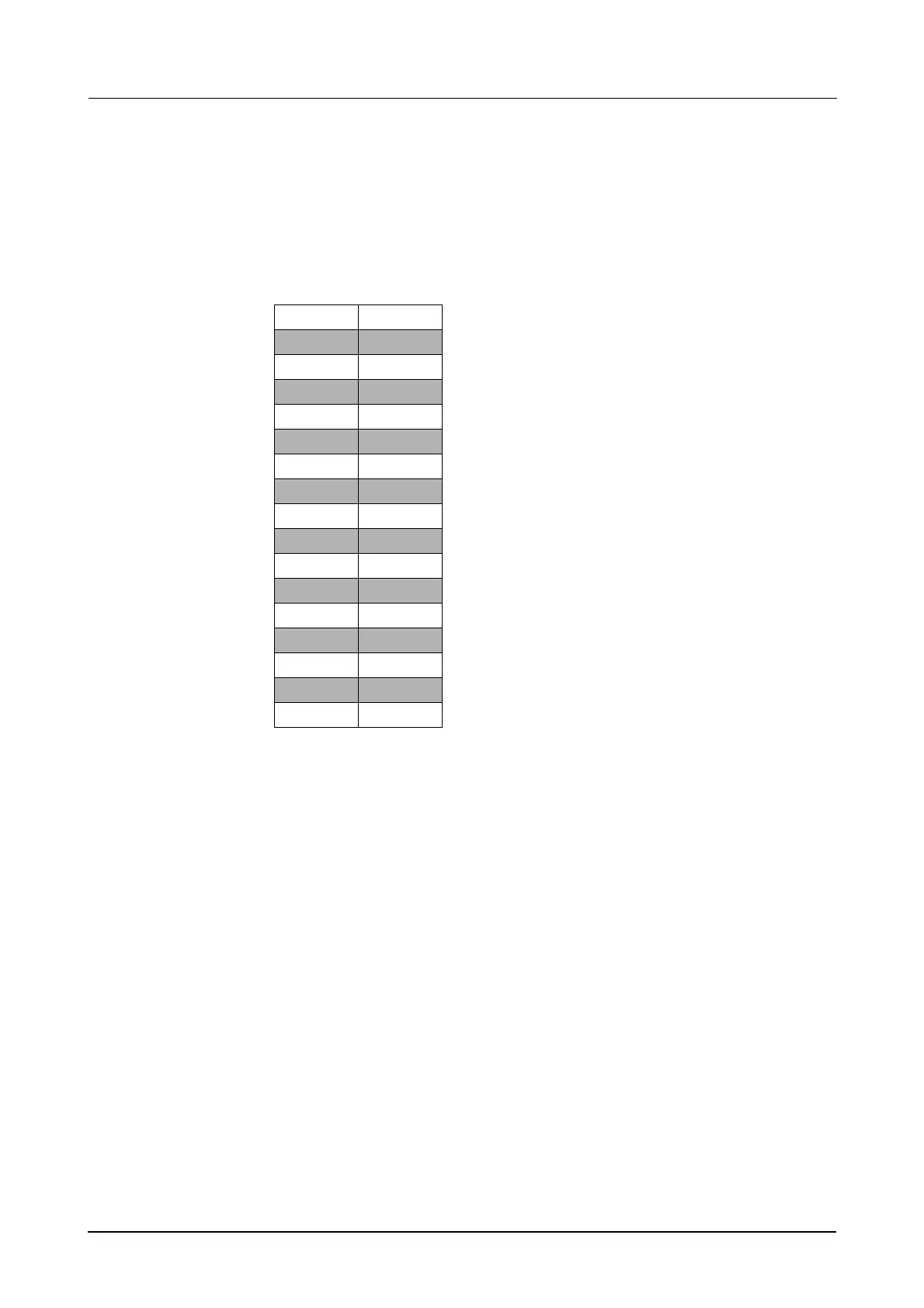
Moving the F/N/R lever
from forward to reverse
or reverse to forward,
gear changes are
indicated in the table
opposite.
Press the Gear
Selection up/down
switches to the desired
gear selection.
FORWARD REVERSE
1 1
22
3 3
44
5 5
66
7 7
88
9 9
10 10
11 11
12 12
13 13
14 13
15* 13
16* 13



 To Next Page