www.mdcusa.com
Ph: 1-833-632-8721
©Copyri ght
Charging the Battery System
Low Voltage (110-120Vac) Charging
Your MDC Off-grid Extreme edition travel trailer is equipped with a Renogy REGO 12V
3000W HF Inverter-Charger, which allows for AC power charging when connected to shore
power or an AC generator. The inverter-charger automatically manages charging operations
based on the battery's state of charge, ensuring efficient and safe power management.
When connected to a 120V AC power source, the inverter-charger prioritizes battery
charging through a
two-stage charging process:
1. Bulk Charge Stage: The charger supplies a constant current (default is 150A, adjustable
from 5A to 150A) until the battery voltage reaches the designated
boost voltage.
2. Boost Charge Stage: The charger maintains a constant voltage while the current
gradually decreases. For lithium battery, this stage is essential to ensure full charge
capacity. The
boost duration is set to 2 hours by default but can be adjusted via the DC
Home app.
Automatic Charging Logic
The inverter-charger detects the battery voltage and automatically initiates charging based on the following thresholds:
• Charging starts when the voltage drops to or below the Boost Return Voltage (typically ≤13.2V for lithium battery).
• Charging stops when the battery reaches the Boost Voltage at 14.4V.
Preparing the Trailer for AC Charging
To ensure the battery charging system functions correctly when connected to an AC power source, follow these steps:
1. Verify Power Source: Ensure the trailer is connected to a stable 120V AC power supply, either from shore power or an
appropriately rated generator.
2. Check Battery State: Confirm the battery system is active and not in storage mode. The battery should be in active mode
before charging can begin. If the battery is turned off and in storage mode, press and hold the activation switch for
1 second
or apply an external charge to wake it up. See to
Battery Activation & Initial Use
on Page 58 of this manual.
3. Monitor Renogy REGO Inverter-Charger: Use the DC Home app or onboard display to verify that the system detects AC
input and has begun charging.
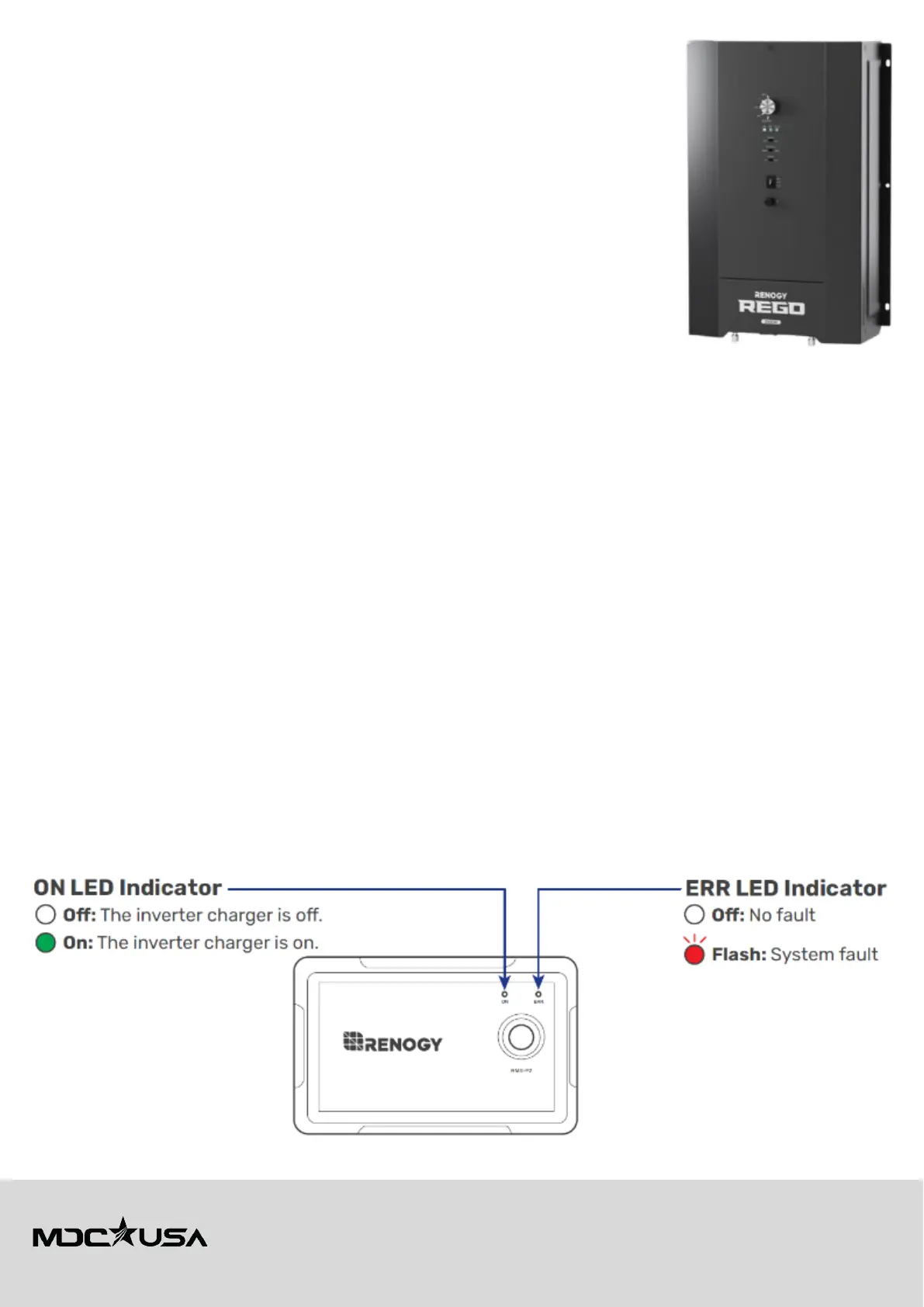
REGO Inverter-Charger LED Indicators
The Renogy REGO 12V 3000W HF Inverter-Charger features LED indicators to display system status and alert users to
potential issues. These indicators provide essential information about
AC input, battery status, and inverter operation.
Wired Remote Control LED Indicators
• ON LED: Indicates whether the inverter charger is on or off.
• ERR LED: Displays system faults that require attention.





 To Next Page