www.mdcusa.com
Ph: 1-833-632-8721
©Copyri ght
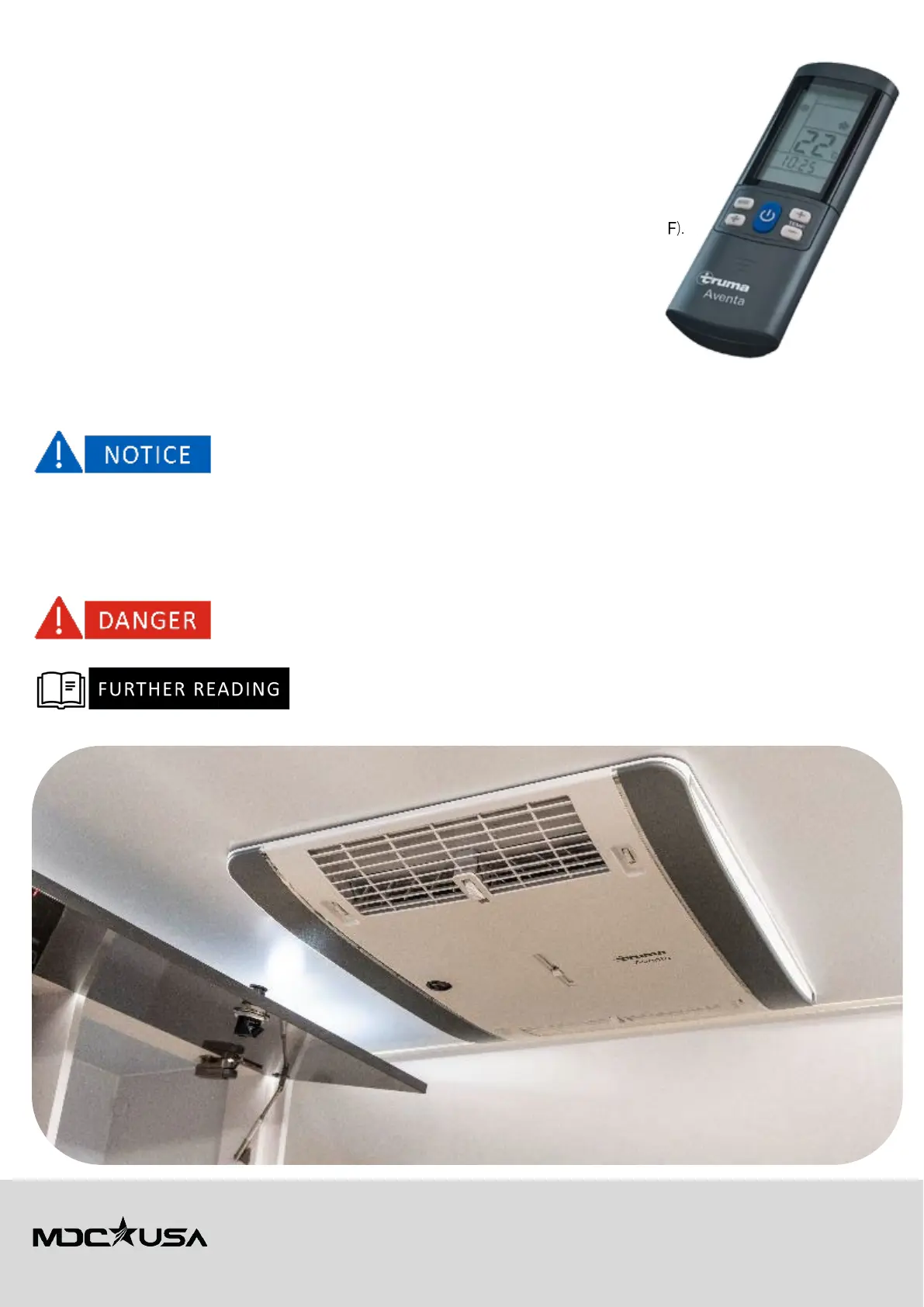
Operation via Remote Control
Ensure the remote control is pointed at the Aventa Eco for signal transmission.
1. Turn On/Off: Press the Power button to switch the unit on or off.
2. Selecting a Mode: Press the Mode button to toggle between:
a. Cooling Mode – Reduces temperature.
b. Dehumidification Mode – Removes excess moisture.
c. Circulating Air Mode – Runs the fan without cooling.
d. Night Mode – Reduces noise for nighttime use.
3. Temperature Adjustment: Use the +/- buttons to set the temperature (range: 60°F – 86°F).
4. Fan Speed Selection: Choose from Low, Medium, High, or Auto.
5. Timer Function:
a. Press the Timer button to set automatic start/stop times.
b. Confirm the settings to enable the timer.
Maintenance & Cleaning
Filter Replacement
• Replace filters every 12 months for optimal airflow and cooling efficiency.
• Do not wash filters—replace them with genuine Truma parts.
Operating the air conditioner without a filter can damage the unit.
Cleaning & Servicing
• Work on a stable ladder and use safety harnesses if necessary.
• Do not spray water into the air conditioner when washing the trailer.
• Use only a soft, damp cloth—avoid abrasive chemicals or solvents.
• Repairs and servicing should only be performed by Truma-authorized technicians to maintain warranty coverage.
Risk of falling when working on vehicle roofs.
For
troubleshooting and error codes
, refer to the
Truma Aventa & Truma CP Plus manuals
supplied with the trailer.
For additional support, contact
MDC USA Customer Service
or refer to
Truma’s official
documentation
.



 To Next Page