www.mdcusa.com
Ph: 1-833-632-8721
©Copyri ght
Operation Modes with Truma CP Plus
The Truma CP Plus digital control panel allows seamless management of your Truma AquaGo water heater, offering precise
control over its operational modes. Use the following steps to operate the system:
ECO Mode
ECO mode may result in slightly longer wait times for hot water compared to Comfort mode.
• Function: Heats water only when hot water is requested, conserving propane.
• Activation:
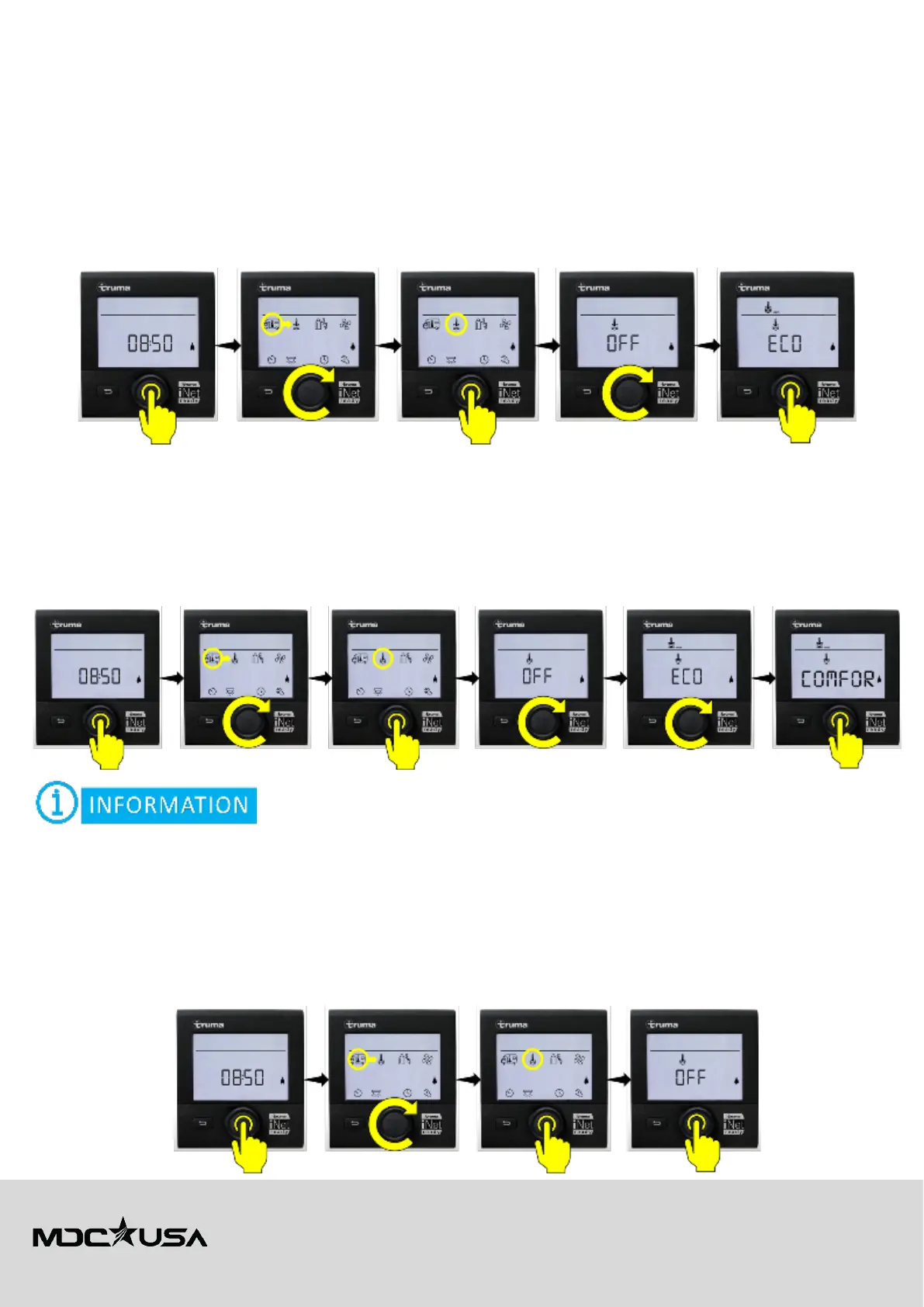
1. On the CP Plus panel, select the water heater icon.
2. Rotate the dial to choose ECO mode.
3. Press the dial to confirm.
COMFORT Mode
This mode uses more propane but is ideal for high-demand use cases.
• Function: Maintains a small reservoir of hot water for immediate access, ensuring instant hot water availability.
• Activation:
1. On the CP Plus panel, select the water heater icon.
2. Rotate the dial to choose COMFORT mode.
3. Press the dial to confirm.
Your travel trailer includes the Truma Antifreeze Kit, professionally installed during manufacturing.
For information on how to engage the Antifreeze operating mode see the
Travelling During Winter
section of this manual.
OFF Mode
Use OFF mode during storage or maintenance to avoid accidental activation.
• Function: Turns off the water heating function.
• Activation:
1. On the CP Plus panel, select the water heater icon.
2. Rotate the dial to select OFF.
3. Press the dial to confirm.



 To Next Page