www.mdcusa.com
Ph: 1-833-632-8721
©Copyri ght
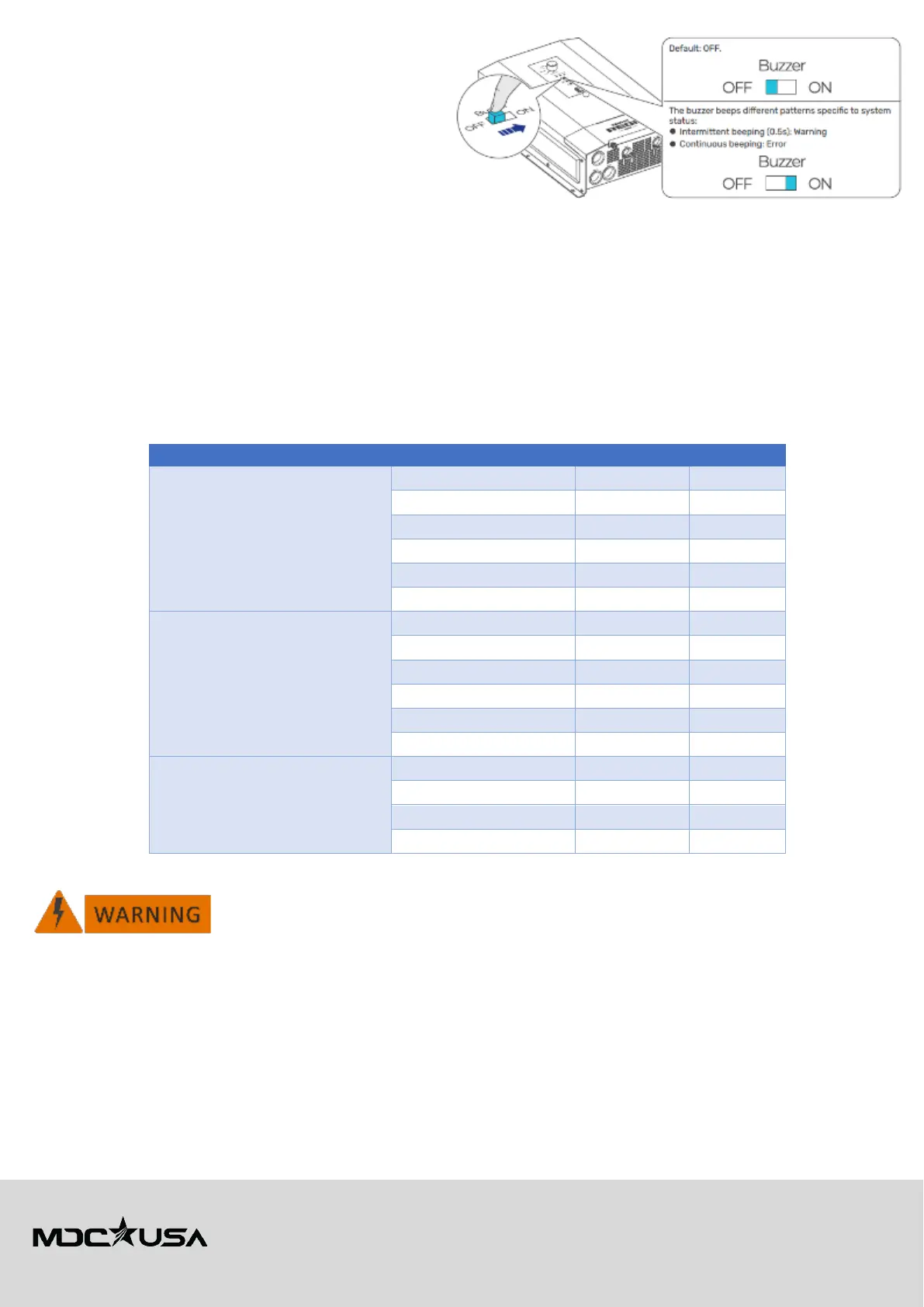
To enable or disable the buzzer:
1. Locate the buzzer setting on the configuration panel.
2. Switch to "ON" to enable audible alerts.
3. Switch to "OFF" to disable the buzzer (visual LED
indicators will still function).
These settings ensure that users can customize their
inverter experience while maintaining factory-optimized
performance for reliability and safety.
Use of Appliances
General Appliance Use
• Always verify the power requirements of appliances before use.
• Household appliances designed for 120V AC operation, such as portable induction cookers, electric kettles, fry pans, and
coffee makers, may be used when connected to shore power or when the inverter is active.
• Sensitive electronics like chargers, laptops, and CPAP machines are supported.
• Appliances exceeding the inverter’s rated wattage may cause system overload and should not be used.
Approved Appliances for Renogy REGO 12V 3000W HF Inverter Charger (3000W)
The following appliances are compatible when operating through the Renogy inverter:
Mobile Devices & Electronics
Mobile phone chargers 5-30W
Laptops 60-250W
Digital cameras 4-19W
Video game consoles Varies
TVs Varies
Portable stereo systems 4-50W
Household & Kitchen Appliances
Small refrigerators 250-300W
Microwave ovens 900-2000W
Induction cooktops 1300-2000W
Coffee makers Up to 2000W
Electric blankets 100-150W
Fan heaters Up to 2000W
Small power tools 300-500W
Halogen lights ~500W
RV air conditioners Up to 2000W
Washing machines 500-1400W
Table 7
Avoid running high-power appliances simultaneously if their combined wattage exceeds
3000W
. However,
when
Grid Boost
is active while connected to shore power, the system can support up to
6000W
combined
power, enabling the operation of multiple high-wattage appliances safely.



 To Next Page