www.mdcusa.com
Ph: 1-833-632-8721
©Copyri ght
2. Press the power button on the remote switch to turn off the inverter.
3. If the system will be unused for an extended period, disconnect the battery to prevent discharge.
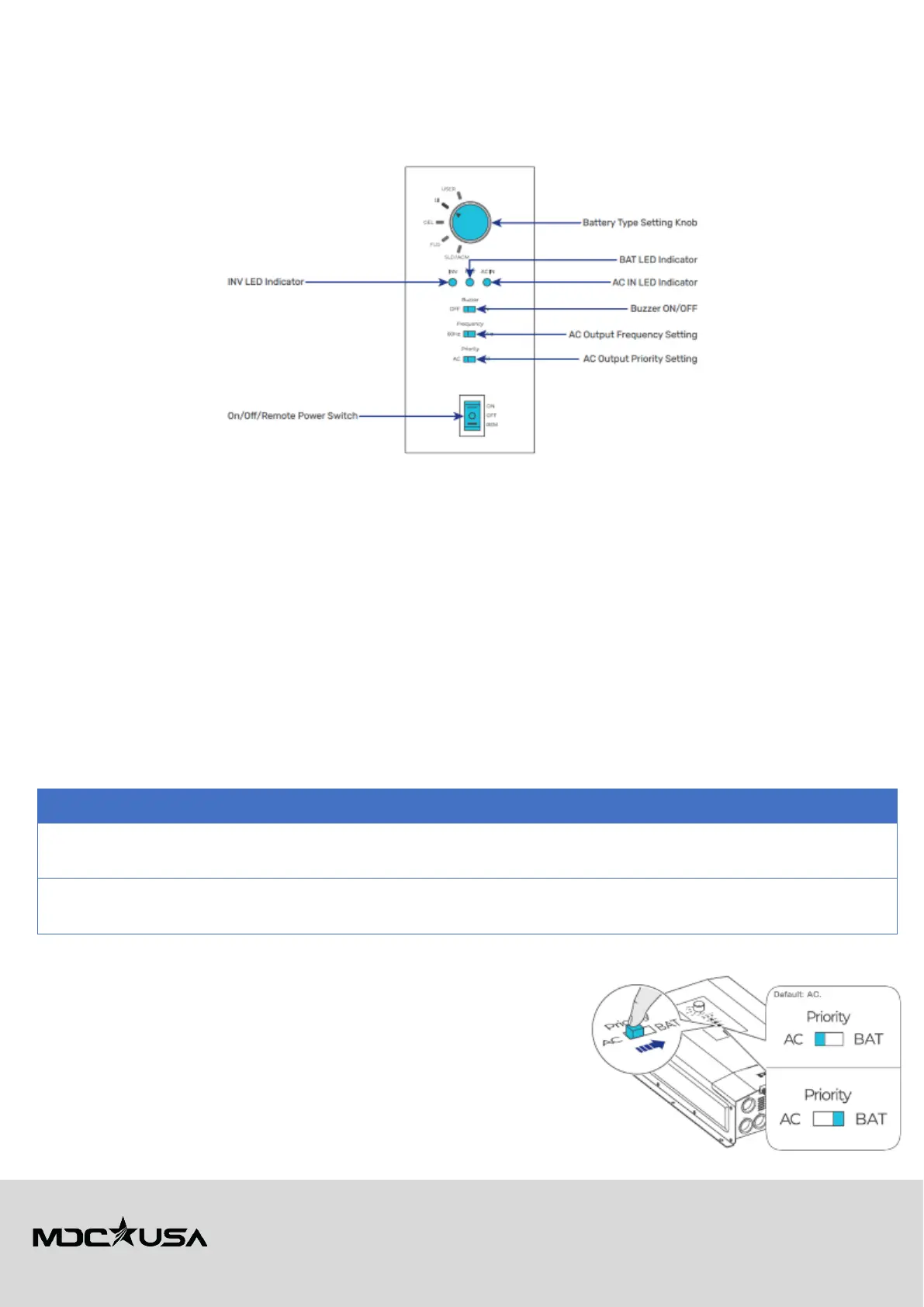
Configuration Panel Overview
The configuration panel on the Renogy REGO 12V 3000W HF Inverter-Charger allows users to adjust essential inverter
settings. Below is an
overview of key settings, their default values, and instructions for changing user-adjustable options.
Factory Default Settings (DO NOT CHANGE)
The following settings are preconfigured for optimal operation and should not be adjusted unless specified by MDC or an
approved service provider:
• Battery Type: Set to Lithium (LiFePO₄) by default. The inverter is designed to work seamlessly with Renogy lithium battery.
Changing this setting may cause improper charging behavior.
• AC Output Frequency: Set to 60Hz by default, as required for the U.S. electrical grid and appliances. Altering this setting
may lead to device malfunction.
• Power Switch Mode: Set to Remote Power Switch by default. This setting allows external control via the wired remote
switch. Changing this mode, as it may disrupt normal operation.
User-Adjustable Settings
Changing AC Output Priority Mode
The AC Output Priority Mode determines whether the inverter prioritizes battery power or AC shore power (grid/generator).
Users may change this setting based on their
power preferences:
Uses
and only switches to
AC
power when the battery is low
.
For
where battery power is preferred
to maximize autonomy.
Uses
shore power/generator first, and only
switches to
battery power if AC is unavailable
.
For users who are
and
want to minimize battery usage.
Table 6
To change AC Output Priority Mode:
1. Locate the AC Output Priority selector on the configuration panel.
2. Switch to either BAT (Battery First) or AC (AC First).
3. The inverter will automatically switch to the selected mode.
Enabling/Disabling the Buzzer
The buzzer provides audible alerts for warnings, faults, and system status.
While useful for identifying issues, some users may prefer to disable it in
quiet
environments.







 To Next Page