103
The displays for the DVB prog. info or signal
quality are only for informational purposes. DVB
prog. info. shows the data for the displayed sta-
tion.
The signal quality display is not directly related to
the picture quality. The bit error rate fluctuates
between the transponders and increases if a rain
front is approaching, for example.
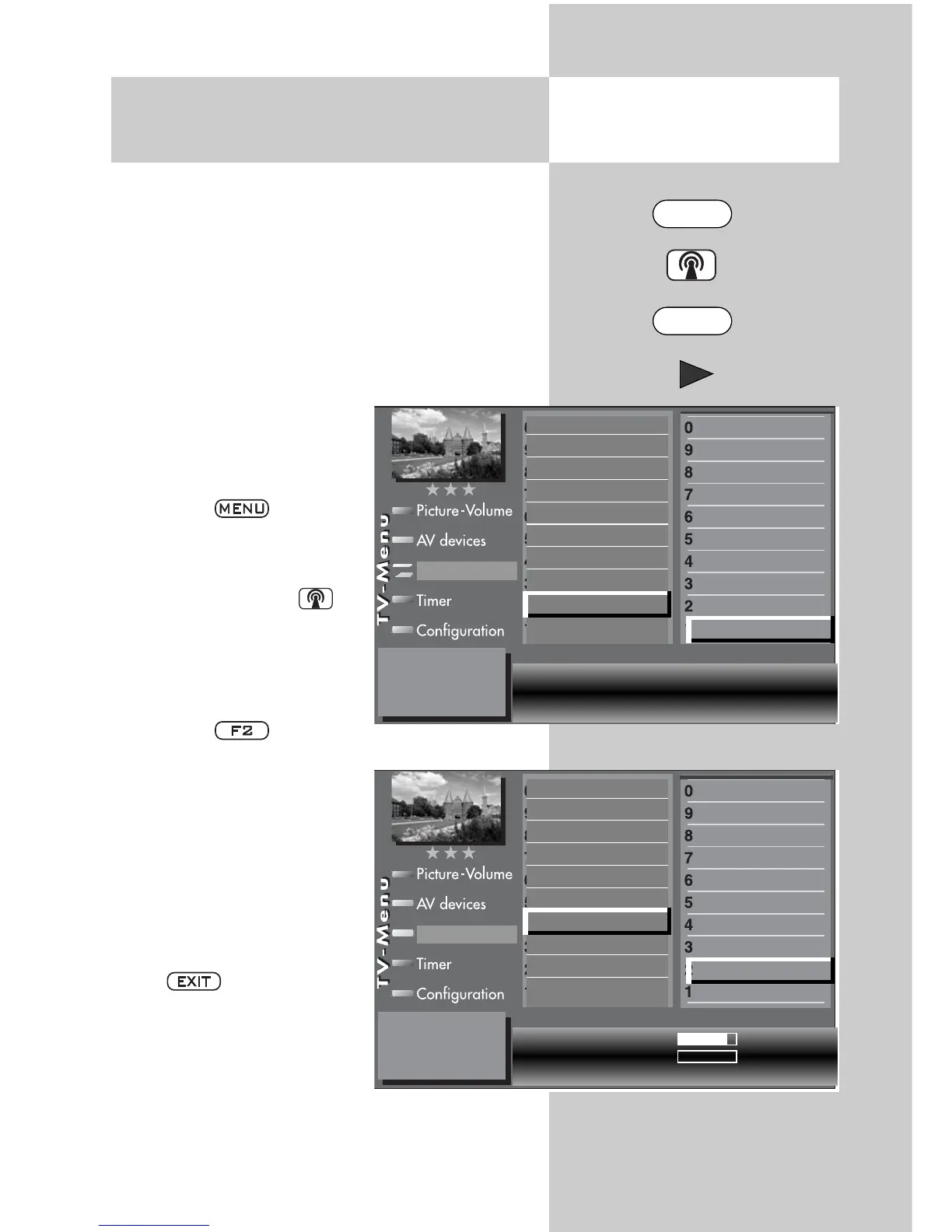
• Select the program posi-
tion for the DVB prog. info
or signal quality that is to
be displayed.
• Press the key.
The TV menu appears on
the screen.
• Press the white key
The station table menu
appears on the screen and
the active program posi-
tion is selected.
• Press the button.
• Press the cursor control key
and switch to the menu
page.
• Use the assigned numeric
keys to select the DVB
prog. info. or the signal
quality menu option.
• Clear the “TV menu” with
the button.
20.7 DVB Prog. Info.
signal quality
Opening the menu
0010 Hessen 3
0009 Südwest
0008 MDR
0007 PRO 7
0006 RTL 2
0005 RTL
0004 SAT 1
0003 Bayern 3
0002 ZDF
0001 ARD
Station table
Signal level
82%
Bit error rate
0%
C/N 40,8 dB
Sound corrections
Colour standard
7)
Picture quality
Picture corrections
Enter logo
Station contained in EPG
CA module
Signal quality
DVB-prog. info
Frequency/channel
7)
0010 Hessen 3
0009 Südwest
0008 MDR
0007 PRO 7
0006 RTL 2
0005 RTL
0004 SAT 1
0003 Bayern 3
0002 ZDF
0001 ARD
Station table
Satellite Astra 19,2° Frequency 11953 MHz
Symbol rates 27500 Polarisation H
Encryption No DVB system DVB-S
Sound corrections
Colour standard
7)
Picture quality
Picture corrections
Enter logo
Station contained in EPG
CA module
Signal quality
DVB-prog. info
Frequency/channel
7)
7) Available only for analogue stations
MENU
F2



 To Next Page