117
30. Registering AV Devices
AV (audio/video) devices are external devices
which deliver video and/or audio signals (such
as video recorders, DVD players, DVD recorders,
etc.) and which can be connected to TV sets.
All commonly available AV devices are listed in
the menu “AV devices“.
Note that you must always connect AV
devices exactly as shown in the connection
diagram in the TV menu of your TV set !
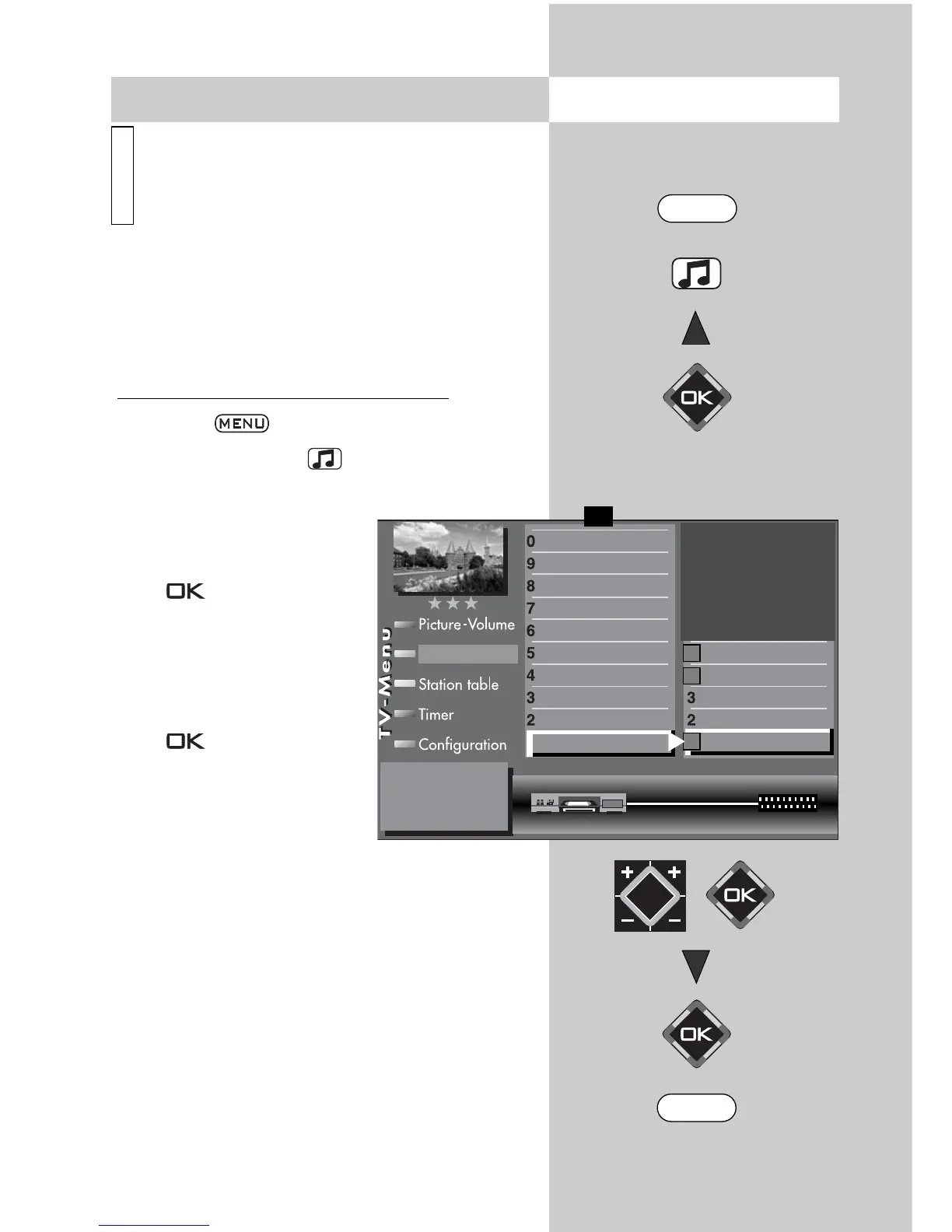
Registering an AV device on the TV set
• Press the key to open the TV menu.
• Press the yellow key to open the menu “AV
devices“.
• Use the cursor control key
to select the AV device you
wish to register and press
the key.
• Press numeric key
and
set the signal types
(OUT/IN) that apply to the
AV device with the
V-/V+
key and then confirm with
the button.
Signal types:
(also see pages and the use-
r’s guide of the respective AV
device).
There are different signal types for the transmis-
sion of picture signals. See next page.
Caution! Connection of a new device may
cause an existing connection diagram to be
changed. If so, you must reconnect the AV
devices accordingly.
☞
☞
i
Opening the menu
Connect as follows:
Videorecorder CVBS CVBS EURO1
DataLogic
TV-SPDIF input
2)
Name
Signal types
connect
Front HDMI
AV-Receiver
Other device 2
Other device 1
PC
Satellite / set top
DVD Player 2
DVD Player 1
DVD/Videorec.2
DVD/Videorec.1
F1
➔
✗
VCR
➔
➔
AV devices
MENU
EXIT
2) Possible only on sets equipped with this
function.



 To Next Page