105
21. Station Logo
With the aid of the VPS signal, a station logo with
a maximum length of 15 characters is automati-
cally assigned to each station.
If this automatic assignment does not work, or if
you want to use a different logo, you can change
the setting manually.
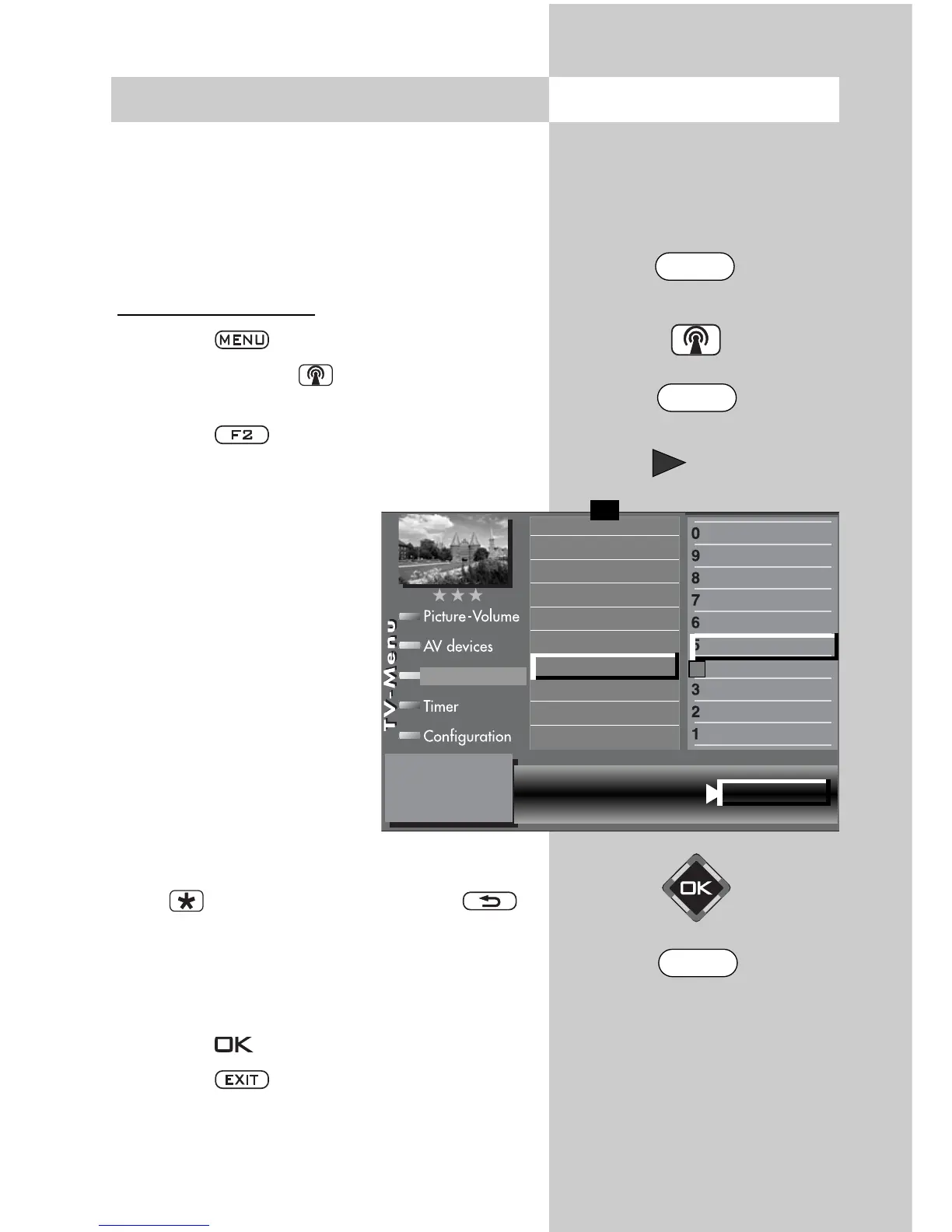
Setting the station logo
• Press the key.
• Press the white key to open the “station
table”.
• Press the key to enable editing of the sta-
tion table.
• Select the program position
whose logo you wish to
change.
• Press the cursor control key
to move to the other
column.
• Use the corresponding
numeric key (in the exam-
ple:
) to select
“Logo input“.
• The various letters and digits
can be selected with the aid
of the cursor control key
.
• You can delete single characters with the red
key or the complete logo with the
key.
• Set the desired logo by repeatedly pressing the
various numeric keys. The lowercase letters are
displayed after the uppercase letters.
• Press the key to save the new logo.
• Press the key to close the TV menu.
Opening the menu
The number of subjects and sections depends
on the selected scope of operation. Depending
on the configuration of the TV set, the various
menu items may be displayed in a different
order and numbered differently.
_ , ; ABC DEF
GHI JKL MNO RTL 2
PQRS
TUV WXYZ
Colour standard
7)
Frequency/channel
7)
Sound corrections
Picture quality
Picture correct.
Enter logo
Station contained in EPG
CA module
Signal quality
DVB-prog. info
0010 Hessen 3
0009 Südwest
0008 MDR
0007 PRO 7
0006 RTL 2
0005 RTL
0004 SAT 1
0003 Bayern 3
0002 ZDF
0001 ARD
Station table
✗
F1
➔
7) Available only for analogue stations
MENU
F2
EXIT



 To Next Page