119
“Data Logic“ is a system which provides a dia-
logue between a TV set and a video recorder.
This “intelligent“ system offers the features such
as:
- Automatic transfer of the settings for terrestrial or
cable TV stations (not DVB) to the video recor-
der.
- Immediate recording - the video recorder
records the program currently displayed on the
TV screen.
- Automatic switching to the AV program position.
- Direct control of the video recorder from the
timer menu of the TV set.
- Automatic switching off of the video recorder
when the TV set is switched to the standby state.
In the menu “AV devices“ check X to the left of the
field “Data Logic“ for “DVD/Videorec. 1“ and
connect the video recorder to the EURO1 socket.
Comparable dialogue systems are:
QLink (Panasonic), EasyLink (Philips), Megalogic
(Grundig), SMARTLINK
(Sony).
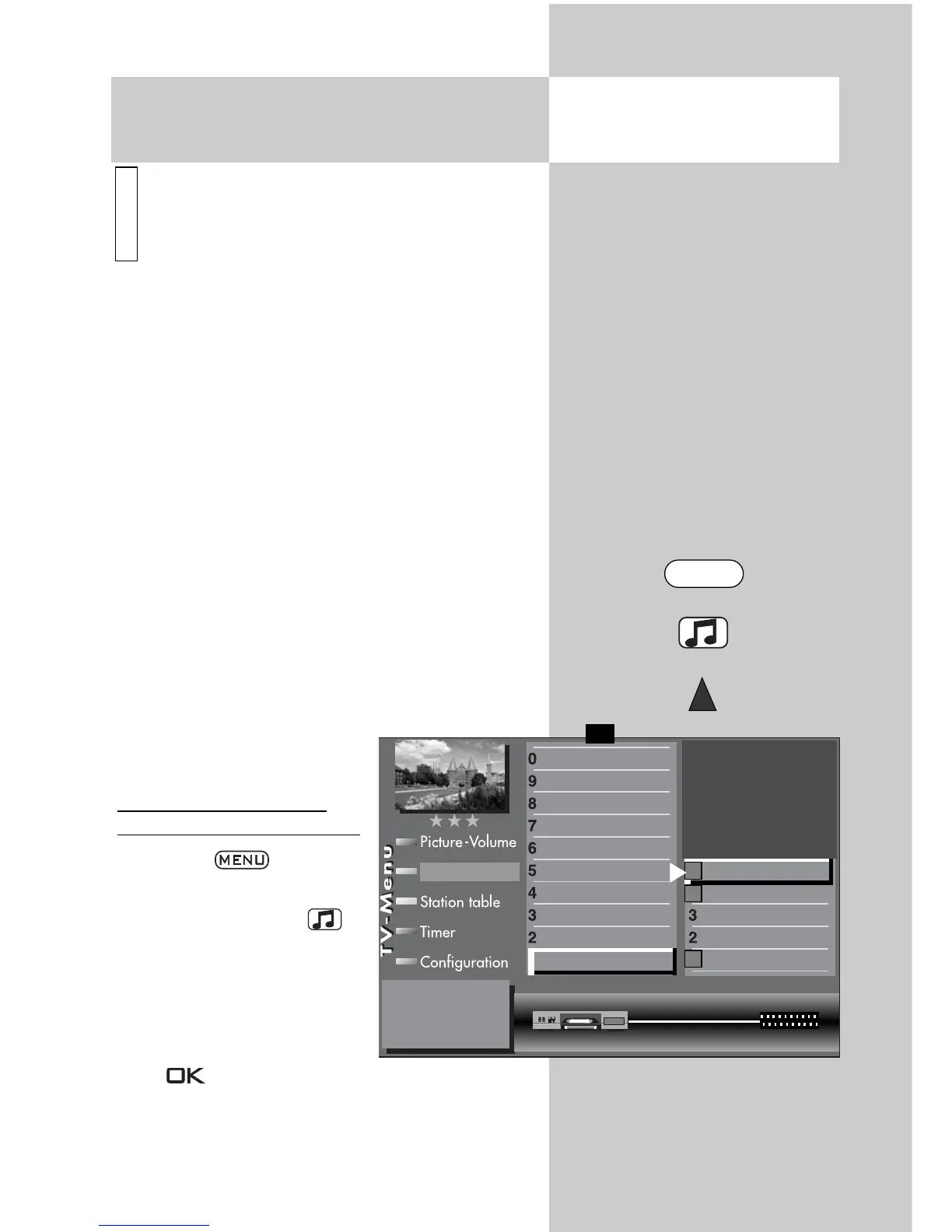
Registering a Data Logic
video recorder on the TV set
• Press the key to
open the TV menu.
• Press the yellow key to
open the menu “AV devi-
ces“.
• Use the cursor control key
to select the AV device to
be connected and press
the key.
30.1 Registering AV Devices
Data Logic
i
Opening the menu
Connect as follows:
Videorecorder CVBS CVBS EURO1
DataLogic
TV-SPDIF input
2)
Name
Signal types
connect
F1
➔
✗
✗



 To Next Page