75
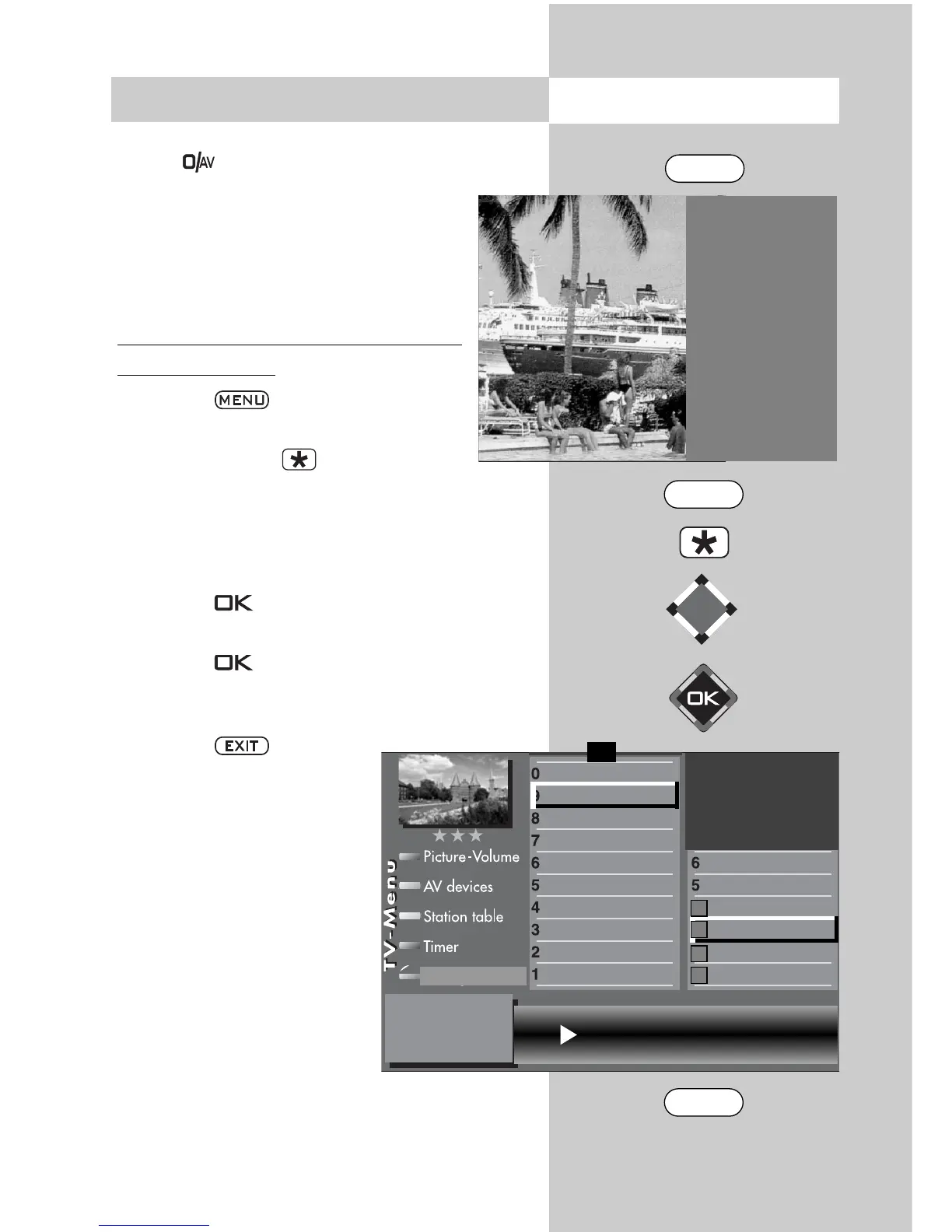
The remote control has four function keys: F1, F2,
F3 and . You can program these function keys
with any of the available functions.
If you press and hold any function key, a
window with the available functions is dis-
played. The picture on the right shows the
functions available for the F2 key.
Programming function key F1, F2, F3 or
AV with a function
• Press the key, to open the TV
menu.
• Press the red key to open the “Con-
figuration“ menu.
• Use the cursor control key or the correspon-
ding numeric keys to select the desired “Func-
tion for..“ (in this example: F2).
• Press the key and then use the cursor con-
trol key to select one of the available functions.
• Press the key to assign this function to the
selected function key (the selected function is
marked with “X“).
• Press the key to close
the TV menu.
If a function key is pro-
grammed with a func-
tion, this function can be
called by briefly pres-
sing the function key.
Pressing and holding
the function key
displays a list of all
available functions.
☞
17. Programming the Function Keys
Opening the menu
Special fuctions 2
2
Language of progr.
4 Photo Viewer
5 File manager
9 Timer overview
0 Direct recording
2) Possible only on sets equipped with this
function.
Function for F2 Timer overview
Direct recording
Timer overview
Film manager
Photo Viewer
Subtitle
Language of prog
Function for F3
Function for F2
Function for F1
EURO sockets
DVB-C
DVB-T
DVB-S
Analog-TV
Country
Language
Configuration
F1
➔
✗
EXIT
MENU
F2



 To Next Page