78
Exclude stations from the EPG TV guide:
You can decide which channels should appear in
the EPG program guide.
As a rule, the collection process gathers data for
all free channels. The following options are avai-
lable to exclude selected channels from the EPG
program guide:
Solution 1:
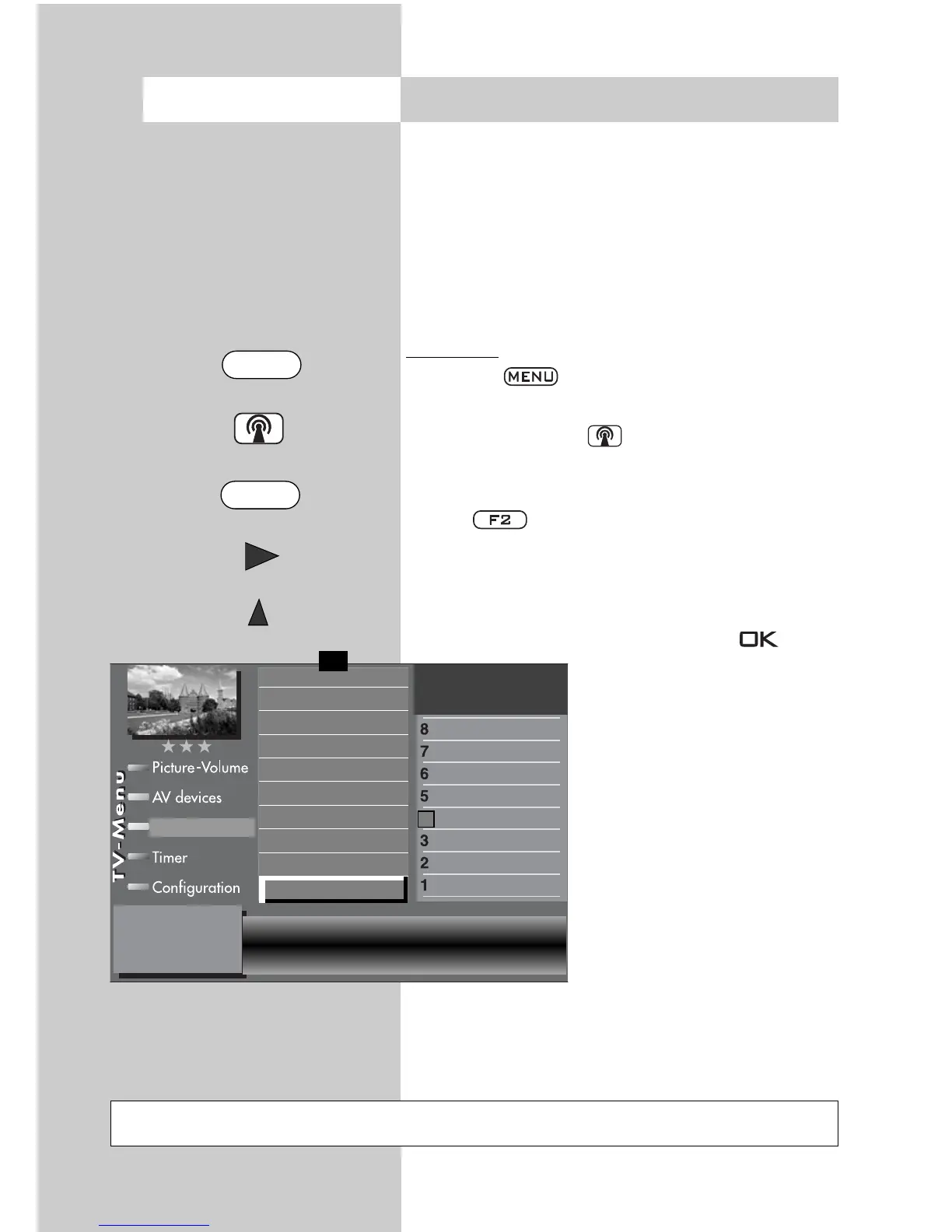
• Press the key. The TV menu appears on
the screen.
• Press the white key The menu channel
table appears with the active program slot
selected.
• Press to permit editing of the channel
list.
• Press to switch to the menu page.
• Using and select “Include channel in EPG”
and dedeselect rows marked (x) with .
• To exclude other channels
from the EPG program gui-
de, use and to
select the channel and
repeat the procedure.
18.2 Collecting EPG data
Not possible with a set top box
Opening the menu
Sound correction
Picture quality
Picture correction
Enter logo
Station contained in EPG
CA module
Signal quality
DVB-S prog. info
0010 Hessen 3
0009 Südwest
0008 MDR
0007 PRO 7
0006 RTL 2
0005 RTL
0004 SAT 1
0003 Bayern 3
0002 ZDF
0001 ARD
Station table
✗
F1
➔
MENU
F2



 To Next Page