98
Opening the menu
20.4 Set-up of satellite system
Selecting satellites
2)
Section 20.4 only in the case of corres-
ponding equipment or conversion.
You can set up to four satellites in the menu
“Configuration“. No satellite is set in the factory.
The LNB frequency is used to switch between the
high and low frequency bands. The default fre-
quencies Low band 9.75 GHz and High band
10.60 GHz are set in the factory.
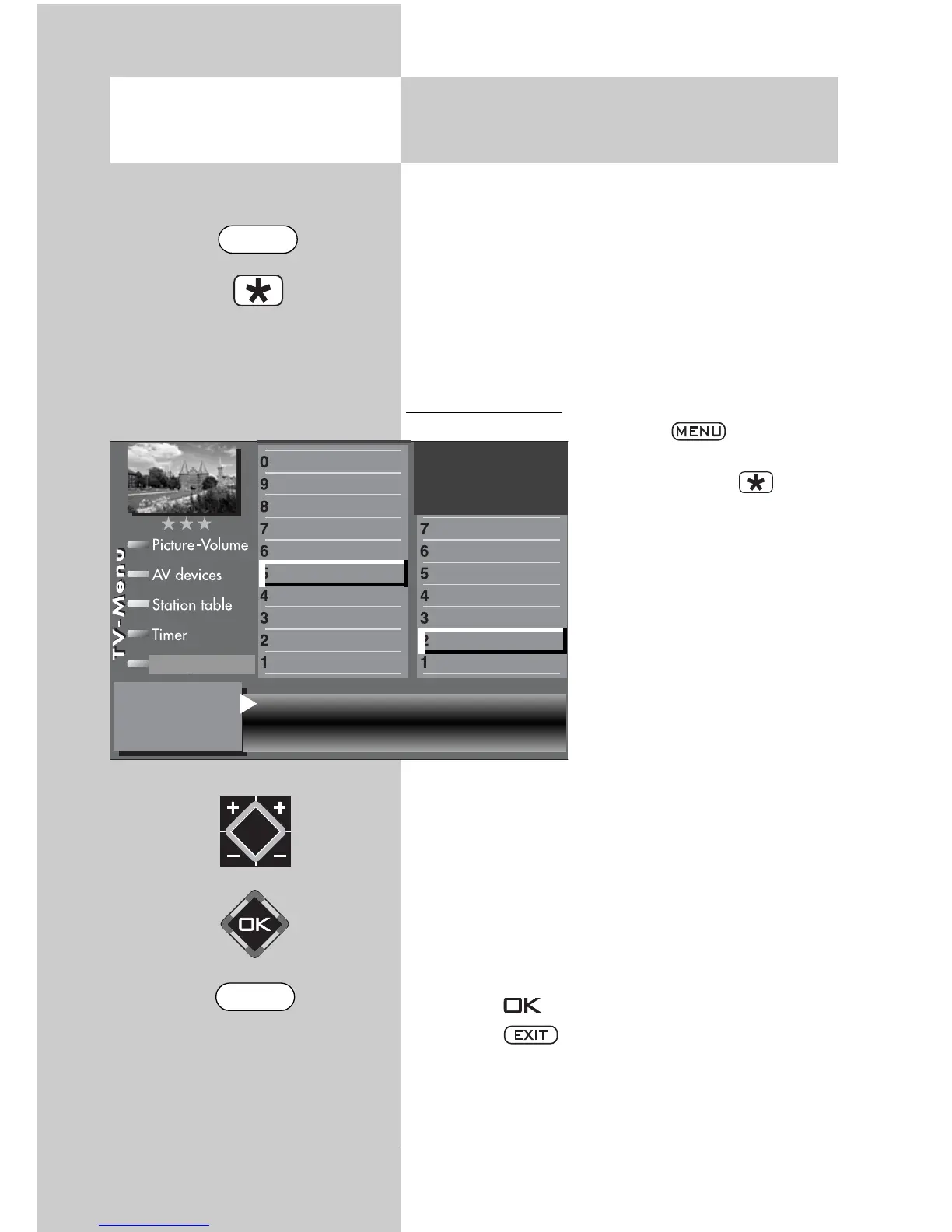
Selecting satellites
• Press the key to open
the TV menu.
• Press the red key to
open the menu “Configura-
tion“.
• Press the appropriate nume-
ric key (in this example
to
select “DVB-S“.
• Press the appropriate nume-
ric key (in this example
to
select “Satellite A“.
• Use the V-/V+ key to select
the desired satellite. The
common satellites are called
up in order and the accom-
panying symbol rates set
automatically.
• Use the cursor control key to select “Low band“
or “High band“. The settings depend on the
components installed in the satellite antenna. For
the correct settings, please consult the data sheet
or the label of the LNB(s) being used.
• Press the key to confirm the new settings.
• Press the key to close the TV menu.
☞
Satellite Astra 19,2°
Low band 9,75 GHz
High band 10,60 GHz
General settings
Manual search
Automatic search
Hot Bird 13°
Astra 19,2°
Arial facility
Function for F2
Function for F1
EURO sockets
DVB-C
2)
DVB-T
2)
DVB-S
2)
Analog-TV
2)
Country
Language
Operating
Configuration
2) Possible only on sets equipped with this
function.
EXIT
MENU



 To Next Page