123
Connection of external devices with YUV
2)
compo-
nent output to the “COMPONENT IN“ RCA jacks.
The signal type always refers to the input
and output of the AV device.
AV devices equipped with a YUV jack
2)
can be
connected to the LCD TV by means of a YUV
cable (see page 116). In the “AV Devices“ menu,
the connected AV device must be registered with
signal OUT “YUV“.
The connection of the analogue YUV source using
the RCA jacks to the YUV input
2)
of the LCD TV
depends on the output format of the signal source.
For YUV, the sound must be connected in addition
via a Cinch or optical audio cable (Toslink).
Configure the following settings, depending on
the output format of your signal
source:
Setting the YUV
2)
Signal Type
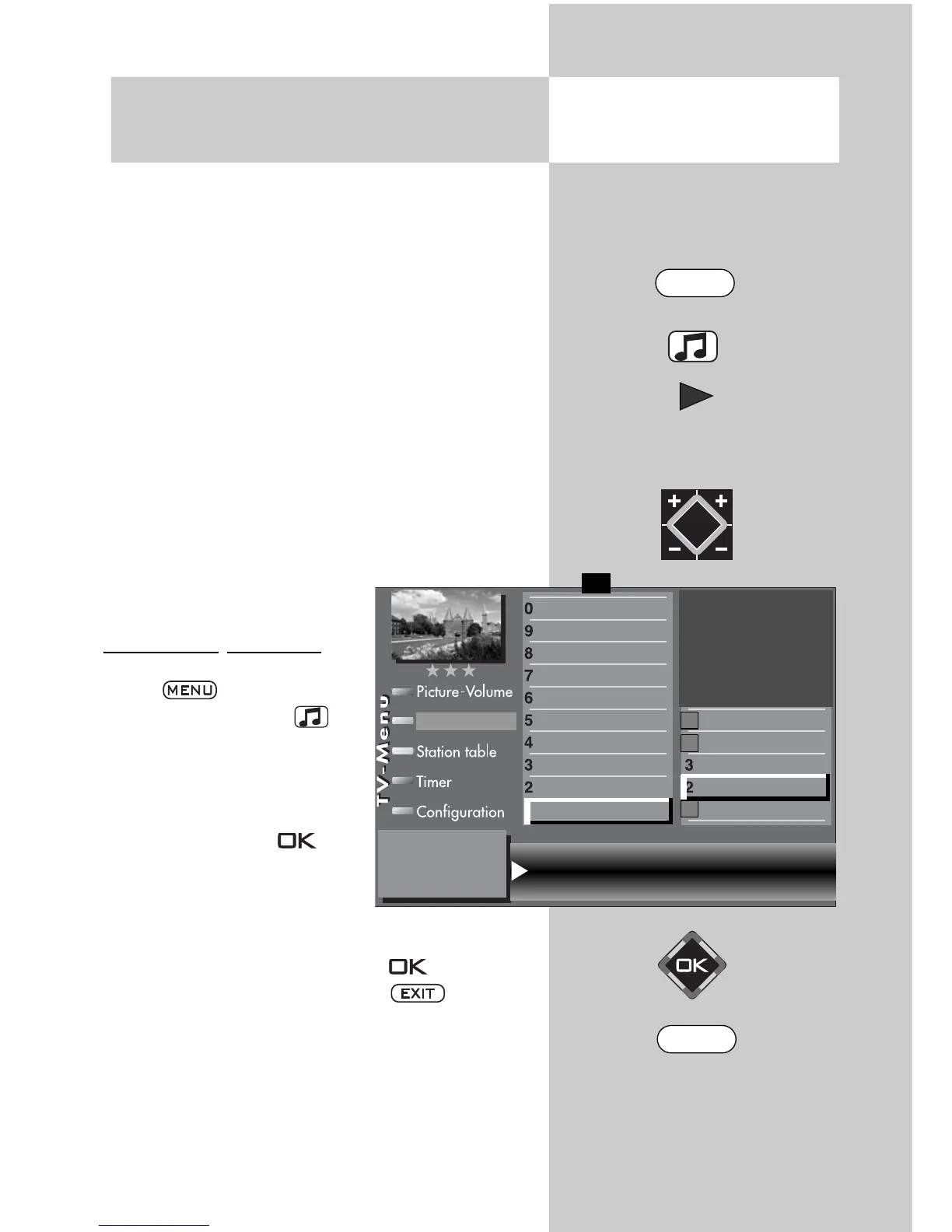
• Enter the TV menu by pres-
sing .
• Press the yellow key to
open the “AV Devices“ menu.
• Use the cursor control to
select the AV device whose
signal type you want to
change and press .
• Press numeric key
, use
the cursor control to select
“Signal OUT“, and use the
V-/V+ key to set “YUV“ or “YUV (HD)“.
• Confirm the setting by pressing .
• Exit the “TV Menu“ by pressing .
Caution ! This may cause an existing con-
nection diagram to be modified. If so, you
must reconnect the AV devices accordingly.
☞
☞
30.2 Registering AV Devices
Setting signal types YUV
2)
Opening the menu
Signal OUT YUV Signal IN no Signal
DataLogic
TV-SPDIF input
2)
Name
Signal types
connect
F1
➔
✗
AV devices
Front HDMI
AV-Receiver
Other device 1
Other device 1
PC
Satellite / set top
DVD Player 2
DVD Player 1
DVD/Videorec.2
DVD/Videorec.1
2)
Possible only on sets equipped with this function.
MENU
EXIT



 To Next Page