86
Various TV standards for picture and sound are
used in different countries. If the wrong TV stan-
dard is selected, you will not be able to hear the
sound, or it will be distorted. The TV standard “L“
also uses a different standard for transmission of
the picture. The TV standard must therefore be set
before you execute a station search.
The TV set is set in the factory
to the TV standard B/G.
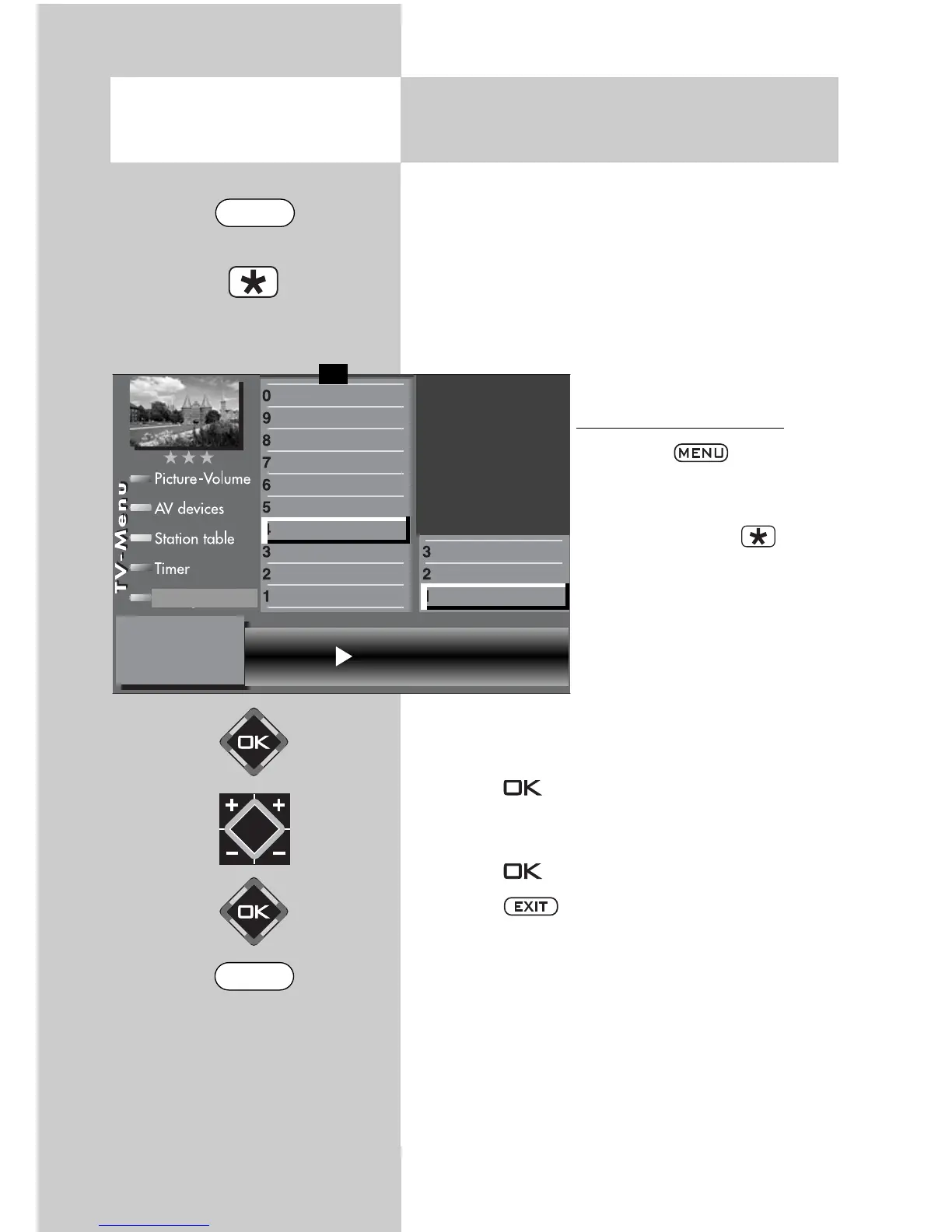
Setting the TV standard
2)
• Press the key to
open the
TV menu.
• Press the red key to
open the menu “Configura-
tion“.
• Use the corresponding
numeric key (in the exam-
ple:
) to select “Analogue
TV“.
• The menu item “Search settings“ is already
selected.
• Press the key and, in the setting window,
use the V-/V+ key to select the desired TV stan-
dard.
• Press the key to confirm your selection.
• Press the key to close the TV menu.
20.1
Setting Stations
TV-Standard
2)
for analogue stations
Opening the menu
The number of subjects and sections depends on the
selected scope of operation. Depending on the confi-
guration of the TV set, the various menu items may be
displayed in a different order and numbered different-
ly.
2) Possible only on sets equipped with this function.
TV standard B/G
DataLogic
Analogue station search
Search settings
Function for F2
Function for F1
EURO sockets
DVB-C
2)
DVB-T
2)
DVB-S
2)
Analog-TV
2)
Country
Language
Operating
Configuration
F1
➔
EXIT
MENU



 To Next Page