26
Opening the menu
10.4 AV Playback
Picture Format
Some of the following menu items are not
available on a 2 ** menu.
Setting the picture for
mat:
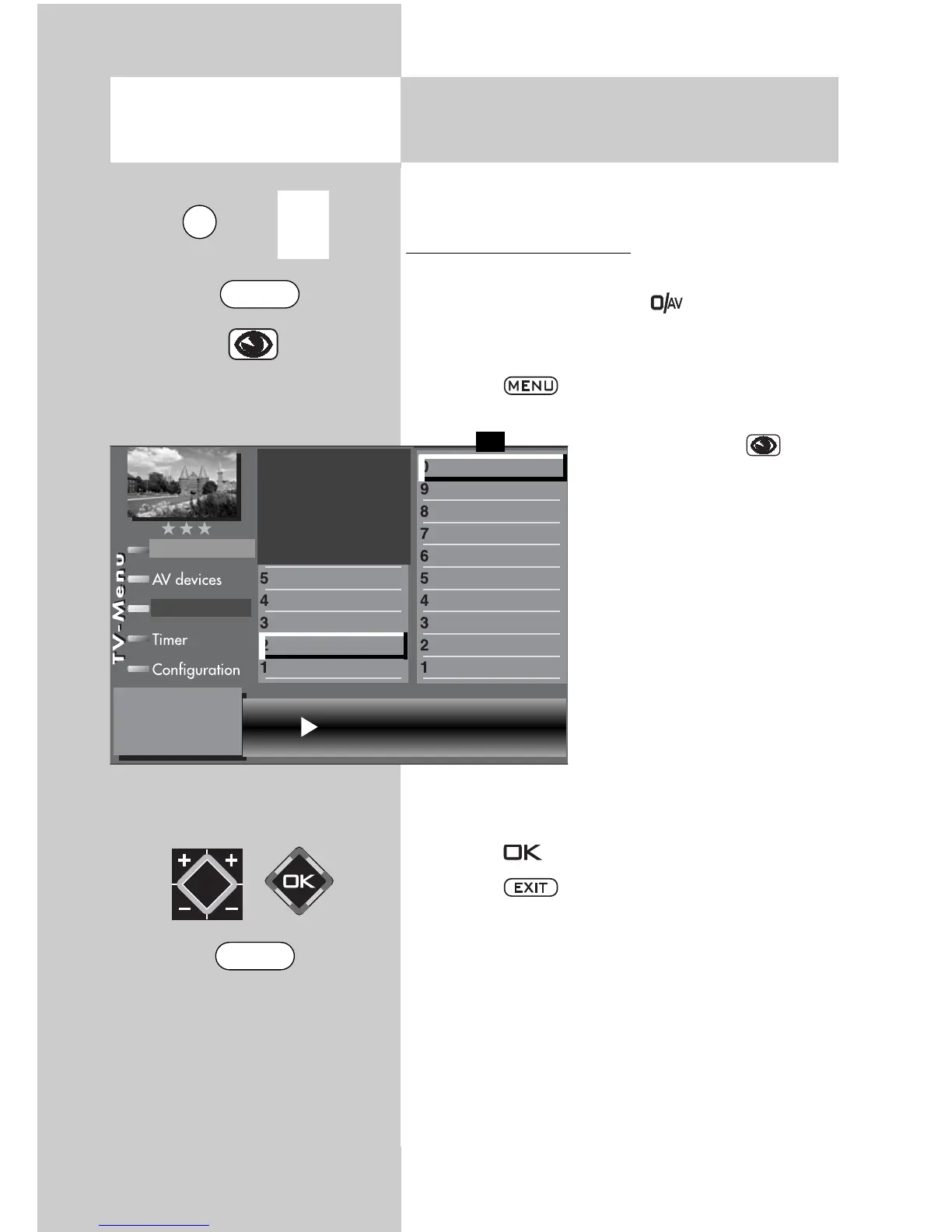
• Select the AV program position which delivers
the picture by pressing the key and then
pressing the numeric key corresponding to the
device you want to use.
• Press the key. The TV menu appears on
the screen.
• Press the blue key to
open the menu “Picture and
sound“. The menu item
“General picture settings“ is
preselected.
• Press numeric key
to
select the menu item “Pict.
settings for Pr.“.
• Use the corresponding
numeric key (in the exam-
ple: ) to select the func-
tion “Picture format“.
• Use the V-/V+ key to set the
picture format setting to
“Automatic“.
• Press the key to save the new setting.
• Press the key to close the TV menu.
☞
Picture format Auto. mode
Picture format
Colour standard
3)7)
Colour offset
3)7)
Noise reduction
3)
MPEG noise reduction
Picture sharpness
Picture profile
Colour intensity
Contrast
Brightness
Picture profile adjustment
Sound set,.prog.posn
Sound settings, gen.
Pict.set.,prog.posn.
Picture settings, gen.
Picture-Volume
F1
➔
Station table
The number of subjects and sections depends
on the selected scope of operation. Depending
on the configuration of the TV set, the various
menu items may be displayed in a different
order and numbered differently.
3) See glossary for an explanation.
7) Available only for analogue stations!
EXIT
0/
AV
MENU



 To Next Page