25
10.3 AV Playback
Picture profile
Opening the menu
The picture profiles (see p. 31) can be assigned for
individual AV programs.
Assigning a picture profile
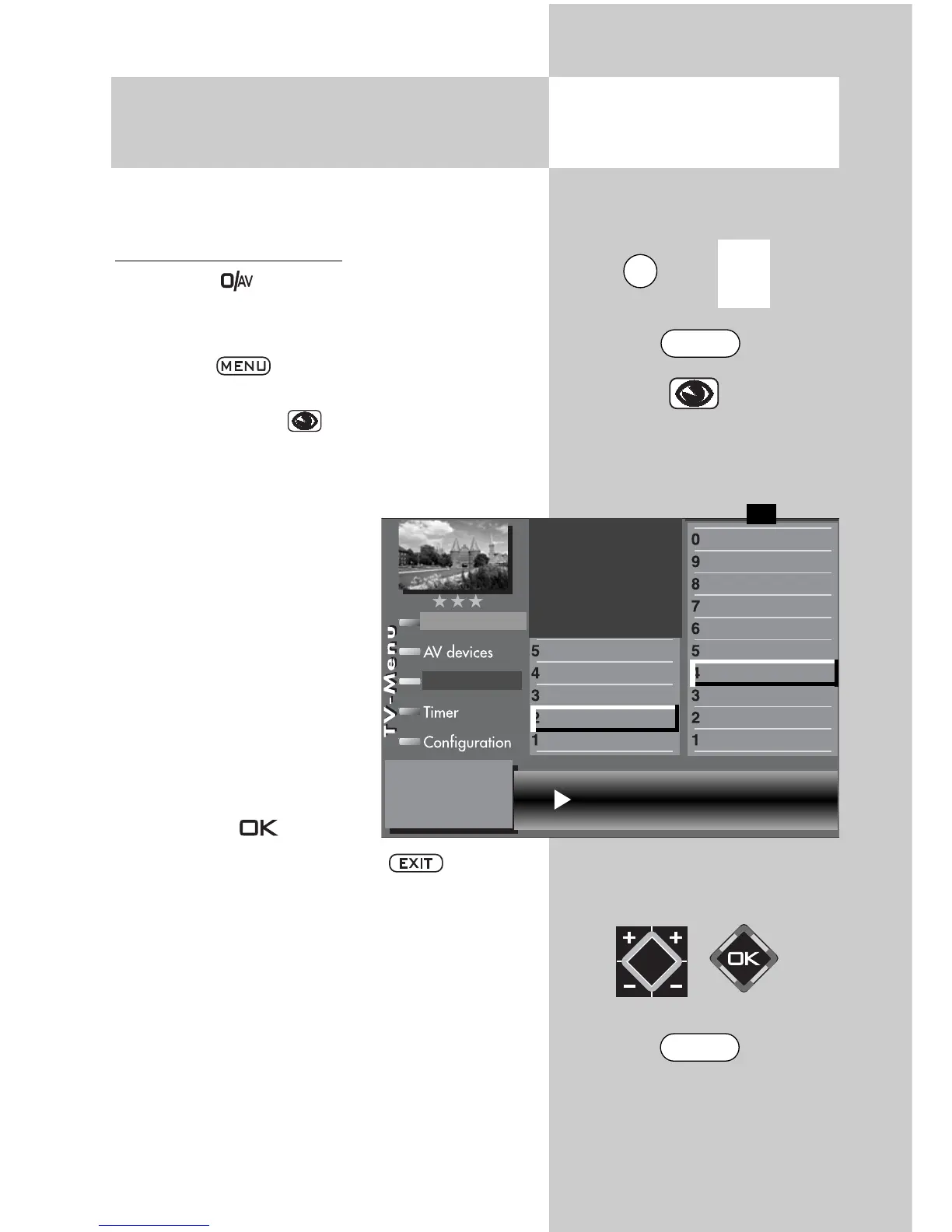
• Press key .
• Select the AV device that is to provide the picture
signal with the numeric keys.
• Press key .
The TV menu is displayed.
• Press the blue key . The menu “Picture and
sound“ and the menu item “General picture set-
tings“ are pre-selected.
• Use the corresponding
numeric button (in the exam-
ple
) to select the menu
item “Brightness”.
• Use the corresponding
numeric button (in the exam-
ple
) Sto select the menu
item “Picture profile”.
• Use the V-/V+ key to chan-
ge the settings for “Picture
profile selection“.
• Save the changed setting
with the key .
• Close “TV menu” with the key .
The picture profile can also be temporarily
changed during a program without the
change being saved. See Chapter 4 for this.
☞
3) See glossary for an explanation.
7) Available only for analogue stations!
Picture profile assignment Brillant
Picture format
Colour standard
3)7)
Colour offset
3)7)
Noise reduction
3)
MPEG noise reduction
Picture sharpness
Picture profile
Colour intensity
Contrast
Brightness
Picture profile adjustment
Sound set,.prog.posn
Sound settings, gen.
Pict.set.,prog.posn.
Picture settings, gen.
Picture-Volume
F1
➔
Station table
EXIT
0/
AV
MENU



 To Next Page