38
Automatic volume correction
Some TV stations transmit their commercials at a
higher sound volume than that for the normal pro-
gram. In order to save you from adjusting the
volume each time with the remote control, you can
activate automatic volume correction.
With this function active, there is little difference in
the volume levels for the normal program and the
commercials.
The setting made here applies
to all program positions.
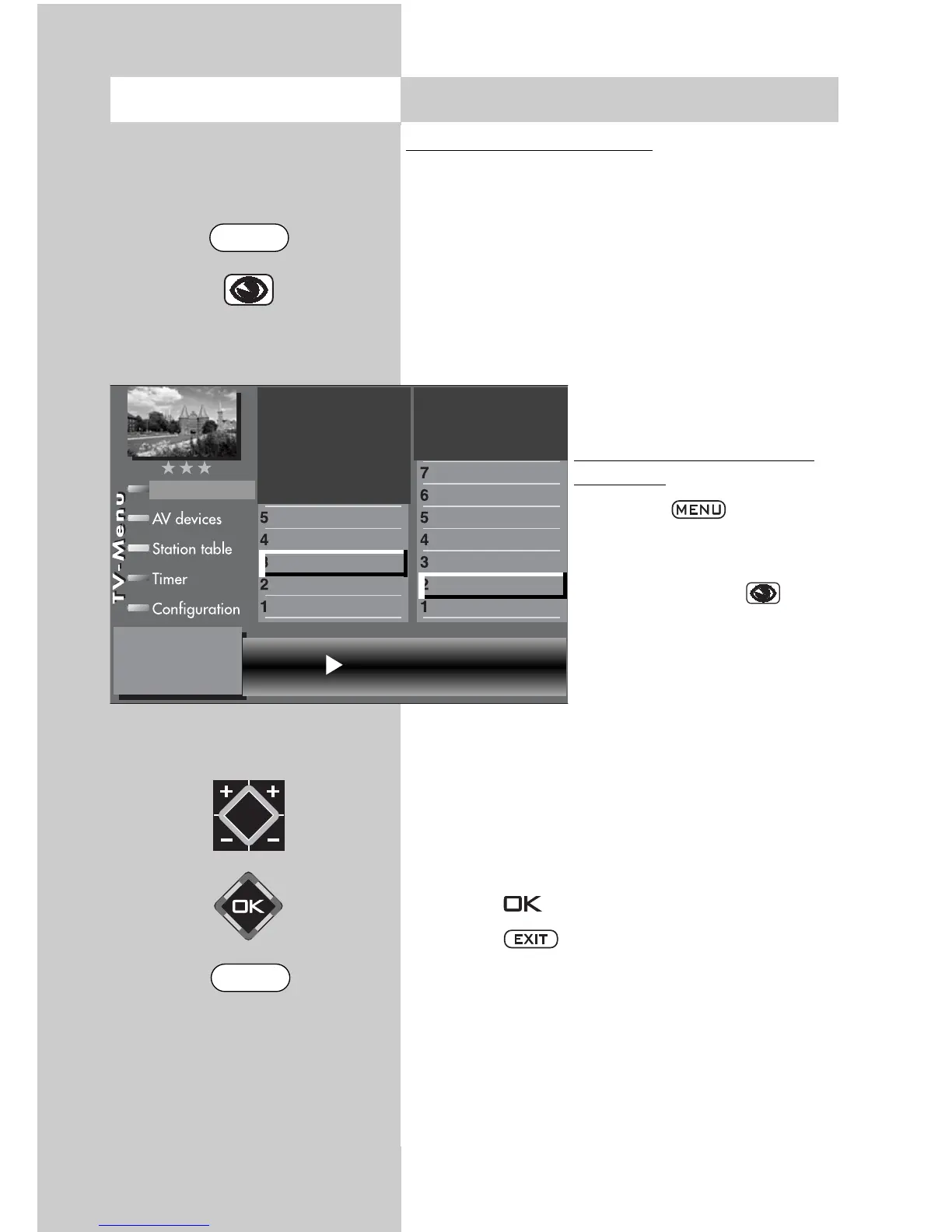
Opening the volume correc
-
tion menu:
• Press the key.
The TV menu appears on
the screen.
• Press the blue key . The
menu “Picture and sound“
and the menu item “General
picture settings“ are pre-
selected.
• Use the corresponding numeric key (in the
example:
) to select “General sound settings“.
• Use the corresponding numeric key (in the
example: ) to select “Volume correction“.
• In the setting window, use the V-/V+ key to
change the setting.
• Press the key to save the new setting.
• Press the key to close the TV menu.
The function “Volume correction“ in the
menu “General sound settings“ does not
overwrite the function “Volume correction“
in the menu “Sound settings for Pr...“.
☞
Opening the menu 12. General Sound Settings
Volume control
3)
on
Balance
Tone setting
Volume headphones
Equalizer
Tone adaption
Automatic volume control
Volume
Picture-Volume
Picture profile adjustmen
)
Sound set,.prog.posn
Sound settings, gen.
Pict.set.,prog.posn.
Picture settings, gen.
The number of subjects and sections depends
on the selected scope of operation. Depending
on the configuration of the TV set, the various
menu items may be displayed in a different
order and numbered differently.
3) See glossary for an explanation.
EXIT
MENU



 To Next Page