41
Some of the menu items are not available
in a 2 ** menu.
The headphone volume can be set to a volume
which can also be adopted as a standard value.
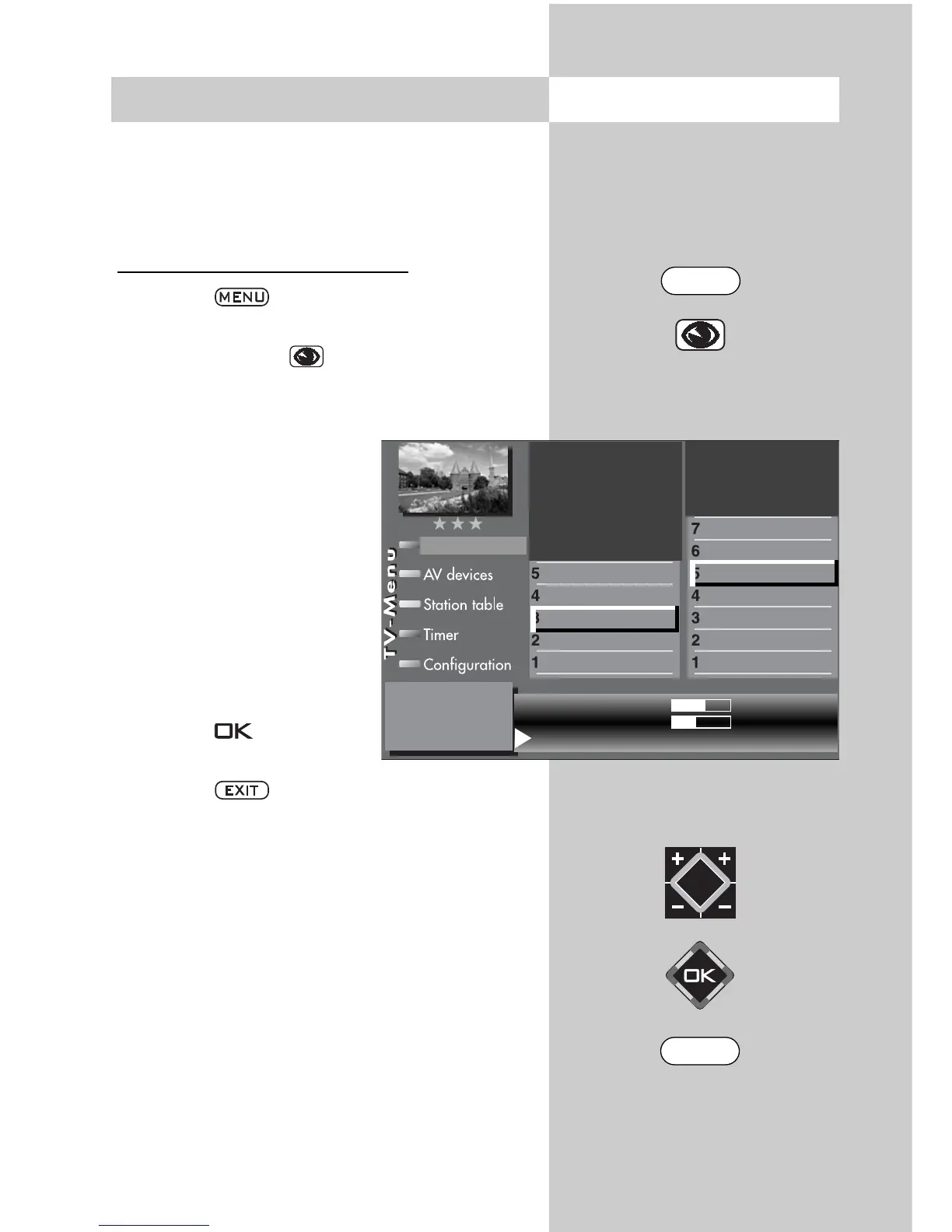
Adjusting the headphone volume:
• Press the key.
The TV menu appears on the screen.
• Press the blue key . The menu
“Picture and sound“ and the menu item “Gene-
ral picture settings“ are pre-selected.
• Use the corresponding
numeric key (in the exam-
ple:
) to select “General
sound settings“.
• Use the corresponding
numeric key (in the exam-
ple: to select “Volume
headphones“.
• To save the new value press
the
V-/V+
key and select
“Yes“.
• Press the key to save
the new setting.
• Press the key to close the TV menu.
☞
Opening the menu12. General Sound Settings
Vol. headphone
61
Standard value
50
Use as default value:
Yes
Balance
Tone setting
Volume headphones
Equalizer
Tone adaption
Automatic volume control
Volume
Picture-Volume
Picture profile adjustmen
)
Sound set,.prog.posn
Sound settings, gen.
Pict.set.,prog.posn.
Picture settings, gen.
3) See glossary for an explanation.
EXIT
MENU



 To Next Page