92
The DVB-C station search operation searches the
entire frequency band for TV and radio stations.
All stations which are found are placed in separa-
te TV and radio station tables. See Section 25 for
details of DVB radio mode.
If you are not satisfied with the order in which the
stations are displayed, you can move them to
other positions or delete unwanted stations (see
Section 22.Sorting stations.
Executing the automatic search
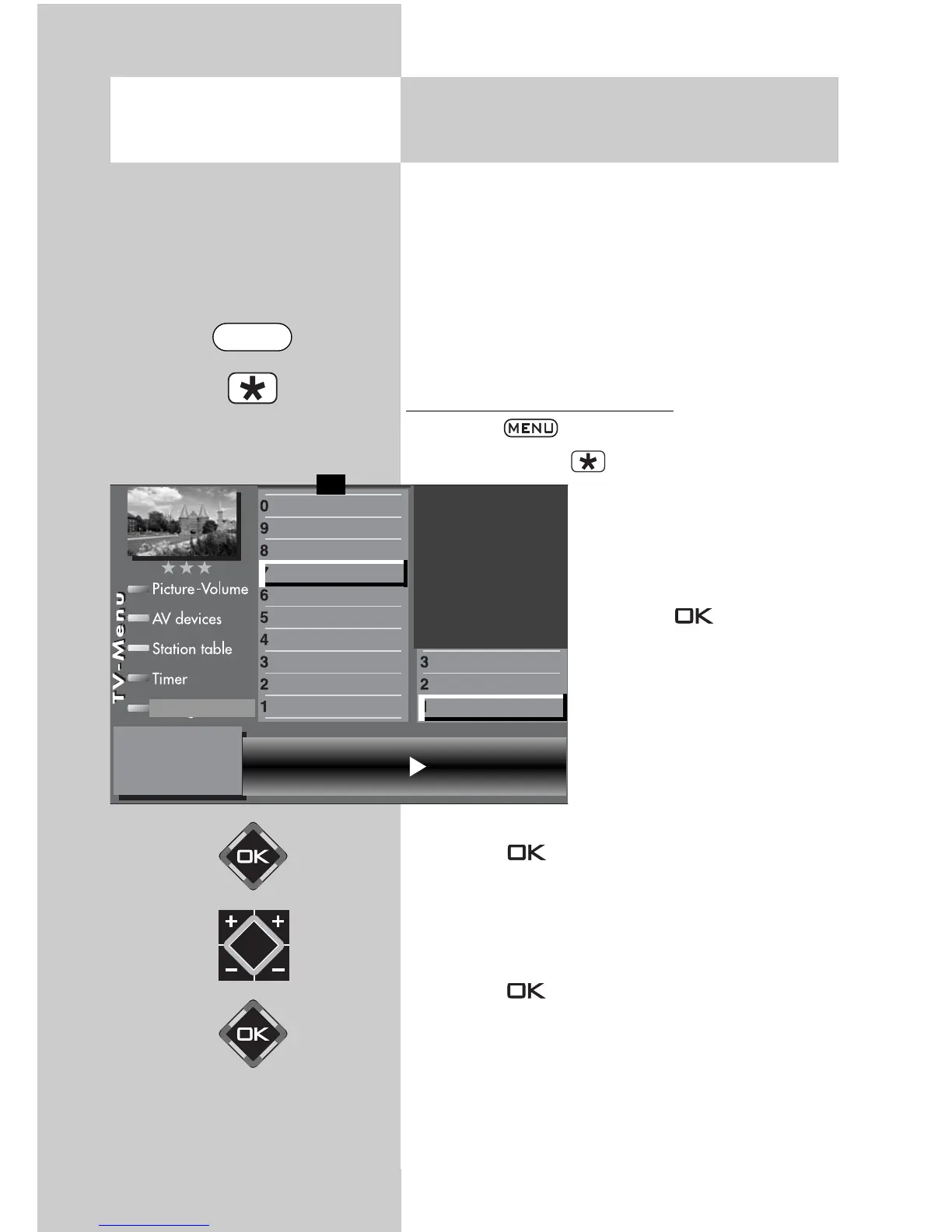
• Press the key to open the TV menu.
• Press the red key to open the menu “Confi-
guration“.
• Press the numeric key to
select “DVB-C“.
• The cursor is on the menu
line “Automatic search”.
• Press key . The cursor
is on symbol rate 1.
The most common symbol
rates
3)
were set in the facto-
ry. Changing the setting is
normally unnecessary. If
this setting of the symbol
rates does not lead to the
desired result, other symbol
rates must be set and saved
with the key . Ask your cable network provider
or the person setting up the system about this. Fine
search is required if the stations are not tuned to the
channel centre.
• Select the menu line “Start program search”
with the cursor control key .
• Press key and confirm the question about
the station search with the corresponding nume-
ric key:
free-to-air programs
3)
all programs
3)
free + CICAM programs
3)
.
After pressing the corresponding numeric key
the program search begins.
☞
20.3 Setting Stations
Automatic DVB-C station search
2)
Opening the menu
Symbol rate 1
3)
6900 Precision search off
Symbol rate 2 6875 Start station search
Symbol rate 3
General settings
Manual search
Automatic search
Function for F2
Function for F1
EURO sockets
DVB-C
2)
DVB-T
2)
DVB-S
2)
Analog-TV
2)
Country
Language
Operating
Configuration
F1
➔
2) Possible only on sets equipped with this function.
3) See glossary for an explanation.
MENU



 To Next Page