QX-830 Compact Industrial Scanner User’s Manual 5-83
Scanner Parameters
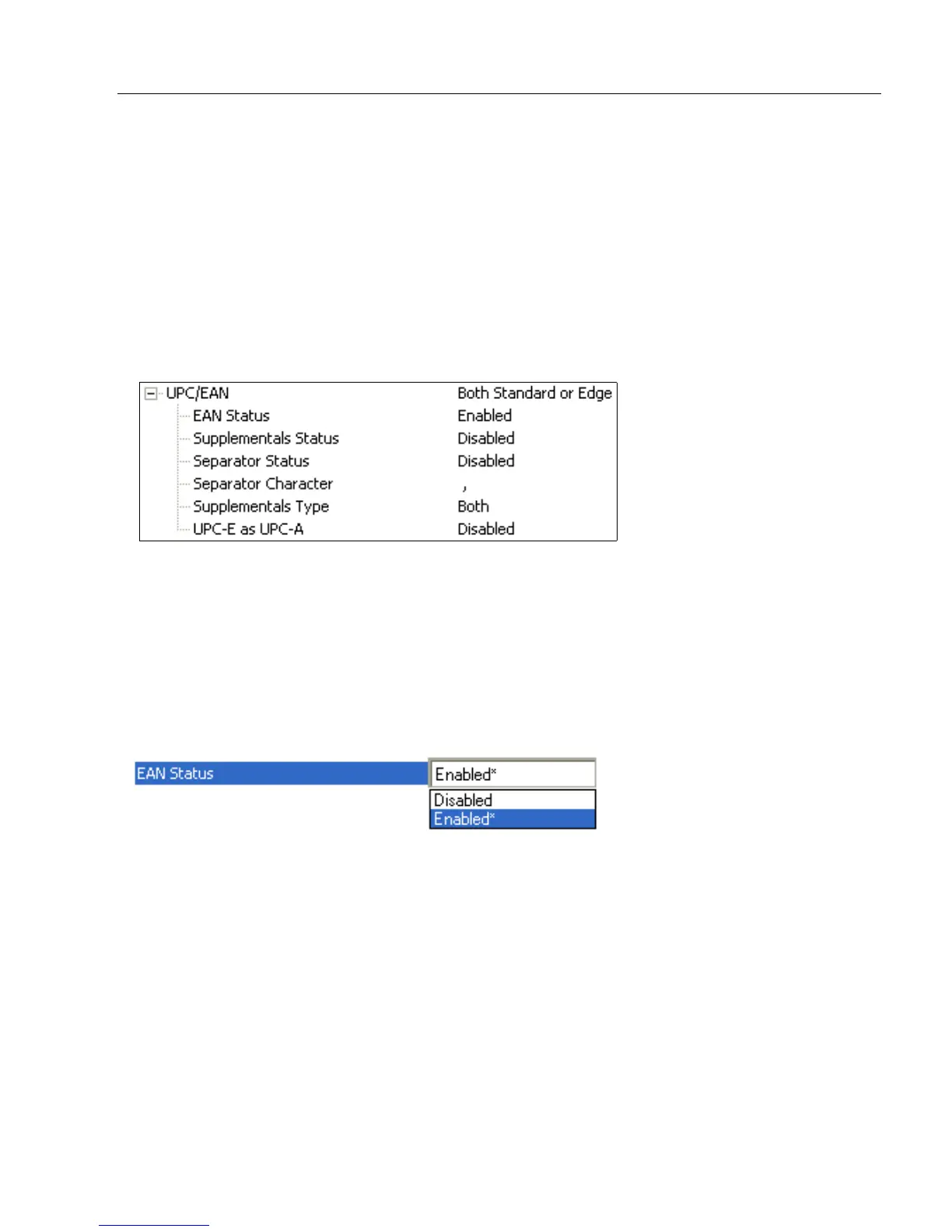
UPC/EAN
Used primarily in point-of-sale applications in the retail industry. It is commonly
used with
Microscan scanners in applications in combination with Matchcode when there is a need to
verify that the right product is being placed in the right packaging.
UPC (Universal Product Code) is a fixed length, numeric, continuous symbology. UPC
can have two- or five-digit supplemental bar code data following the normal code. The
UPC Version A (UPC, A) symbol is used to encode a 12 digit number. The first digit is the
number system character, the next five are the manufacturer number, the next five are the
product number, and the last digit is the checksum character.
When enabled, the scanner will read UPC Version A and UPC Version E only.
EAN Status
EAN is the European version of the UPC symbology and is used in European retail
applications.
Note: UPC must be enabled for EAN to take effect.
EAN is a subset of UPC. When enabled, the scanner will read UPC Version A, UPC Version
E, EAN 13, and EAN 8. It also appends a leading zero to UPC Version A symbol information
and transmits 13 digits. If transmitting 13 digits when reading UPC Version A symbols is
not desired, disable EAN.
Note: The extra character identifies the country of origin.



 To Next Page