QX-830 Compact Industrial Scanner User’s Manual 2-9
Using ESP
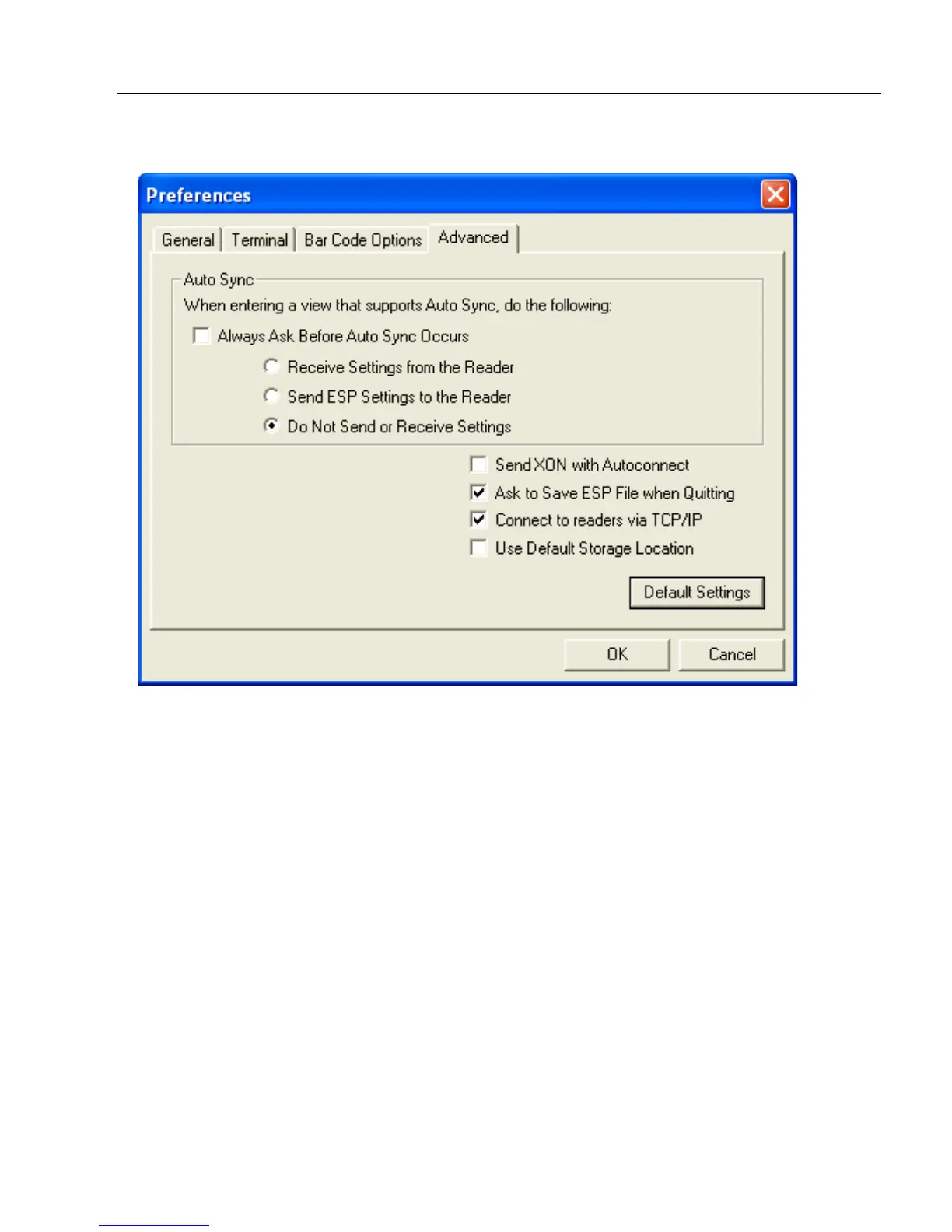
Preferences > Advanced Tab
The Auto Sync options at the top of the Advanced tab allow the user to determine
whether Auto Sync will be enabled automatically in sections of ESP where it is used, or if it
will ask before it enables Auto Sync functions.
Always Ask Before Auto Sync Occurs
If this option box is checked, specific Auto Sync functions can be enabled.
Receive Settings
from the Reader will automatically send the scanner’s settings to ESP when Auto Sync is
enabled.
Send ESP Settings to the Reader
will automatically send all scanner configuration
settings chosen in ESP to the scanner. Do Not Send or Receive Settings creates a
condition in which Auto Sync will not automatically send scanner settings to ESP, or send
ESP settings to the scanner.
Send XON with Autoconnect
Sends an XON (Begin Transmission) command to the scanner before starting the
Autoconnect routine.



 To Next Page