QX-830 Compact Industrial Scanner User’s Manual 5-15
Scanner Parameters
Ethernet (cont.)
5.
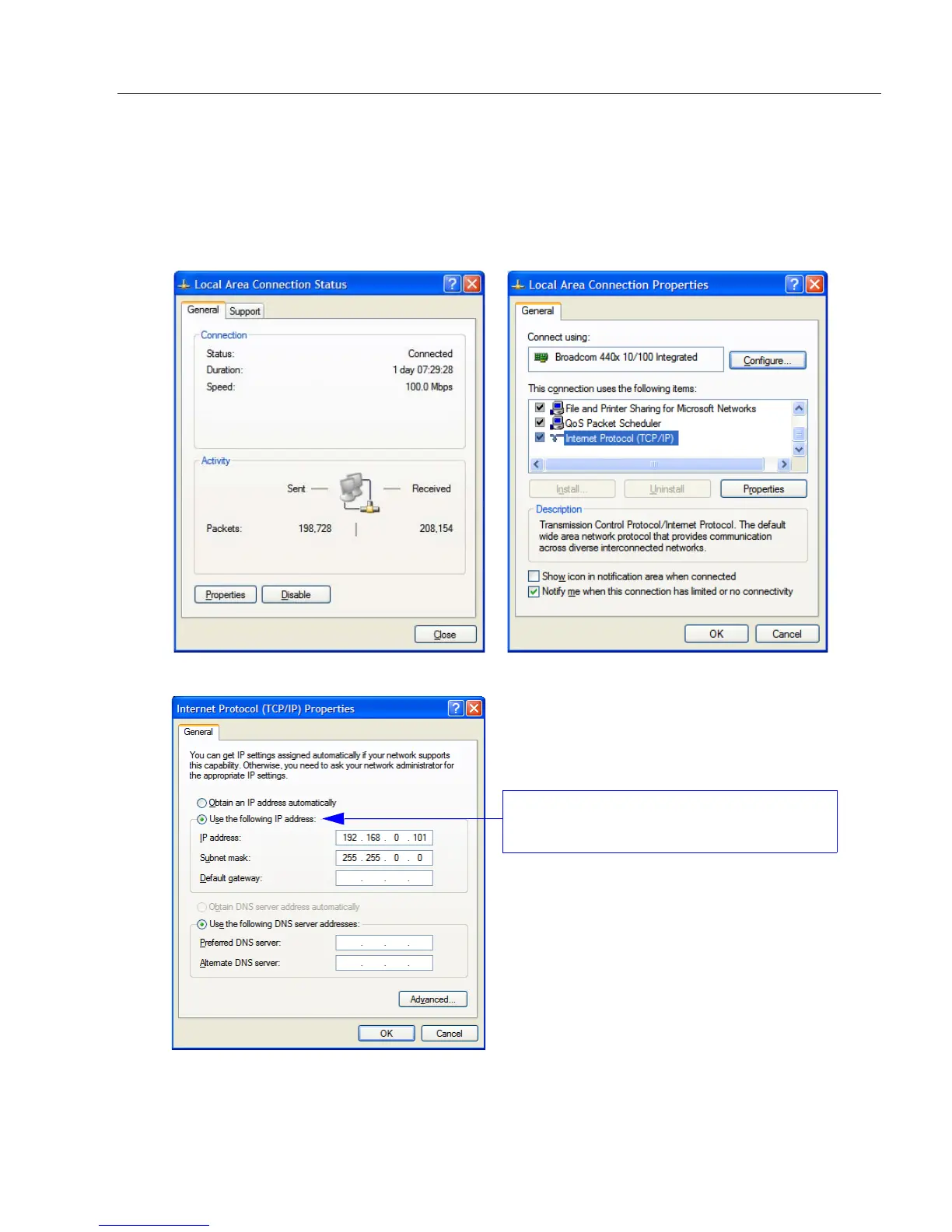
To change the host computer’s connection settings, click
Properties
on the
General
tab.
6. The Internet Protocol (TCP/IP) Properties dialog will appear.
To change TCP/IP settings:
On the
General
tab, click the
Properties
button to bring up a list of items being used by the current connection.
On the Local Area Connection Properties dialog, double-click Internet Protocol (TCP-IP).
Select Use the following IP address to set
the IP Address, Subnet, and Gateway.



 To Next Page