5-14 QX-830 Compact Industrial Scanner User’s Manual
Communication
Ethernet (cont.)
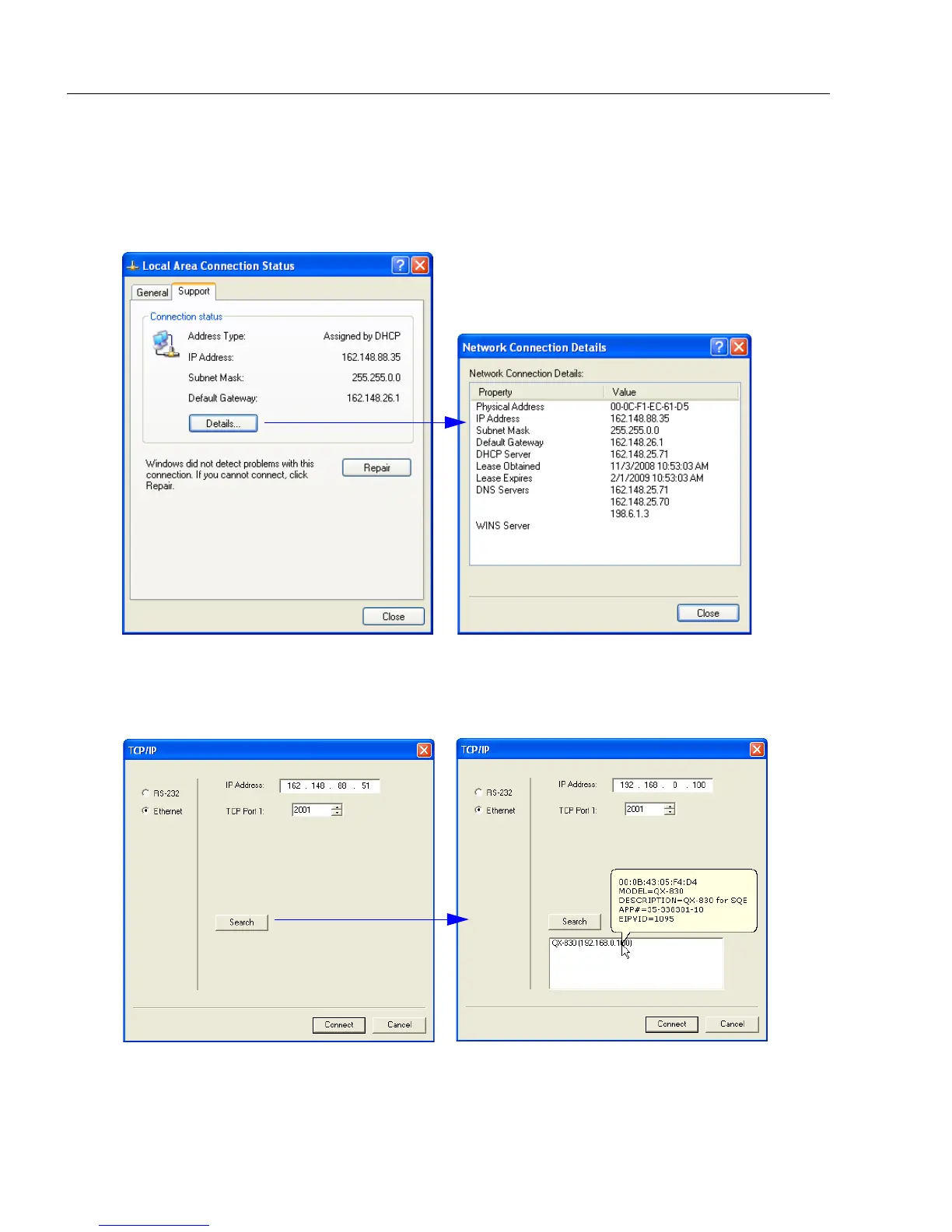
3. The Local Area Connection Status dialog will appear. To check the host computer’s
connection settings, click Details on the Support tab.
4. A connected QX-830’s default address information can be verified in ESP by clicking
the Search button in the Connection Wizard. Compare the scanner’s IP address to
the host’s IP address to determine whether or not they are in the same range (this can
be determined by your I.T. department if you are unsure).
On the Support tab, click the Details
button to bring up a list of Network
Connection Details.
To verify connection status:



 To Next Page