USER MANUAL
AVIOR-2/AVIOR-2 I/O & MIP-2/MIP-2 I/O
106491_C User manual AVIOR-2 MIP-2_En.docx
MIRION TECHNOLOGIES (Canberra)S.A.S, BP249, ZI de Vauzelles, 37602
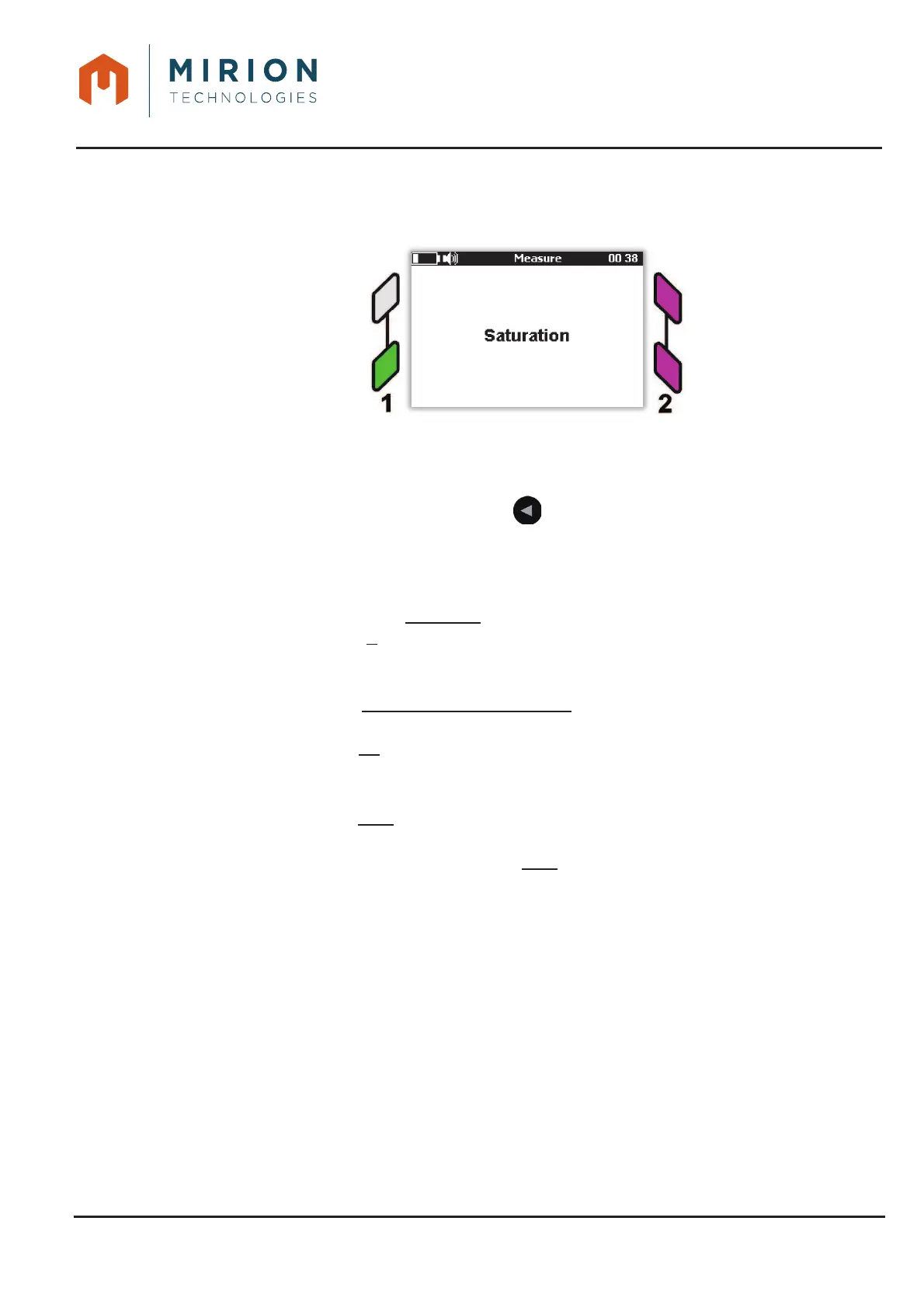
During the measurement, configuration, or the result, triggering a saturation can occur:
– In case of saturation of the probe, AVIOR-2 / MIP-2 activates an audible alarm, and the interface
lights are flashing purple.
Press a key on the keyboard to temporarily inhibit the sound alarm. The sound is reactivated
automatically at exit of the measuring mode.
Note: All alarm or saturation events are available in LOG files (See § 15)
At the end of the recordings, press the key to return to the « Stop measurement on »9.
screen and then a second time to return to the « Measurement mode ».
Select a measurement mode.10.
Note: In net measurement mode, the acquisition time is calculated using the following formula:
ࢀ
ࢋࢇ࢙࢛࢘ࢋ
(ܛ) =
ቆ
ට
ࢄ
െࢅ
െࢄ
ቇ
Où :
ܺ
=
ଶ
భ
భ
ିସௌ
మ
್
మ
൫ௌା ோ
್ೖ
൯
ௐ
భ
ܻ
=
భ
మ
ௐ
భ
ܺ
ଵ
= ܴ
(
ܭ
ଶ
െܭ
ଶ
)
െܣܮܵ. ܭ
ଶ
ܻ
ଵ
=
ோ
್ೖ
்
್ೖ
(
ܭ
ଶ
െܭ
ଶ
)
െܣܮܵ
ଶ
ܹ
ଵ
= ܻ
ଵ
ଶ
െ4. ܣܮܵ
ଶ
. ܭ
ଶ
ோ
್ೖ
்
್ೖ
ALS is the threshold of alert in c/s
ܭ
is the coefficient of false alarm
ܭ
is the coefficient of no detection
ܴ
is the average value of the BKG
ܶ
is the time of acquisition of the BKG
If the calculated measurement time is less than the minimum integration time (see §13.1) then the
minimum time is used.
If the calculated measurement time is greater than the maximum integration time (see § 13.1):
- Generation of the alert message on excessive BKG is generated if the function is
activated (See § 13.1)
- Use of the maximum time if the function is not activated (See § 13.1)













 To Next Page