MOTALA MC2000 – Updated version of the platform wall
Instruction
© 2012 Motalahissar AB 12 (14) IQ56-04 Rev: B
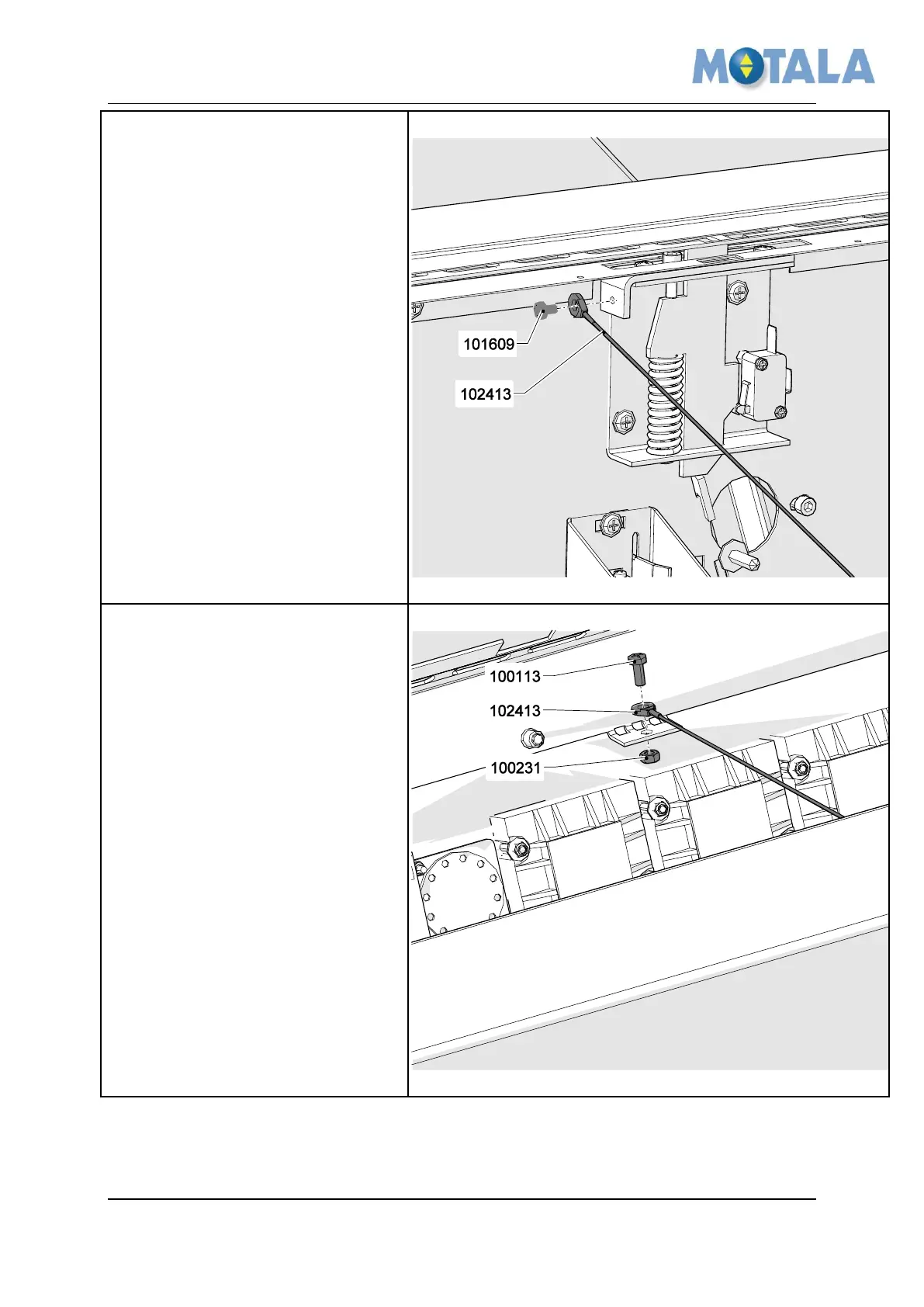
Install the COP panel step 3
1. Apply one end of the wire
102413 to the wall, use 1x
101609.
Install the COP panel step 4
1. Apply the other end of the wire
102413 to the COP, use 1x
100113 and 1x 100231 .
2. Connect the cables from the COP
to the PCB terminals. See
electrical drawings for
connection points.



 To Next Page