7 Functions and settings
Maschinenfabrik Reinhausen 2014108 3550953/00 ENTAPCON® 230 pro
Analog signal Setting
Injected current: 0...20 mA 0 % (= 0 mA)
Injected current: 4...20 mA 20 % (= 4 mA)
Resistor contact series always 20 %
Table 24: Parameter settings
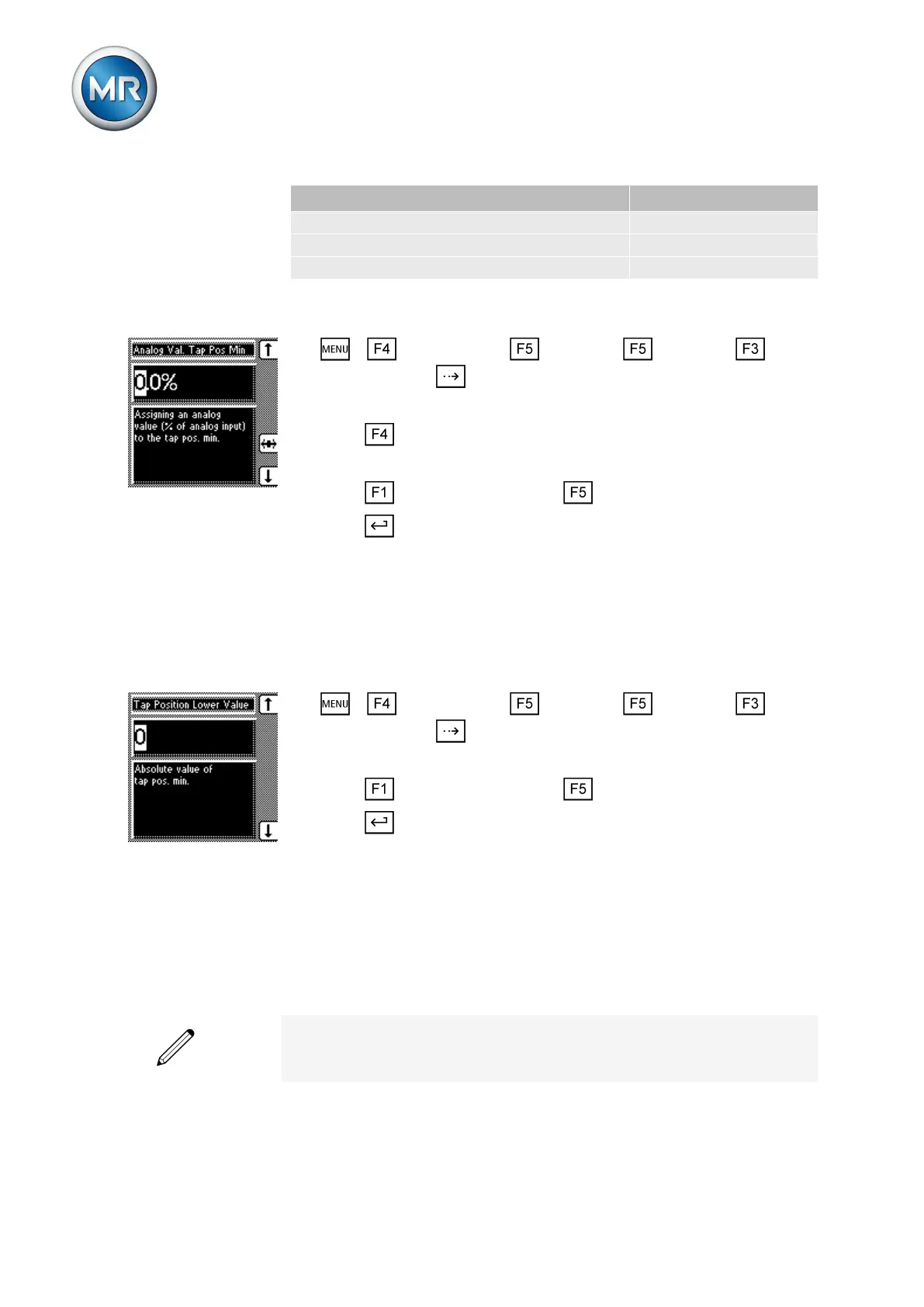
To assign the minimum tap position to the analog value, proceed as follows:
1. > Configuration > Continue > Continue > Tap
position > Press until the desired parameter is displayed.
ð Analog Val. [%] Tap pos. min.
2. Press to highlight a digit.
ð The desired position is highlighted and the value can be changed.
3. Press to increase the value or to reduce it.
4. Press .
ð The analog value for the minimum tap positions is assigned.
Setting lower value of input signal
To configure the analog input, an absolute value must be assigned to the
lower value of the applied signal.
To set the lowest tap position, proceed as follows:
1. > Configuration > Continue > Continue > Tap
position > Press until the desired parameter is displayed.
ð Lowest tap position
2. Press to increase the value or to reduce it.
3. Press .
ð The lowest tap position is set.
Setting upper limit value
These parameters can be used to set the upper value for the tap position. To
do this, you must set the upper value of the signal range and linked highest
tap position.
You can undertake the settings for each input on the analog input card.
For example: To capture a tap position range of 1...19 via input 1 as
4...20 mA, you must set 100% for the "Analog value [%] Tap pos. max" pa-
rameter and 19.0 for the "Highest tap position" parameter.
7.9.2.2



 To Next Page