7 Functions and settings
Maschinenfabrik Reinhausen 2014 833550953/00 EN TAPCON® 230 pro
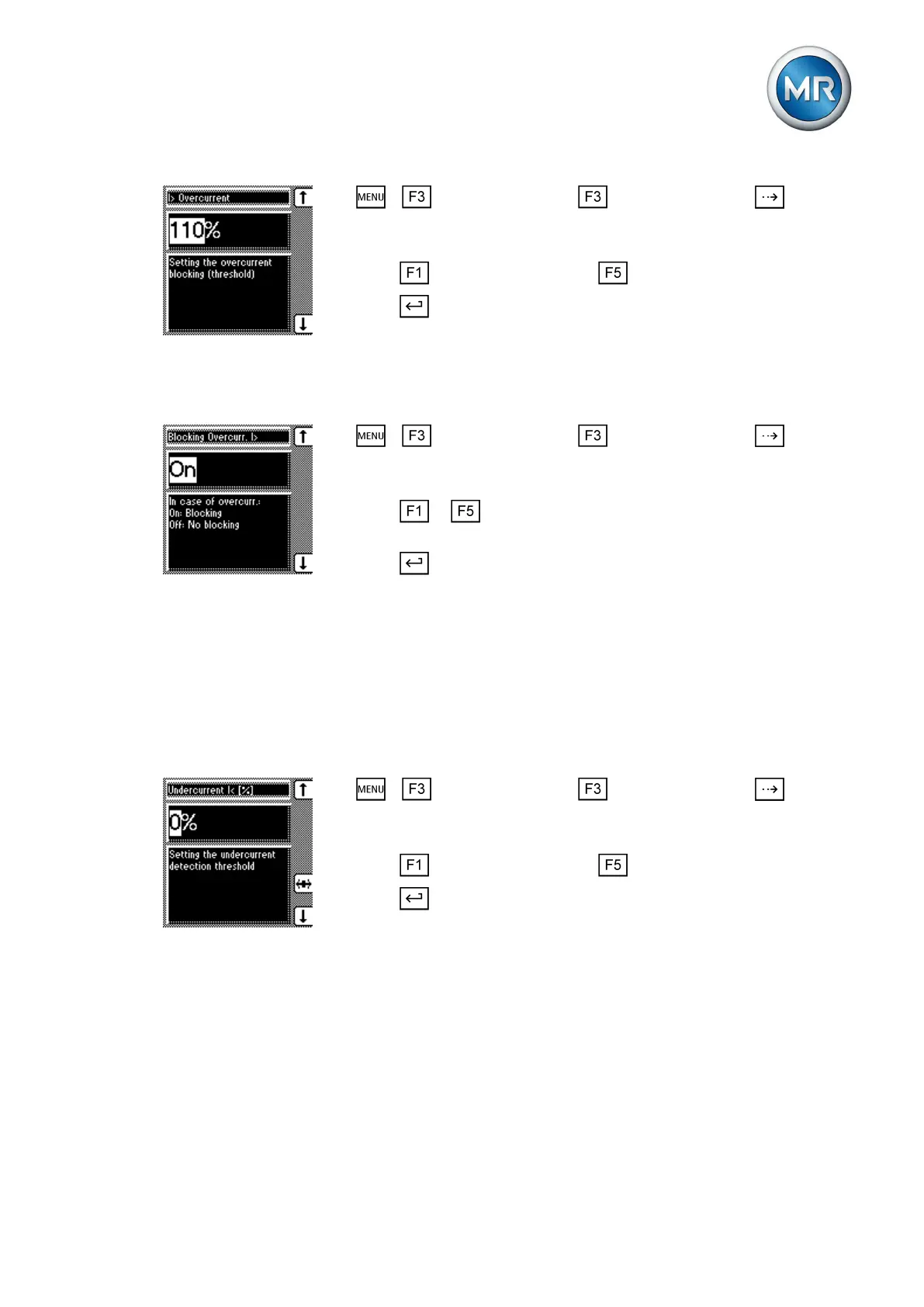
1. > Control parameter > Limit values > Press until the
desired parameter is displayed.
ð I> Overcurrent
2. Press to increase the value or to reduce it.
3. Press .
ð The limit value is set.
Activating/deactivating overcurrent monitoring
To activate/deactivate overcurrent monitoring, proceed as follows:
1. > Control parameter > Limit values > Press until the
desired parameter is displayed.
ð Blocking Overcurrent I>
2. Press or to activate (On)/deactivate (Off) overcurrent monitor-
ing.
3. Press .
ð Overcurrent monitoring is activated/deactivated.
Set undercurrent monitoring I<
These parameters are used to set undercurrent monitoring. As soon as the
measured current falls below the set limit value, control is blocked.
Setting undercurrent I<
To set the limit value for undercurrent monitoring, proceed as follows:
1. > Control parameter > Limit values > Press until the
desired parameter is displayed.
ð Undercurrent I< [%]
2. Press to increase the value or to reduce it.
3. Press .
ð The I< undercurrent limit value is set.
Activating/deactivating I< undercurrent blocking
To activate/deactivate undercurrent monitoring, proceed as follows:
7.5.4



 To Next Page