7 Functions and settings
Maschinenfabrik Reinhausen 201484 3550953/00 ENTAPCON® 230 pro
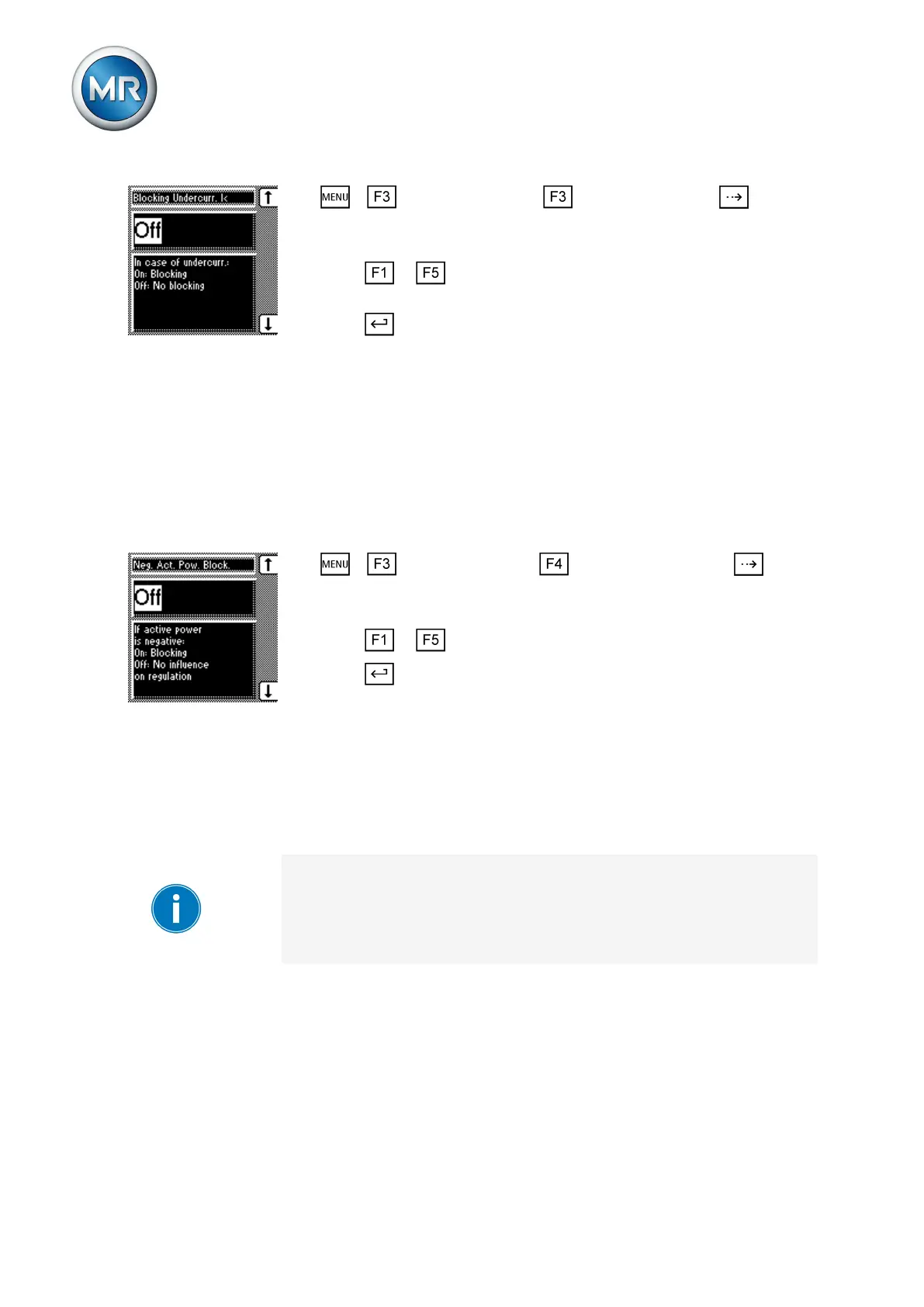
1. > Control parameter > Limit values > Press until the
desired parameter is displayed.
ð Blocking undercurrent I>.
2. Press or to activate (ON)/deactivate (OFF) undercurrent block-
ing.
3. Press .
ð The I< undercurrent blocking is activated/deactivated.
Activate/deactivate active power monitoring
This parameter can be used to set active power monitoring. If blocking is ac-
tivated, the control is blocked if a negative active power flow is detected.
However, this is only possible if the current transformer connection is con-
nected and correctly set. When regulator blocking is deactivated, then the
sign of the active power does not affect the regulation.
To activate/deactivate regulator blocking, proceed as follows:
1. > control parameter > Compensation > Press until
the desired parameter is displayed.
ð Neg. active power block.
2. Press or to select the option you want.
3. Press .
ð Blocking the regulator with negative active power is activated/deactivat-
ed.
Permitted tap positions
You can use the parameters described below to restrict the permissible
range of tap positions in auto mode. If you activate this function, the device
does not switch to tap positions outside the set limits in auto mode.
In manual mode, for manual tap changes on the motor-drive unit or for re-
mote tap changes via a SCADA system, monitoring of the step limits is not
active. This may result in the set limits being exceeded.
When switching from manual to auto mode, the tap changer should be with-
in the permitted tap positions.
Setting the lowest tap position blocking limit
You can define a lower tap position blocking limit to limit the number of tap
positions available in operation. When the tap position defined as lower tap
position blocking limit is reached, tap position blocking is activated. This pre-
vents any further tap change downwards.
To define the lower tap position blocking limit, proceed as follows:
7.5.5
7.5.6
7.5.6.1



 To Next Page