7 Functions and settings
Maschinenfabrik Reinhausen 201472 3550953/00 ENTAPCON® 230 pro
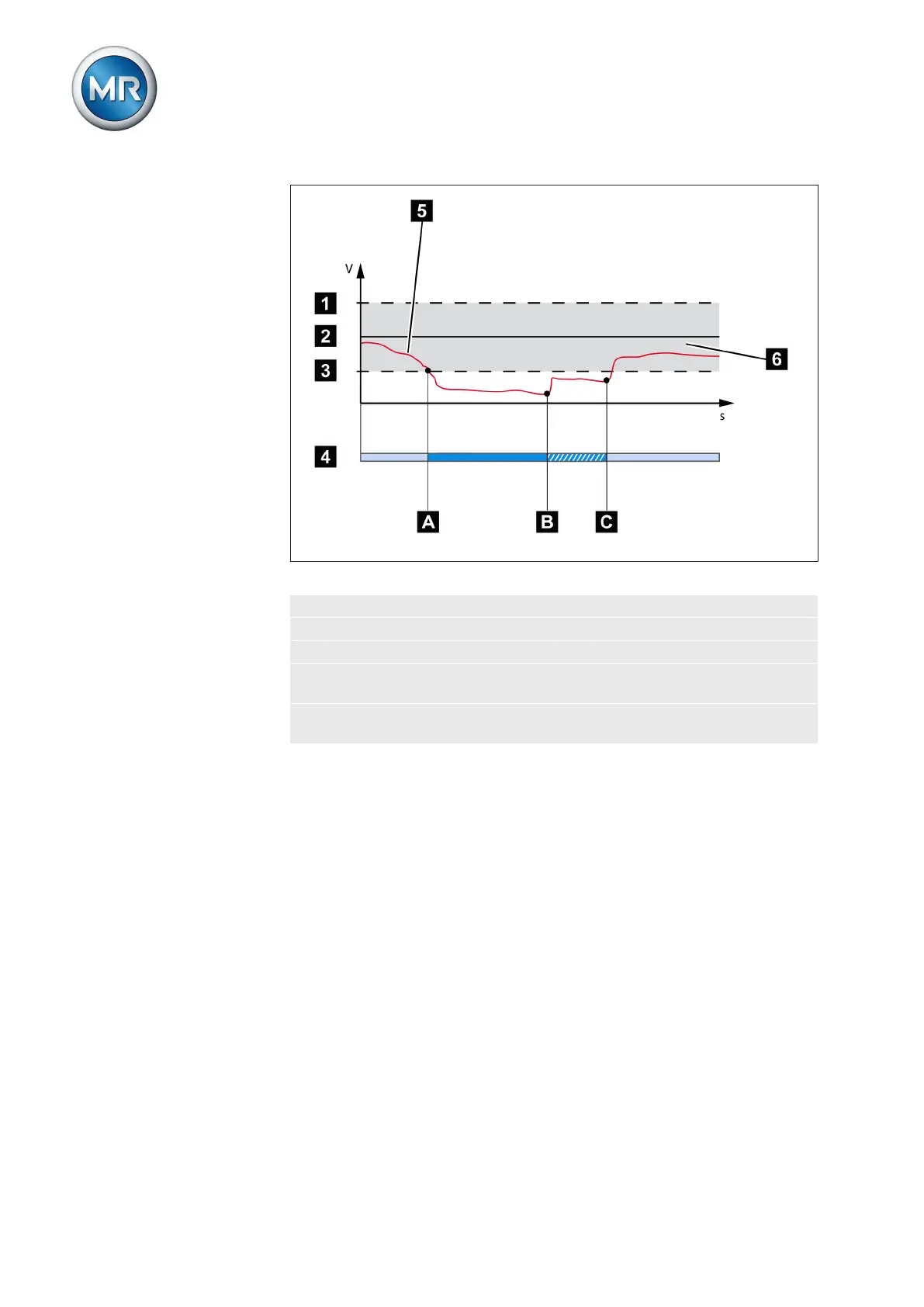
Figure 40: Response of the regulation function with delay times T1 and T2
1 + B %: Upper limit 4 Set delay times T1 and T2.
2 V
desired
: Desired value 5 V
actual
: Measured voltage
3 - B %: Lower limit 6 B%: Tolerance bandwidth
A V
actual
is outside the band-
width. Delay time T1 starts.
B Delay time T1 complete. Tap
change triggered.
C Delay time T2 complete. Tap
change triggered.
The following sections describe how to set the relevant control parameters.
Setting desired value 1...3
You can use this parameter to set up to 3 desired voltage values U
Ref
. The
desired voltage value is specified as a fixed value. The desired value 1 is the
default desired value. Desired values 2 and 3 are activated if there is a con-
tinuous signal at factory-preset control inputs X4:17 or X4:18 provided you
have programmed these previously. If there is a signal at several control in-
puts at the same time, desired value 2 is activated.
The device provides the following ways of changing the desired voltage val-
ue during operation:
▪ Using the control parameters menu item via the operating screen
▪ Using binary inputs
▪ Using control system protocols if a communication card is ready for op-
eration
7.4.1
Options for setting the
desired values



 To Next Page