7 Functions and settings
Maschinenfabrik Reinhausen 2014124 3550953/00 ENTAPCON® 230 pro
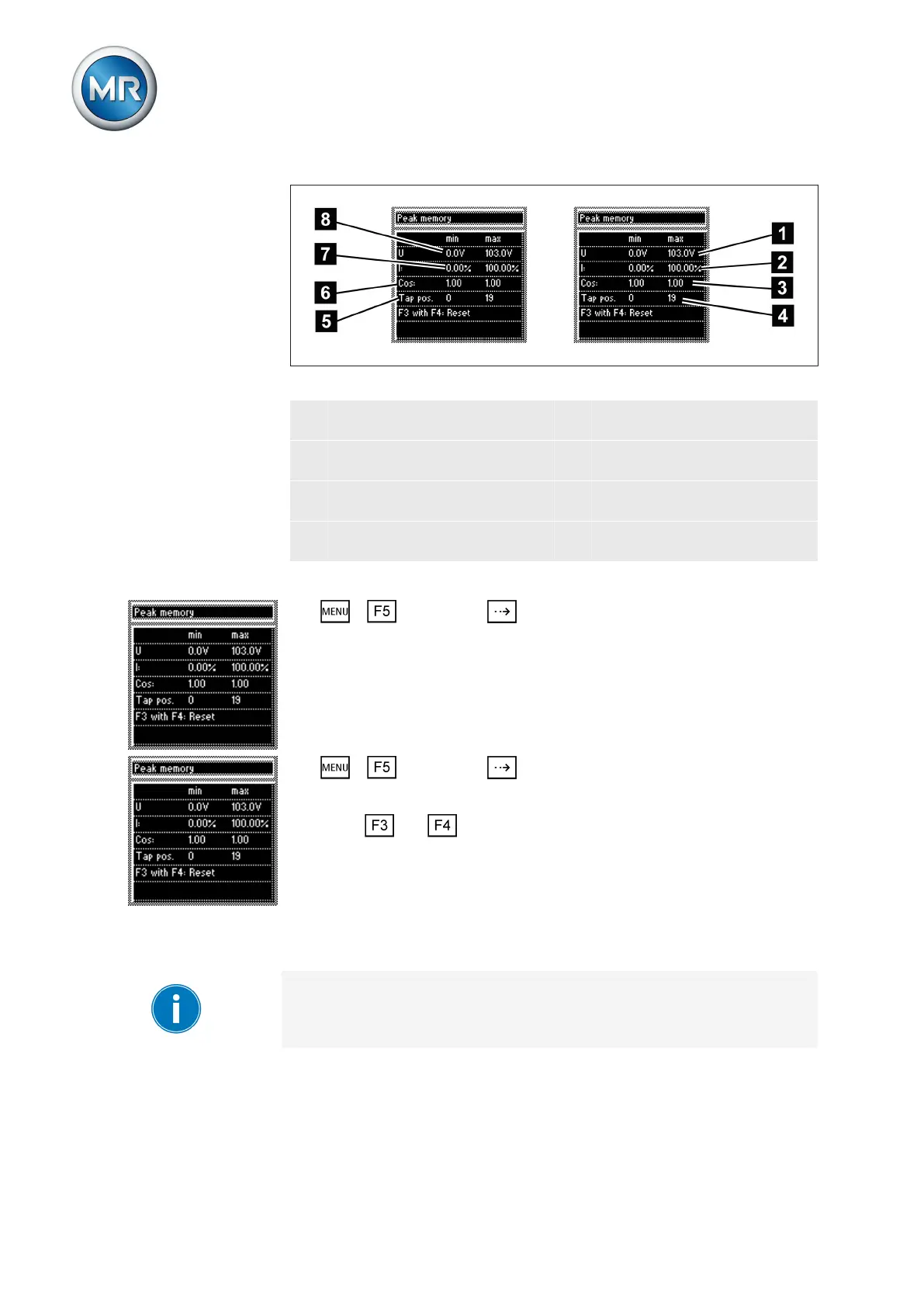
Figure 69: Peak memory
1 Maximum measured voltage
U
5 Minimum on-load tap-changer
tap position
2 Maximum measured current I 6 Minimum measured power
factor cos φ
3 Maximum measured power
factor cos φ
7 Minimum measured current I
4 Maximum on-load tap-chang-
er tap position
8 Minimum measured voltage U
To display data stored in the peak memory, proceed as follows:
► > Info > Press until the desired display appears.
ð Peak memory.
Resetting peak memory
To reset the peak memory, proceed as follows:
1. > Info > Press until the desired display appears.
ð Peak memory.
2. Press and at the same time.
ð The peak memory is reset.
Resetting parameters
With this display you can reset your settings to the factory settings .
Resetting the parameters to the factory settings permanently deletes your
parameters.
To reset all parameters, proceed as follows:
7.13.10



 To Next Page