5 Mounting
Maschinenfabrik Reinhausen 201432 3550953/00 ENTAPCON® 230 pro
Flush panel mounting
For flush panel mounting , the device is inserted through a cutout in the con-
trol panel and fixed to the control panel or control cabinet from behind using
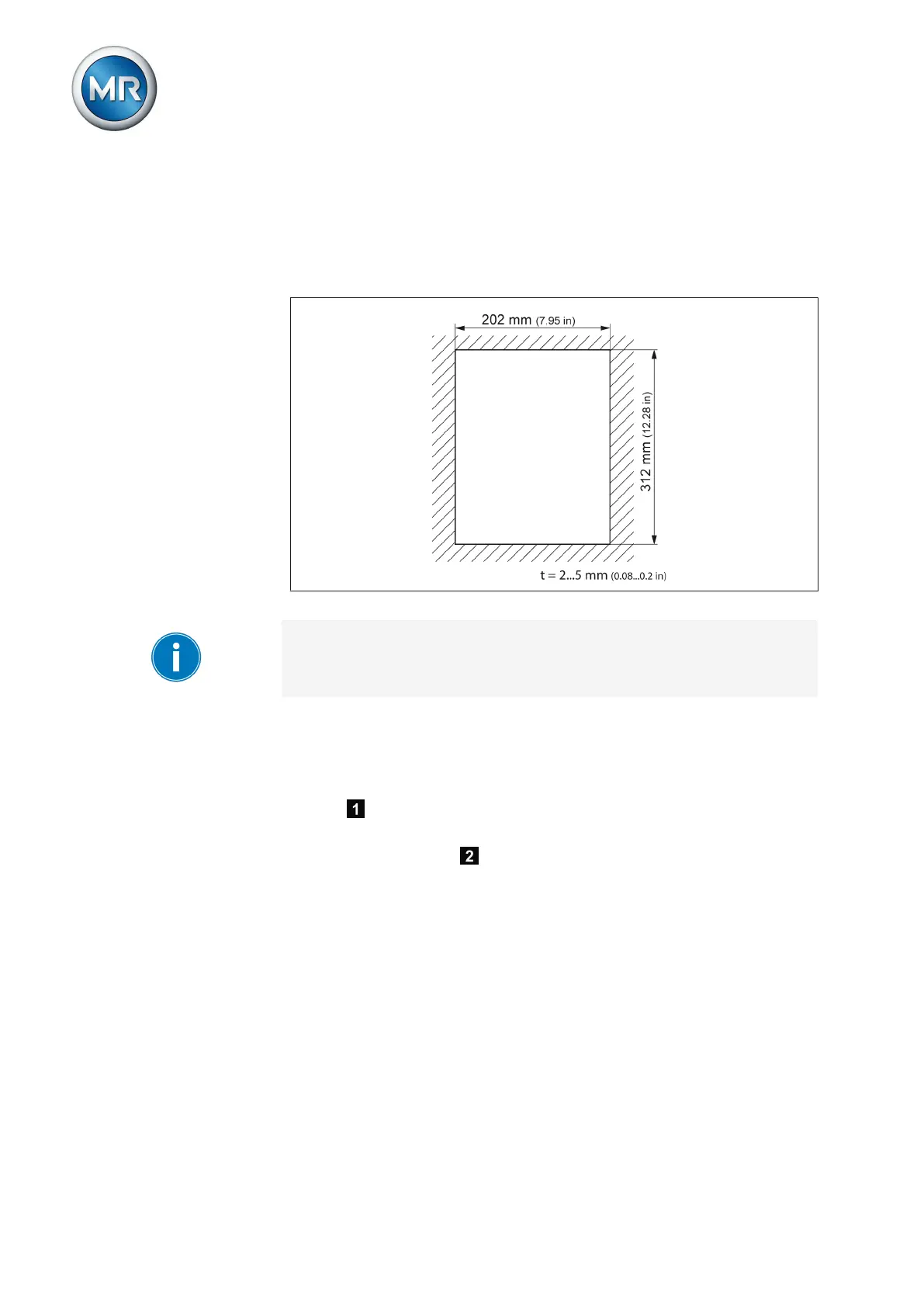
the mounting brackets. The diagram below shows the dimensions required
for the control panel cutout.
Figure 16: Dimensions for the cutout
A wall thickness of 2...5 mm (0.08...0.2 in) is needed for secure device fix-
ing.
To mount the device in the control panel or control cabinet, proceed as fol-
lows:
1. Close the device's door.
2. Insert the device through the cutout in the control panel or control cabi-
net .
3. Screw both fixing brackets to the rear of the device with 2 hexagon
socket screws each .
5.2.1



 To Next Page