3 Product description
Maschinenfabrik Reinhausen 201422 3550953/00 ENTAPCON® 230 pro
Display elements
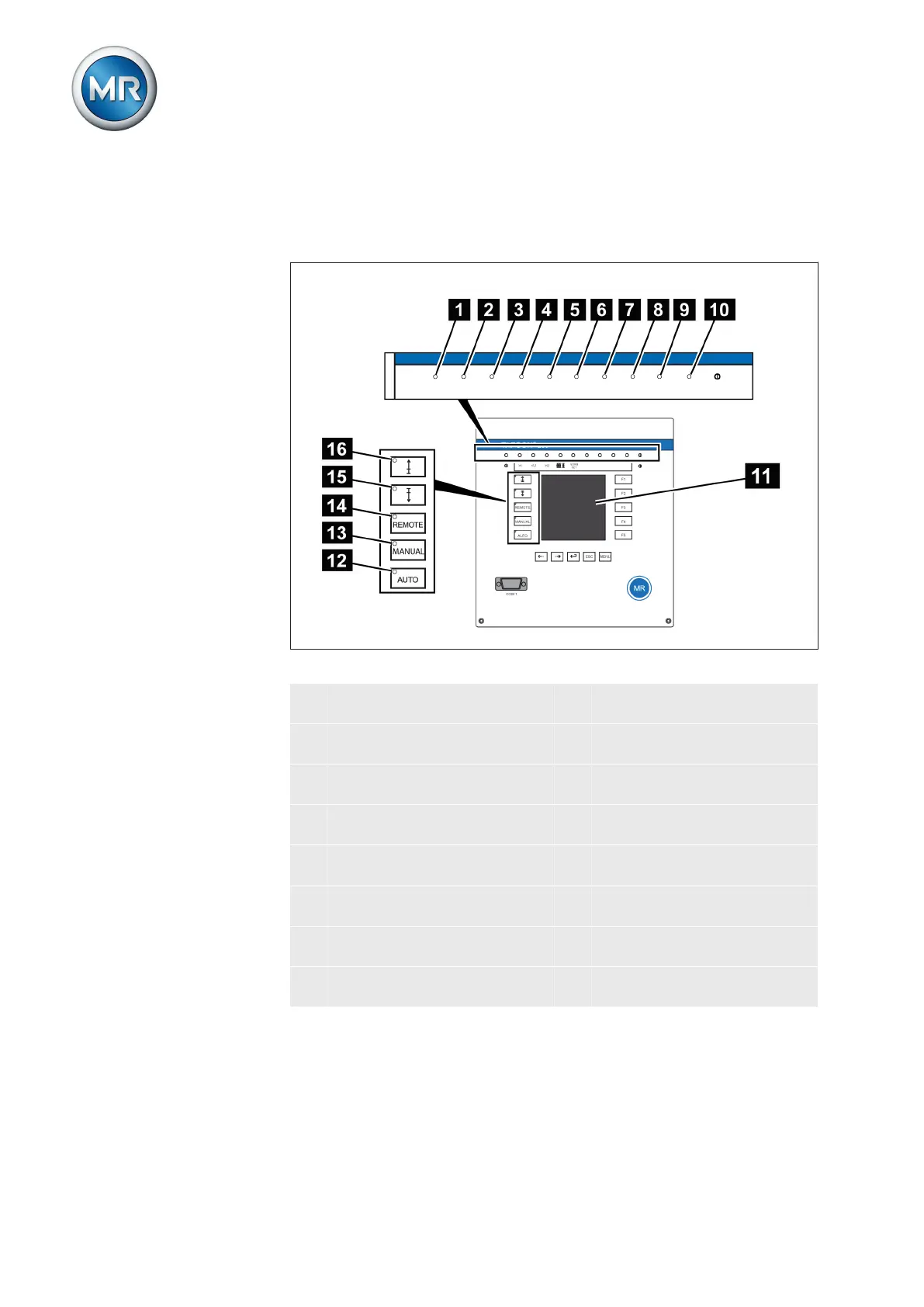
The device has a graphics display and 15 LEDs , which indicate the various
operating statuses or events.
Figure 9: Indicator elements
1 Operating status LED, green 9 LED 3, function can be freely
assigned, yellow/green
2 Overcurrent blocking LED, red 10 LED 4, function can be freely
assigned, yellow/red
3 Undervoltage blocking LED,
red
11 Graphics display
4 Overvoltage blocking LED,
red
12 Auto operating mode active
LED
5 Parallel operation active LED,
green
13 Manual operating mode active
LED
6 NORMset active LED , green 14 Remote operating mode ac-
tive LED
7 LED 1, function can be freely
assigned, yellow
15 Lower tap-change active LED
8 LED 2, function can be freely
assigned, yellow
16 Raise tap-change active LED
3.5.3



 To Next Page