3 Product description
Maschinenfabrik Reinhausen 2014 233550953/00 EN TAPCON® 230 pro
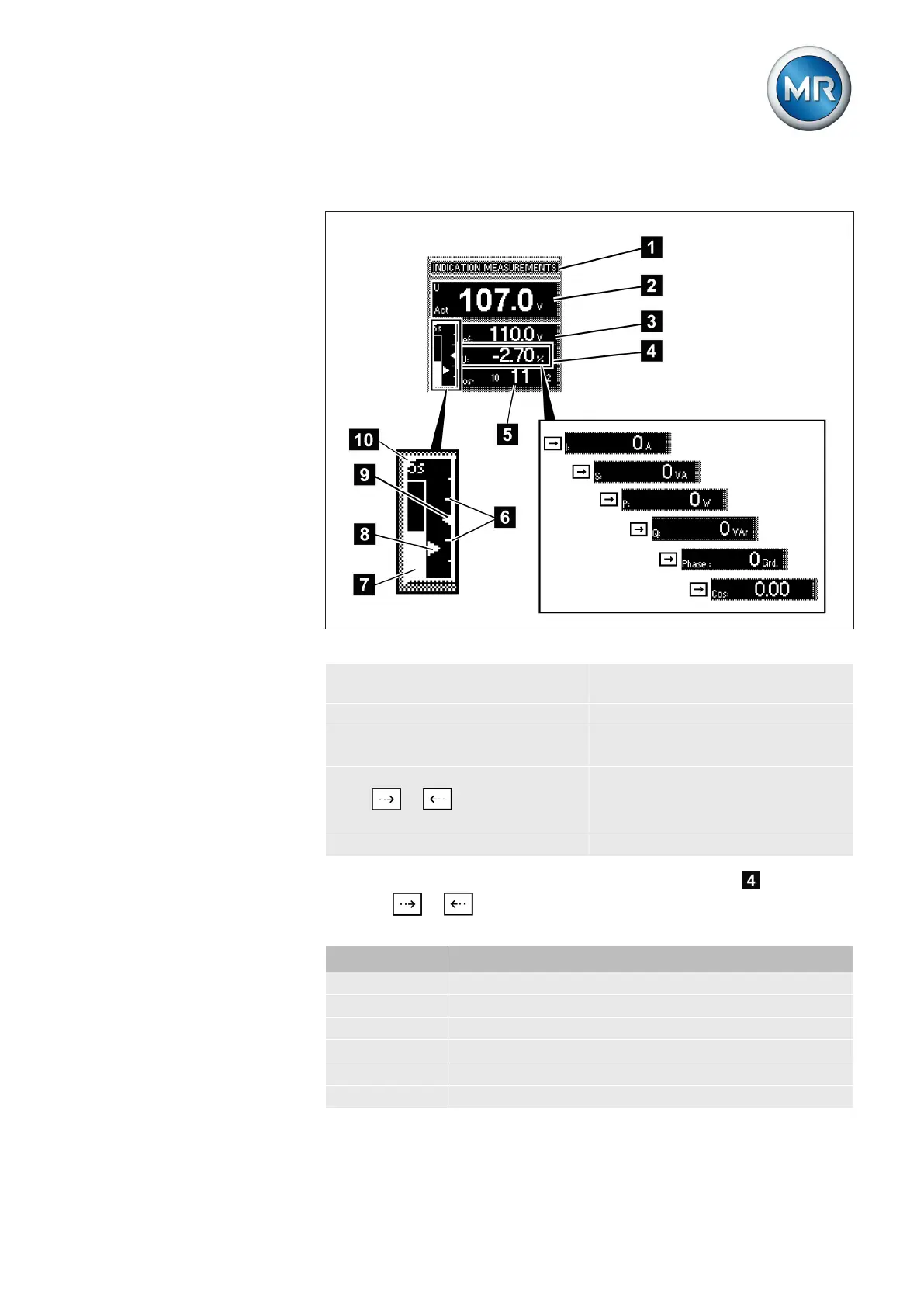
Display
Figure 10: Display
1 Status line 6 Bandwidth (upper and lower
limit)
2 Measured voltage U
Act
7 Time bar for delay time T1
3 Reference voltage U
Ref
8 Highlighting for measured
voltage U
Act
4 Other measured values (use
or to switch between
them)
9 Highlighting for reference volt-
age U
Ref
5 Tap position n-1; n; n+1 10 Remaining delay time T1
In auto mode and manual mode the measured value display can be set
using the or keys. The following measured values can be dis-
played:
Unit Measured value
dU Control deviation
I Current
S Apparent power
P Active power
Q Reactive power
Phase Phase angle
Other measured values



 To Next Page