7 Functions and settings
Maschinenfabrik Reinhausen 2014 1113550953/00 EN TAPCON® 230 pro
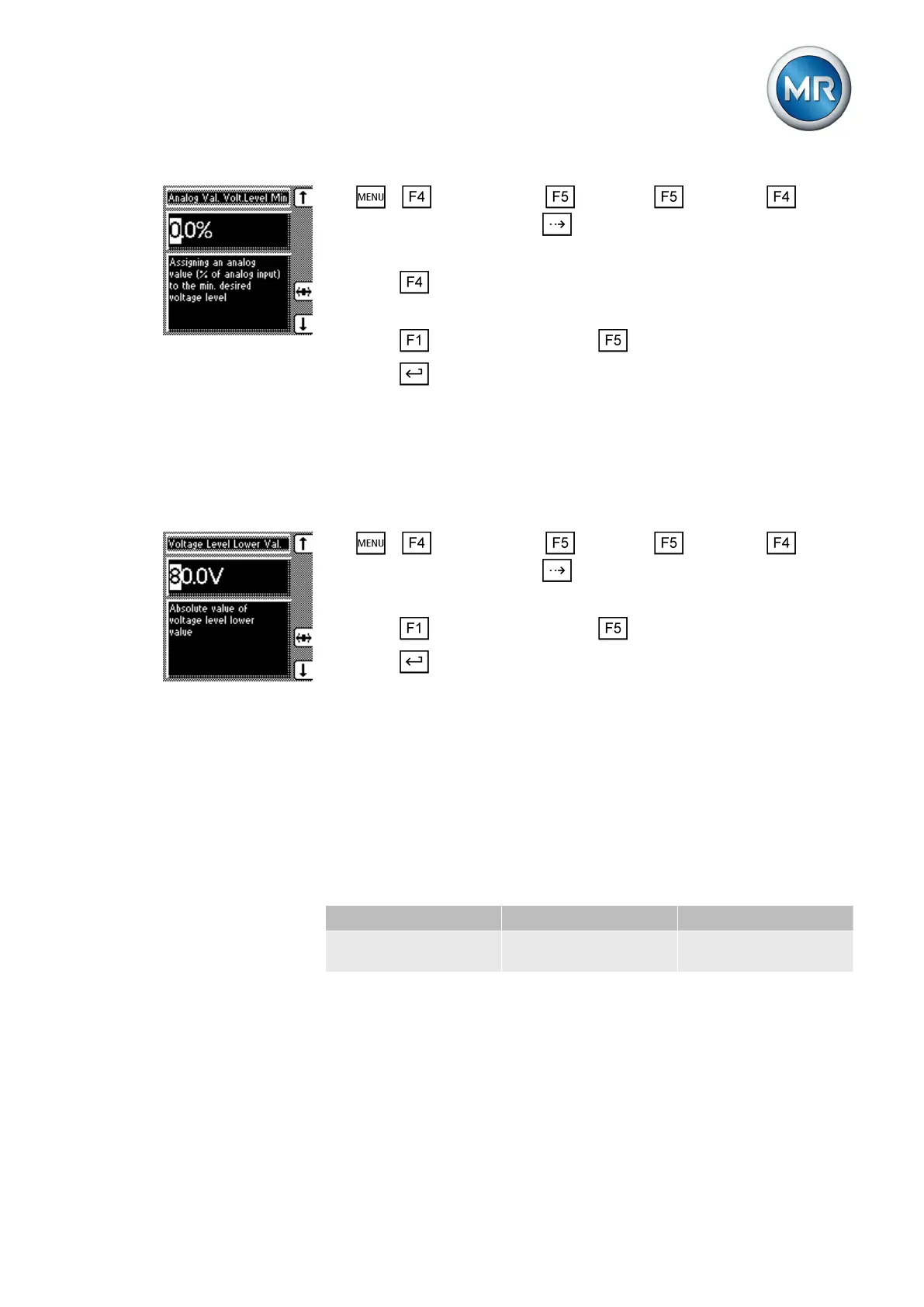
1. > Configuration > Continue > Continue > Remote
Volt. Level Setting > Press until the desired parameter appears.
ð Analog value % desired value min.
2. Press to highlight a digit.
ð The desired position is highlighted and the value can be changed.
3. Press to increase the value or to reduce it.
4. Press .
ð The analog value for the minimum desired value is set.
To configure the analog input, the minimum desired value must be assigned
to the minimum analog value.
To set the minimum desired value, proceed as follows:
1. > Configuration > Continue > Continue > Remote
Volt. Level Setting > Press until the desired parameter is displayed.
ð Minimum desired value
2. Press to increase the value or to reduce it.
3. Press .
ð The minimum desired value is set.
Setting upper limit value for the desired value
To configure the analog input, state the analog value for the maximum de-
sired value.
If you are using a desired value transmitter with a resistor contact series, se-
lect 100%.
If you are using a desired value transmitter with injected current as the trans-
mitter signal, select 100% (for 20 mA).
Desired value Current Value
Maximum desired val-
ue 110 V
20 mA 100% (of analog input
signal range)
Table 27: Example of configuration for the analog input (desired value transmitter
with injected current)
To set the analog value for the maximum desired value, proceed as follows:
7.10.3



 To Next Page