7 Functions and settings
Maschinenfabrik Reinhausen 201474 3550953/00 ENTAPCON® 230 pro
You have to set the bandwidth in such a way that the output voltage of the
transformer (V
Act
) returns to within the specified tolerance bandwidth after the
tap change. If too small a bandwidth is defined, the output voltage exceeds
the bandwidth selected and the device immediately issues a tap-change
command in the opposite direction. If a very large bandwidth is selected, this
results in a major control deviation.
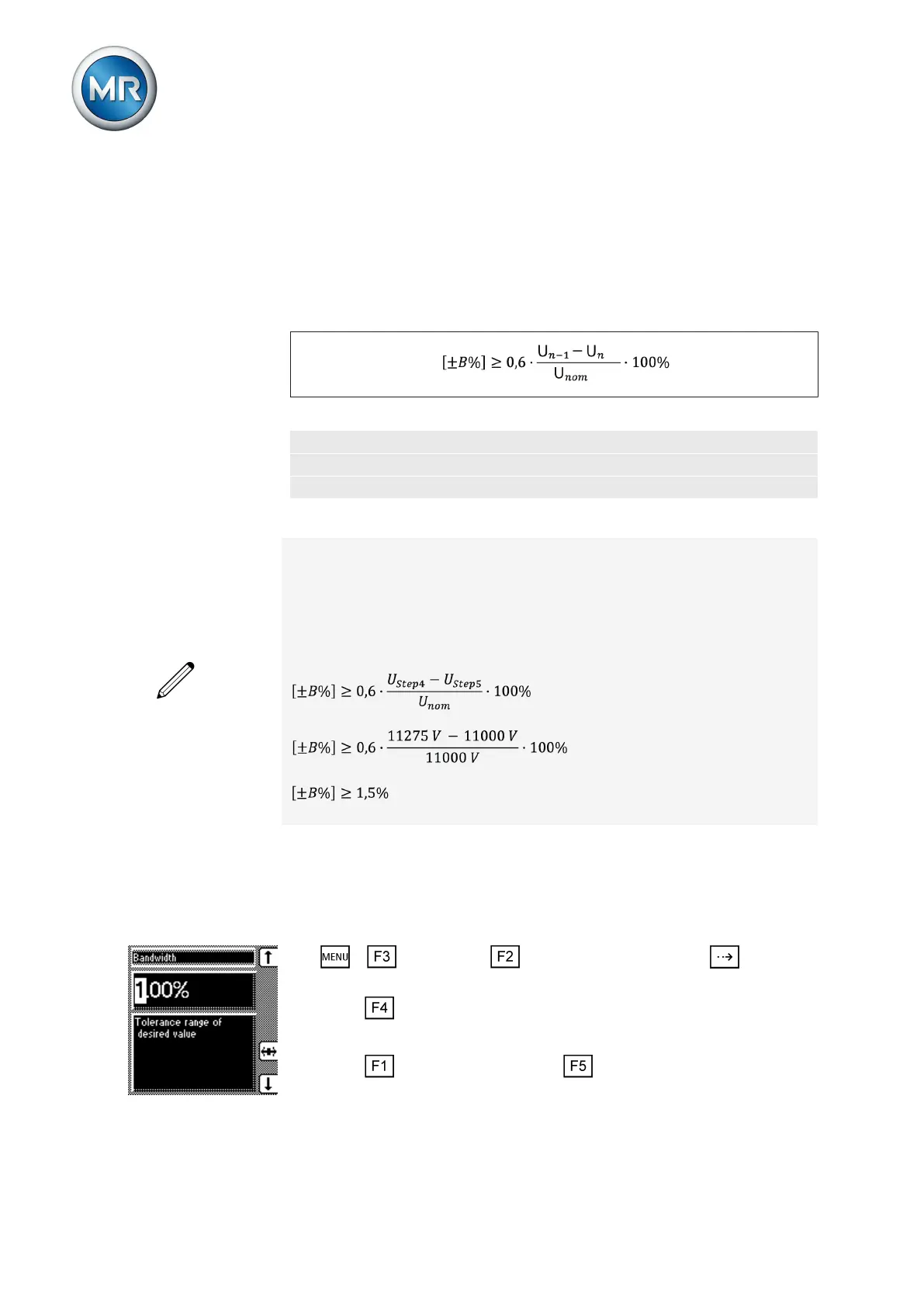
The following value is recommended for the bandwidth setting:
Figure 42: Recommended bandwidth
U
n-1
Step voltage of tap position n-1
U
n
Step voltage of tap position n
U
nom
Nominal voltage
The following transformer values are used to determine the recommended
bandwidth:
Nominal voltage U
nom
= 11,000 V
Step voltage in tap position 4 U
Step4
= 11,275 V
Step voltage in tap position 5 U
Step5
= 11,000 V
The following section describes how you can set the bandwidth.
Setting the bandwidth
To enter the determined bandwidth, proceed as follows:
1. > Parameter > Control parameter > Press until the
desired parameter is displayed.
2. Press to highlight the position.
ð The desired position is highlighted and the value can be changed.
3. Press to increase the value or to reduce it.
Too small/large a
bandwidth
7.4.3.2



 To Next Page