User’s Guide ValueJet 1304
Handling the printer
64 AP-75780 - Revision 1.3
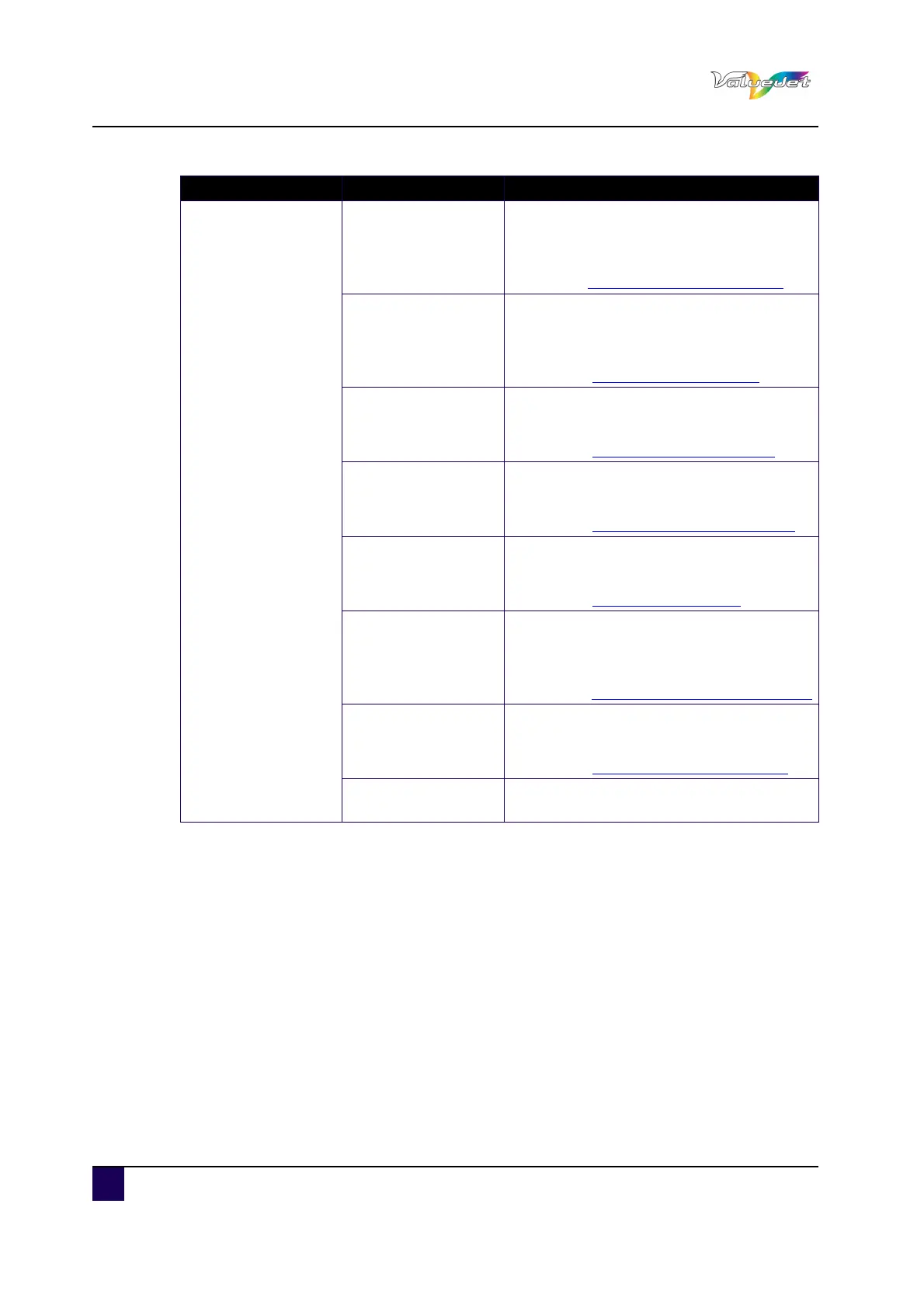
Setup item Settings Description
Type 1 to 30
Print Mode
Set up the print mode according to the used
print data or print speed.
ENTER: shifts to the next hierarchy.
Refer toPrint mode menu on page65
PF Adjust
Various settings on the media feed
compensation can be set.
>: shifts to the next hierarchy.
Refer to Dist.Adj menu on page66
Pre Heater
Set up the Pre Heater temperature.
ENTER: shifts to the next hierarchy.
Refer to Pre heater menu on page68
Platen Heater
Set up the Platen Heater temperature.
ENTER: shifts to the next hierarchy.
Refer to Platen heater menu on page69
After Heater
Set up the after Heater temperature.
ENTER: shifts to the next hierarchy.
Refer to Drier menu on page70
StandbyHeating
Set up whether the heater is preheated
while in standby mode.
ENTER: shifts to the next hierarchy.
Refer to StandbyHeating menu on page70
Vacuum Fan
Set up the vacuum fan operation.
ENTER: shifts to the next hierarchy.
Refer to Vacuum Fan menu on page71
---
CANCEL: saves the settings and shifts to
the previous menu















 To Next Page