Before using VJ-1628X OPERATION MANUAL
74 3.4 Filling ink
7. Install Cleaning fluid pack and IC chip card to High-capacity ink pack adapter.
• To install or remove High-capacity ink pack adapter to/from Cleaning fluid pack and IC chip card,
refer to the operation manual included with High-capacity ink pack adapter.
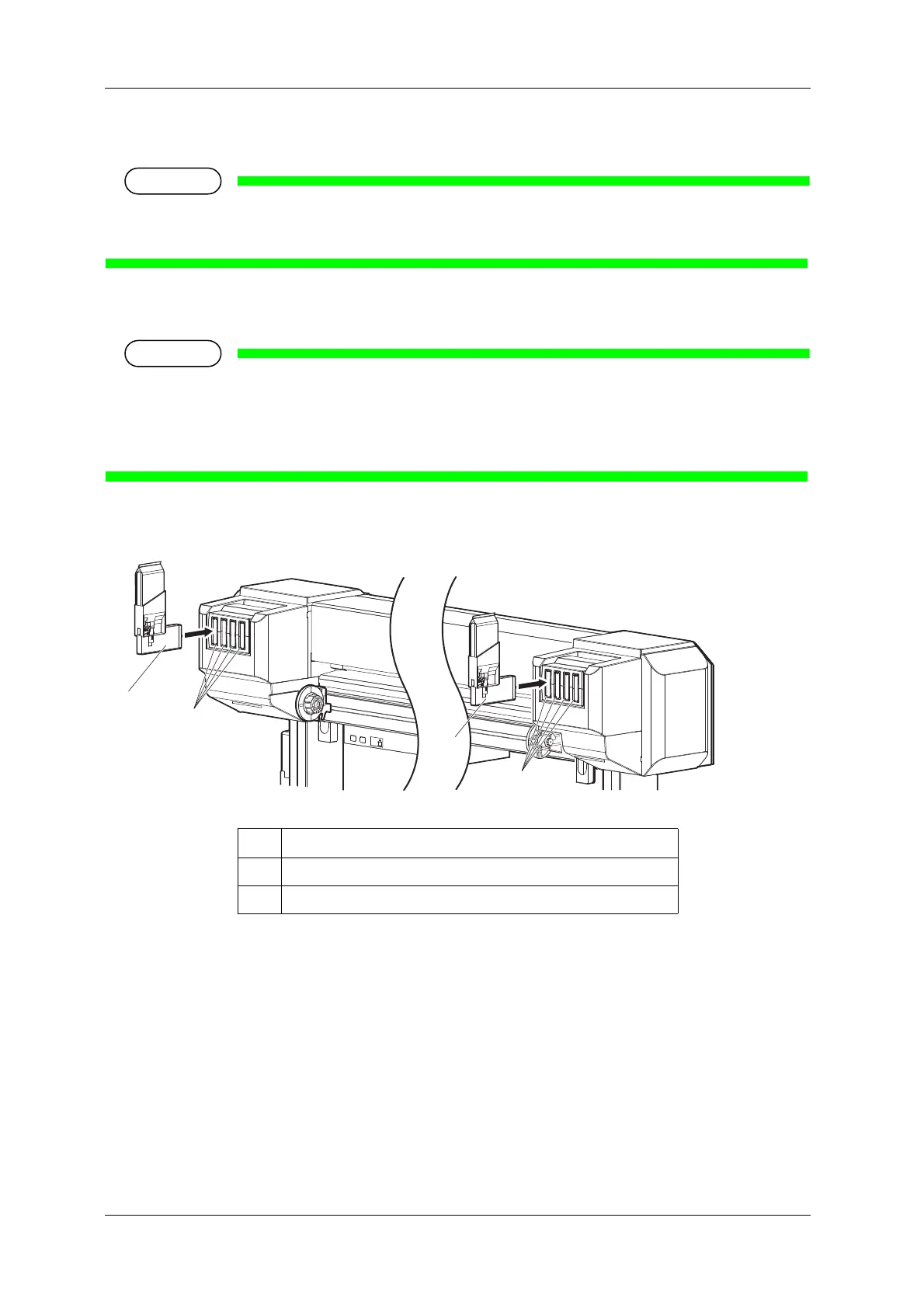
8. Insert High-capacity ink pack adapter into Ink cartridge slot.
• Do not insert High-capacity ink pack adapter into Ink cartridge slot without attaching Cleaning
fluid pack.
The information of the remaining IC chip card will be rewritten and Cleaning fluid pack will not be
usable.
• Insert High-capacity ink pack adapters all the way in Ink cartridge slots.
• When all High-capacity ink pack adapters are installed, “Busy-Washing” is displayed on
Operation panel, and the printer starts charging Cleaning fluid.
• When Cleaning fluid has been charged, “Remove Cartridges” is displayed on Operation panel.
No. Name
1 High-capacity ink pack adapter
2 Ink cartridge slots















 To Next Page