Maintenance VJ-1324X OPERATION MANUAL
198 6.1 Replacing consumable components
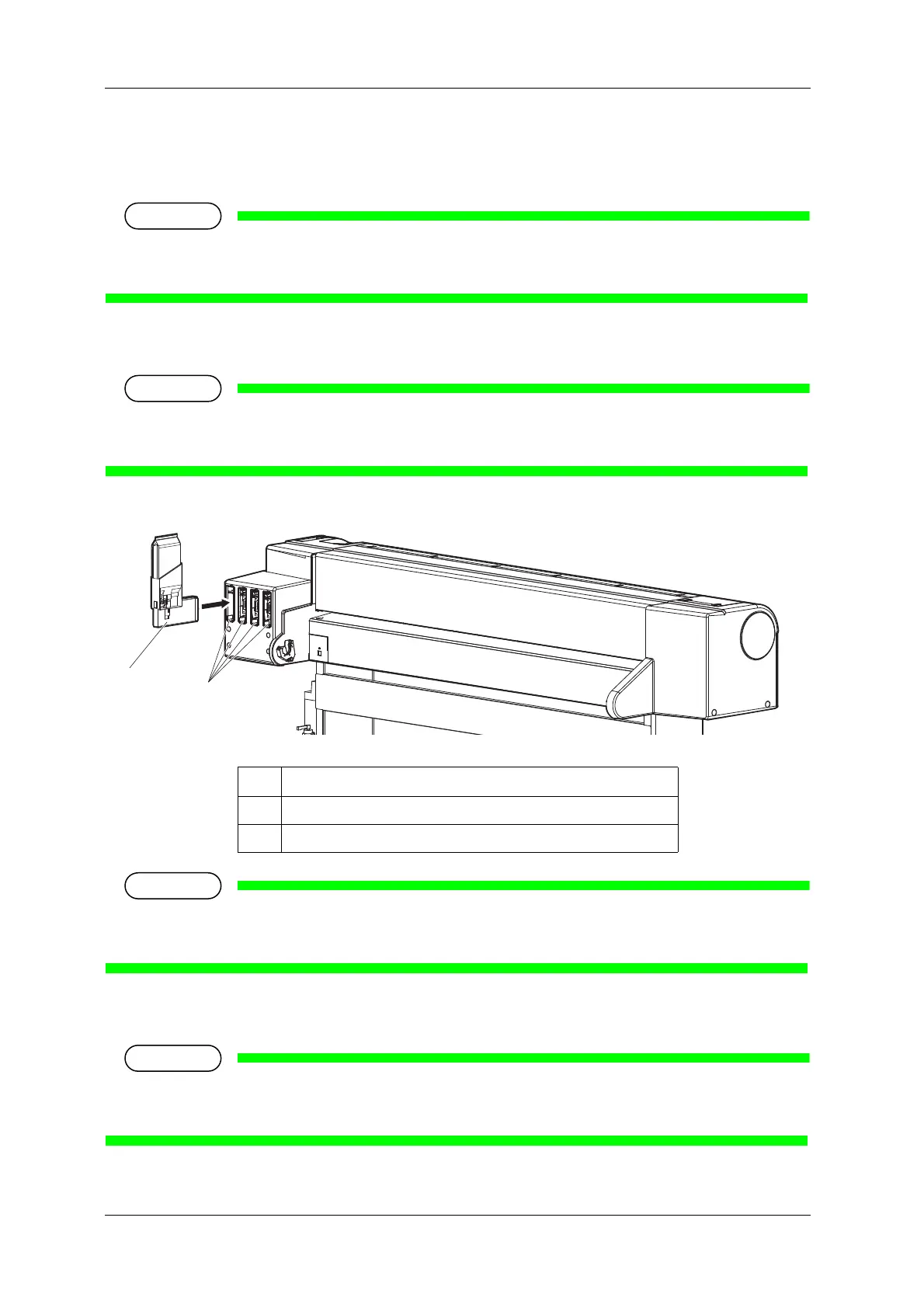
(2) Replacing high capacity pack adapter (option)
1. Confirm that the printer is turned ON.
• Do not replace high capacity pack adapter when the printer is turned OFF.
The remaining ink may not be detected correctly, causing abnormal printing.
2. Remove the high capacity pack adapter that you want to replace from the slot.
• Used ink bags should be put in a plastic bag, etc, and dispose of it in compliance with local
ordinance and instructions of local authorities.
• Do not remove only ink bag while high capacity pack adapter is installed on the printer. The
information of the remaining smart chip card will be rewritten and the ink bag will not be usable.
3. Take out the new ink bag from the bag.
• Open the bag just before attaching the ink bag to the high capacity pack adapter.
Leaving the ink bag with the bag open for a long time may result in abnormal printing.
No. Name
1 High capacity pack adapter
2 Ink cartridge slot















 To Next Page